Session timeline down the left of the conversation: every user message at a glance, current-message tracking, hover preview of the message and its reply, click to jump, collapsible.
Install
# from npm (prebuilt)
dsh plugin --profile web add dsh-session-timeline
# from GitHub (first run asks for allowBuilds approval — follow the hint, retry)
dsh plugin --profile web add github:XiLuovo/dsh-session-timeline
Any plugin you install runs third-party code with your own permissions — it can read your files, use your credentials, and reach the network, and tool approvals don’t sandbox it. GitHub-sourced plugins also run build scripts at install time — pnpm blocks those until you allow them, so an install can stop with ERR_PNPM_GIT_DEP_PREPARE_NOT_ALLOWED or ERR_PNPM_IGNORED_BUILDS; dsh prints the exact key to add under allowBuilds in your profile’s pnpm-workspace.yaml, and the install works on the next run. Allowing a build is a trust decision: only install sources you trust, and pin a commit (github:owner/repo#sha).
README
English | 中文
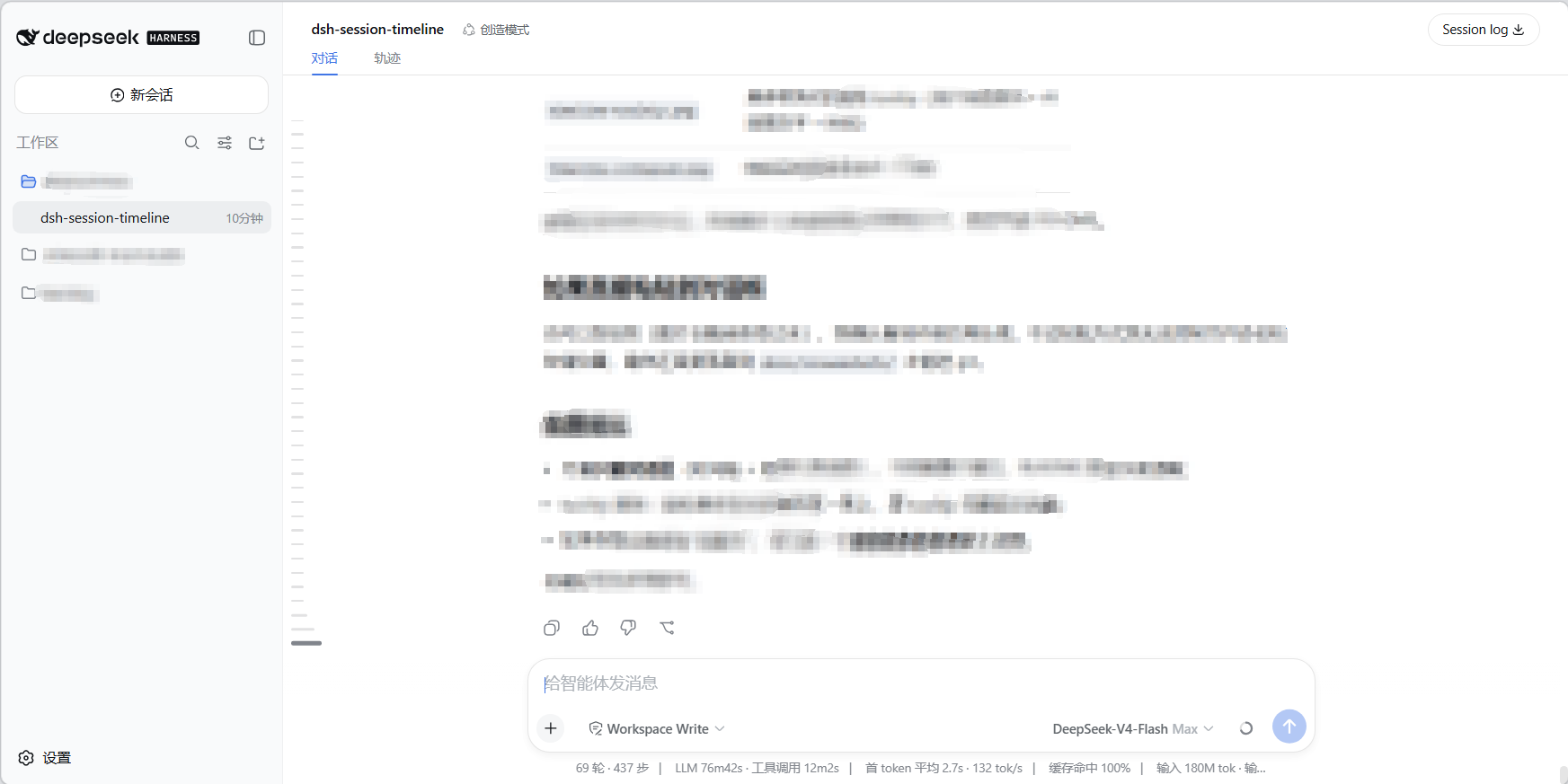
A session timeline plugin for DeepSeek Harness: renders a horizontal-bar timeline on the left side of the conversation for quickly locating, jumping to, and previewing turns in long sessions.
Screenshots
Features
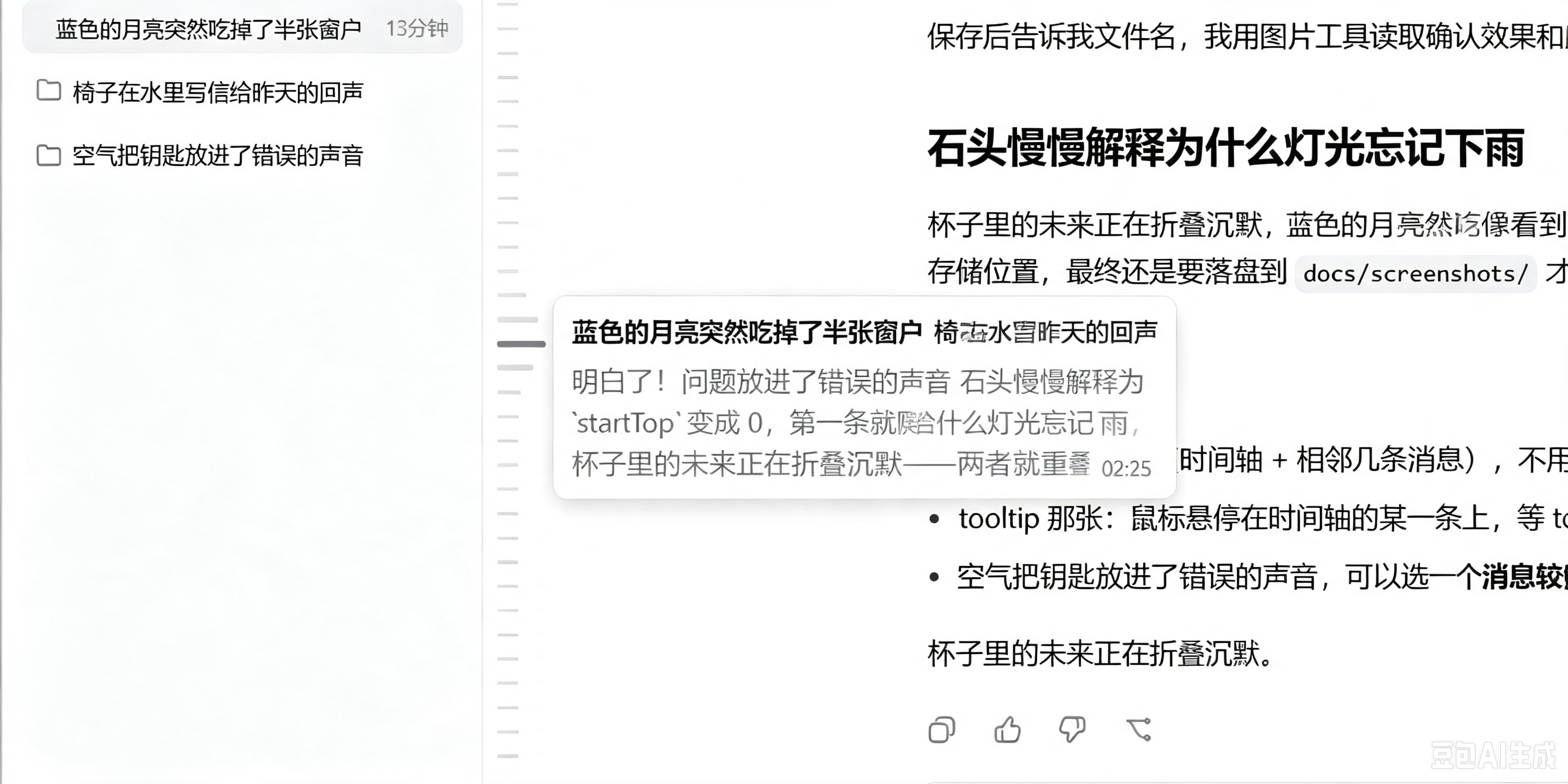
- Horizontal-bar timeline: one short horizontal bar per user input; no bars where there are no messages. The count equals the whole session's user-message count. When they fit, the group centers vertically; when they don't, the timeline scrolls internally (no scrollbar).
- Full-session statistics (projection): uses DSH
sessionProjectionsto incrementally track every user message plus its AI reply preview. A persisted cache makes reloads instant, new messages update in real time, and long sessions stay lightweight. - Current-message tracking (scroll-spy): the active bar always corresponds to the user message currently at the top of the viewport; scrolling the conversation moves the active bar accordingly. After you manually scroll the timeline it stays put, and following resumes after you click a bar to jump.
- Wave focus: moving the mouse over the timeline makes the nearest bar turn active color and grow, with neighboring bars tapering off above and below for a wave-like effect.
- Rounded preview tooltip: hovering a bar immediately shows a rounded tooltip — the user message on the first line (bold black, single-line ellipsis) and the AI reply below (gray, multi-line), with the time pinned to the bottom-right of the last line. Font matches the conversation. History outside the loaded window is previewable too.
- Click to jump: clicking any bar scrolls the conversation to that user input; bars outside the loaded window auto-load older history first, then jump.
- Collapse / expand: a hover-fading capsule handle sits above the first bar (click to collapse; while hovering, the first two bars taper in gray with the capsule acting as the active bar). Collapsed, it becomes a full-height thin vertical bar, hidden by default, fading in when the mouse nears its hit area, and clicking expands it. At any scroll position, fixed blank space is kept between the capsule and the topmost bar.
Installation
Requires DSH ≥ 0.1.0-rc (dsh CLI installed; the web profile includes the sessionProjections service).
Option 1: npm install (recommended)
Published on npm — prebuilt install skips the GitHub build-approval step:
dsh plugin --profile web add dsh-session-timeline
Then start (or restart) the web app:
dsh web
Option 2: install from GitHub
dsh plugin --profile web add github:XiLuovo/dsh-session-timeline
Then start (or restart) the web app:
dsh web
This package is pure JS —
client.jsis the final bundle artifact, so nopreparebuild script is needed; it works directly from GitHub.
Option 3: local directory install (development)
git clone https://github.com/XiLuovo/dsh-session-timeline.git
dsh plugin --profile web add ./dsh-session-timeline
dsh web
Option 4: dynamic in-session load (quick try, not persisted)
In a DSH Web session, ask the agent to run cordis_define and paste the contents of client.js as the client code, then cordis_run to enable it. Good for a quick try; note that the dynamic form has no host projection (full-session stats unavailable) and only keeps in-window features.
Uninstall
dsh plugin --profile web remove dsh-session-timeline
Usage
Open any session and the timeline appears on the left of the conversation:
| Interaction | Effect |
|---|---|
| Hover a bar | Shows that turn's user message + AI reply preview (rounded tooltip) |
| Click a bar | Jumps to the corresponding message (auto-loads history if outside the window) |
| Move the mouse over the timeline | Wave follows (active bar + tapering lengths) |
| Scroll the timeline | Internal scrolling (no scrollbar); position is kept after manual scroll |
| Hover the capsule above the first bar | Capsule fades in; first two bars taper in gray |
| Click the capsule | Collapses the timeline |
| After collapse: hover/click the bar area | Bar fades in / expands the timeline |
Dependencies
Built entirely on the DSH host:
| Dependency | Purpose | Source |
|---|---|---|
@deepseek-ai/dsh-client-runtime |
conversation snapshot, useSessions, projection faceOf reads | host-provided (peer) |
@deepseek-ai/dsh-client-ui-layout |
shell.overlay floating slot | host-provided (peer) |
@deepseek-ai/dsh-session-projection |
projection registration + event-stream fold + persisted cache | host-provided (peer) |
zod ^4.4.3 |
projection schema (data validation) | package-owned (dependencies) |
DSH theme CSS variables (--dsw-alias-*) |
light/dark theme adaptation | host |
Development notes
- client.js: pure-JS UI (wave, scroll-spy, tooltip, capsule, internal scroll) with no build step; commit changes directly.
- index.js: projection fold math (
init/apply/view+ compact truncation). BumpstateVersionwhenever the projection state shape changes, otherwise the old persisted cache is wrongly reused. - The browser half is discovered via
exports["./client"];dsh.clientdeclares its runtime dependencies. - The plugin only reads
sessions.binding(sessionId).sessionsnapshots, the projection, and DOM anchors (data-chat-anchor-key); it never mutates session data.
License
MIT
Links
More in this category
zhu1090093659/dsh-web#packages/dsh-task-board★ 8121
Task board for the dsh web GUI: a sidebar multi-column kanban whose cards run in real DSH agent sessions and can also be scheduled with cron expressions, executed host-side even with the browser closed.
zhu1090093659/dsh-web#packages/dsh-web-all★ 8121
Plugin and skin collection for the DSH Web UI: task board, Git graph, right-side panel, remote mobile UI, pet, live token stats, and a skin center.
omdsh-dev/DSH-better-sidebar★ 3868
Full sidebar workbench with file rendering and editing, terminal, Git, and subagents; third-party plugins can register new tabs.
ccch1mneyyy/dsh-TUI★ 3734
Claude Code-style full-screen terminal UI: pixel-whale header, live status line, and streaming thought expansion.
MeteorNOX/DeepSeek-Balance-Whale-Widget★ 3369
A fixed-corner whale widget for the DSH web GUI — balance, today's usage and per-turn cost with peak/off-peak pricing, editable balance-alert and daily-budget bubbles, a module-based custom bubble queue with A/B weighted choices and random lines or images, 30+ vendor templates (OpenAI, OpenRouter, Kimi, SiliconFlow, Ark, Zhipu, MiniMax and more) with per-model balance and subscription quota, plus task-end sound, imported audio, custom roles and a resource manager. Local-only, no telemetry.
Devin-AXIS/deepseek-design#deepseek-idesign★ 1665
Visual design studio for websites, app prototypes, posters, cards, reports, and magazines, with templates, direct element editing, selection-aware AI draft handoff, and export.
Community comments
Comments are public GitHub Discussions. Loading them connects to GitHub and Giscus; a GitHub account is required to post.