Use a ChatGPT/Codex subscription in DeepSeek Harness with GPT models, image generation, web search, subscription quota reporting, model and feature controls, and browser or device-code OAuth sign-in.
Install
# from npm (prebuilt)
dsh plugin --profile web add @wnjxyk/dsh-codex-oauth
# from GitHub (first run asks for allowBuilds approval — follow the hint, retry)
dsh plugin --profile web add github:WNJXYK/dsh-codex-oauth
Any plugin you install runs third-party code with your own permissions — it can read your files, use your credentials, and reach the network, and tool approvals don’t sandbox it. GitHub-sourced plugins also run build scripts at install time — pnpm blocks those until you allow them, so an install can stop with ERR_PNPM_GIT_DEP_PREPARE_NOT_ALLOWED or ERR_PNPM_IGNORED_BUILDS; dsh prints the exact key to add under allowBuilds in your profile’s pnpm-workspace.yaml, and the install works on the next run. Allowing a build is a trust decision: only install sources you trust, and pin a commit (github:owner/repo#sha).
README
English | 简体中文
🎯 What it does: Sign in with a ChatGPT / Codex subscription to enjoy powerful GPT models, image generation, and web search in DeepSeek Harness, with subscription quota reporting included. 🧩 Compatibility: Verified on DSH
0.1.0-rc.6; future releases will continue to be tested against the latest DSH version. ⚠️ Risk: This project is built on open-source software and relies on non-public ChatGPT Codex backend endpoints. OpenAI protocol changes may temporarily break features until the plugin is updated, and there may also be a low risk of account suspension.
✨ Plugin highlights
- 🚀 Direct subscription access — GPT models, image generation, and web search share your OpenAI subscription quota.
- 🧩 Controlled integration — the model picker, generated images, and web search integrate into DeepSeek Harness with dedicated controls.
- 🔐 Multiple sign-in methods — supports browser sign-in and headless device-code authorization.
- 🌗 UI adaptation — follows DSH's English/Chinese language and Light, Dark, or System theme.
📦 Install / Upgrade
🟢 npm
dsh plugin --profile web add -w @wnjxyk/dsh-codex-oauth@latest
🐙 GitHub
dsh plugin --profile web add -w github:WNJXYK/dsh-codex-oauth
🗑️ Uninstall
npm and GitHub installations use the same removal command:
dsh plugin --profile web remove -w @wnjxyk/dsh-codex-oauth
🧰 Plugin capabilities
| Capability | Description |
|---|---|
| 🤖 GPT models | Activates DSH's built-in openai-codex provider and dynamically loads models available to the account. |
| 🎨 Image generation | Registers the generate_image tool, supports multiple image sizes and quality levels, and displays the generated result. |
| 🌐 Web search | Routes native web_search through hosted GPT search and returns answer text with structured source URLs. |
| 📊 Subscription usage | Shows plan, remaining quota, reset times, and windows such as 5-hour and weekly limits. |
| 🔑 OAuth | Supports browser sign-in, device codes, automatic token renewal, status refresh, and sign-out. |
| 🖥️ Native integration | Provides model and feature controls, image previews, bilingual copy, and theme adaptation while following DSH's hot-plug design. |
🖼️ Feature preview
| Account status and model settings | Headless sign-in | Image generation | Web search (X/Twitter) |
|---|---|---|---|
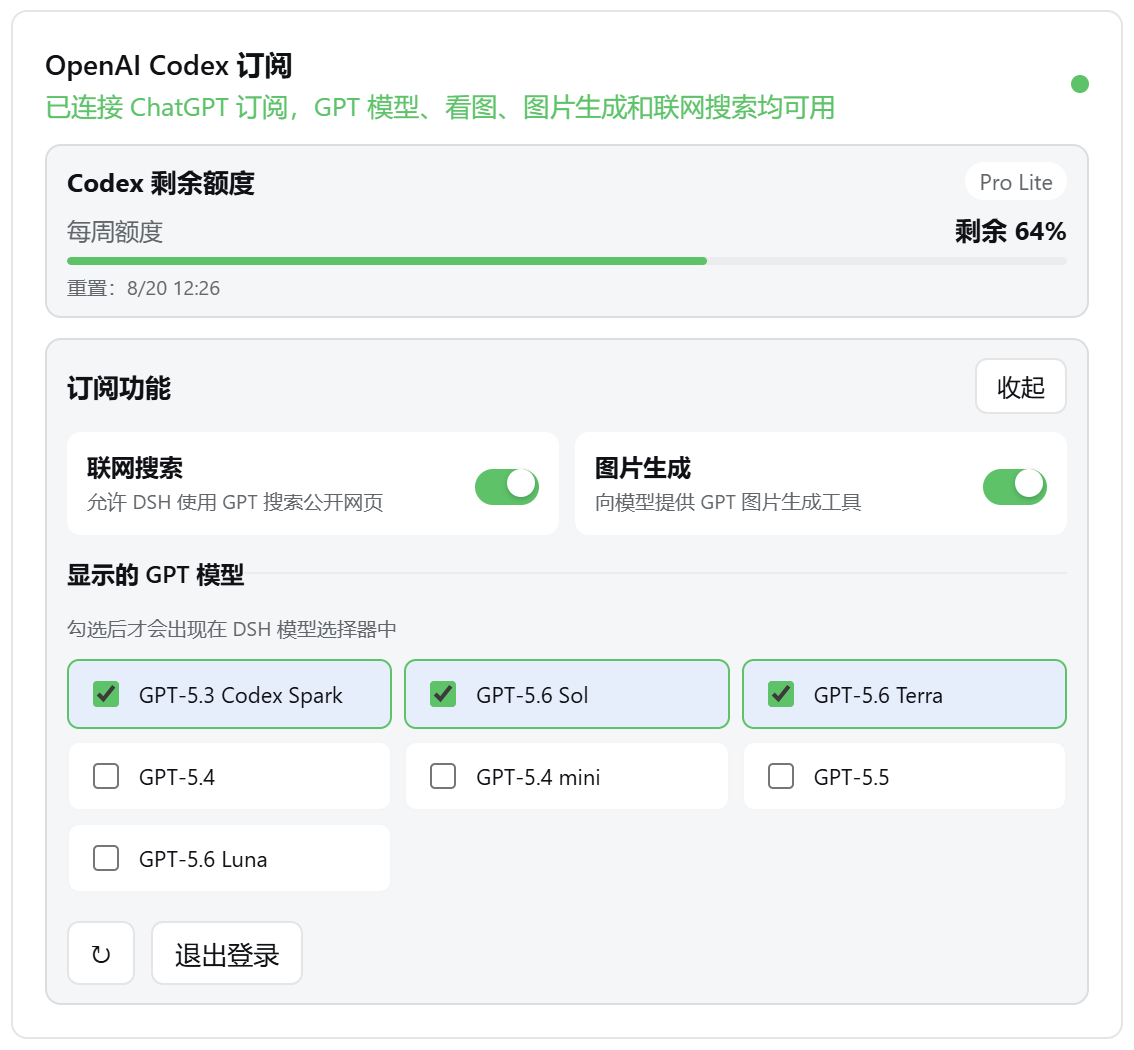 |
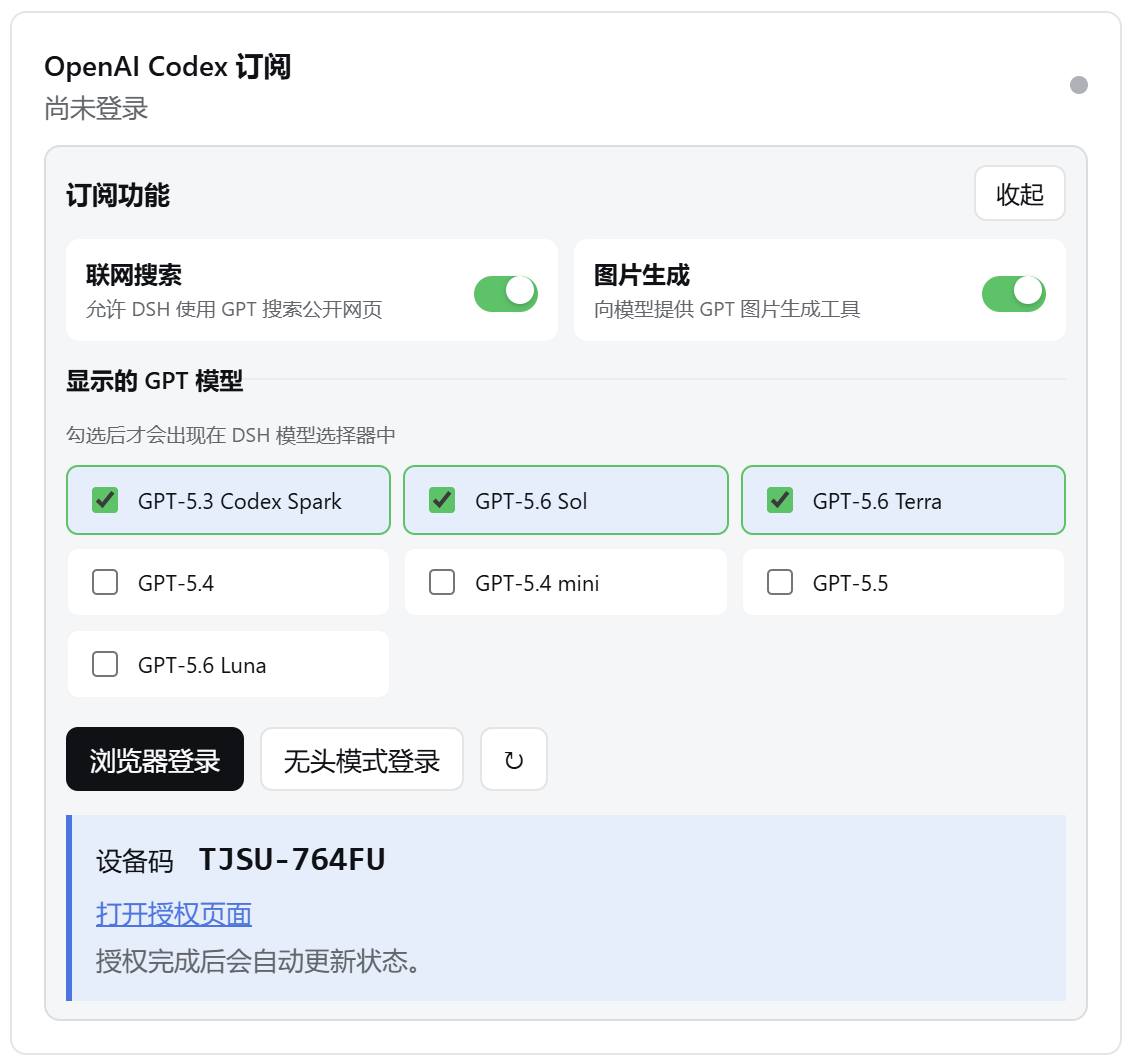 |
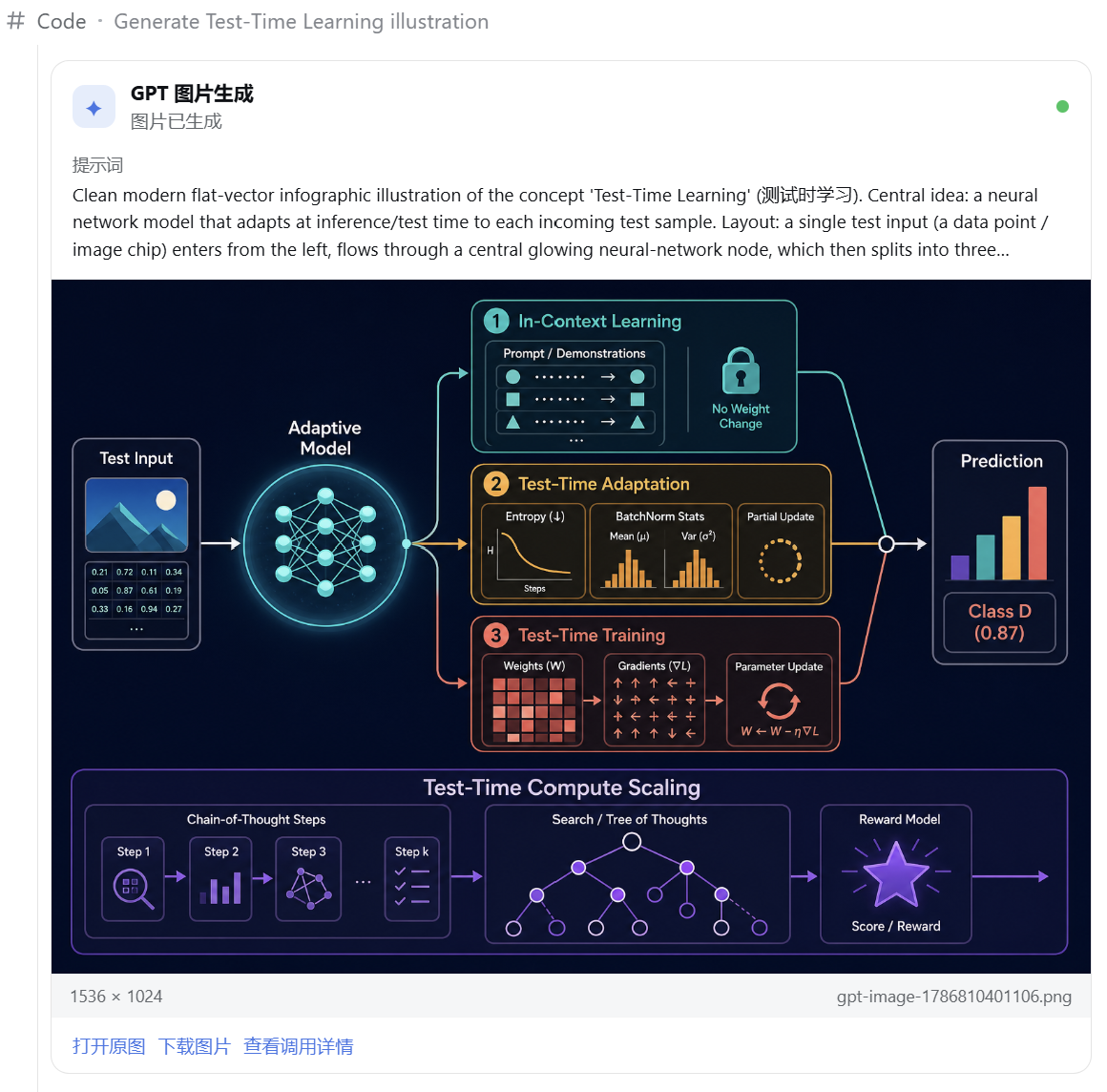 |
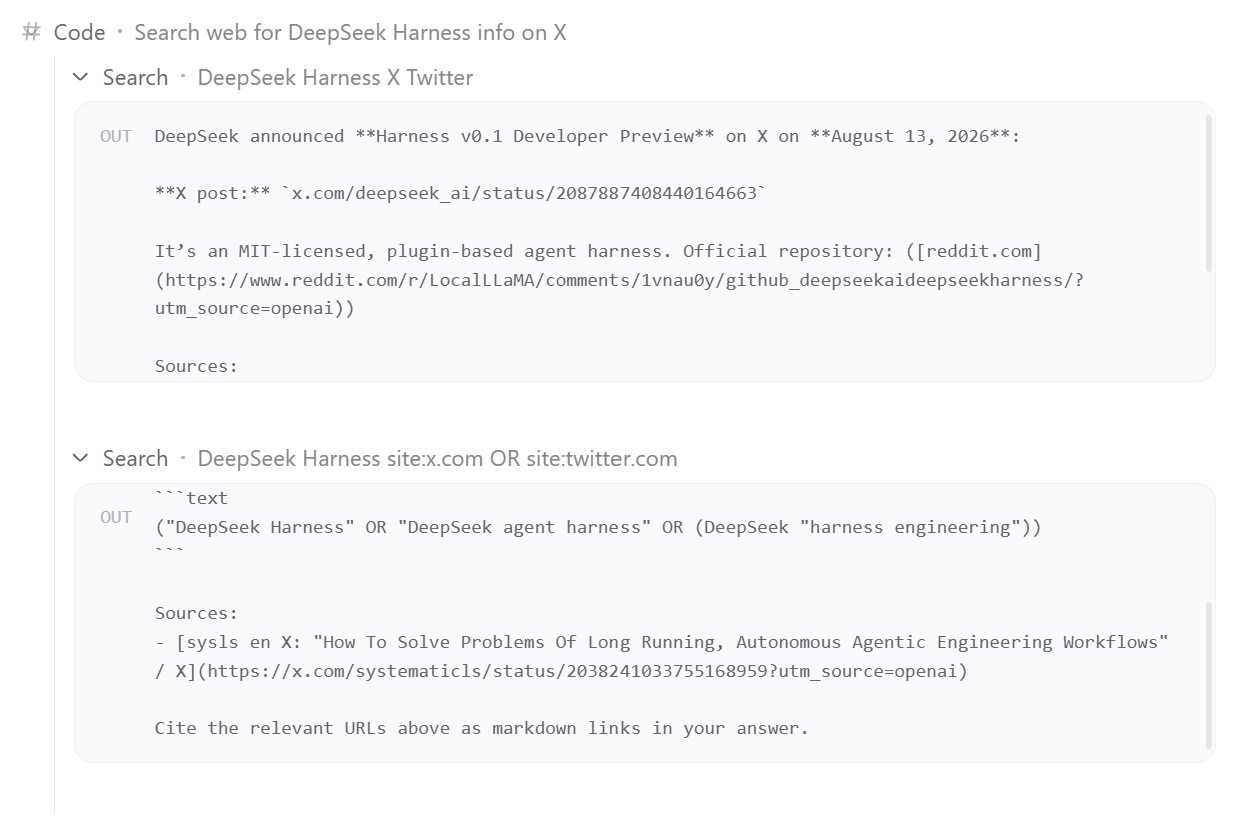 |
⚙️ Detailed configuration
No configuration is normally required. Available options are:
| Option | Default | Description |
|---|---|---|
dshHome |
DSH Home | Custom DSH home directory used to resolve default file paths. |
path |
$DSH_HOME/codex-oauth.json |
Host-side OAuth credential file. |
preferencesPath |
$DSH_HOME/codex-oauth-preferences.json |
Model visibility and feature switches; defaults beside path when it is overridden. |
issuer |
https://auth.openai.com |
OAuth issuer; override only for gateways or tests. |
usageUrl |
https://chatgpt.com/backend-api/wham/usage |
Subscription usage endpoint. |
controlPort |
1456 |
Loopback login, status, and preference service. |
redirectPort |
1455 |
Loopback browser OAuth callback. |
Search model |
gpt-5.6-sol |
Model used by hosted web search, aligned with the default Codex Power configuration. |
Example Cordis configuration:
- insert:
    - id: dsh-codex-oauth
      name: "@wnjxyk/dsh-codex-oauth"
      config:
        dshHome: /data/dsh
        path: /secure/codex-oauth.json
        preferencesPath: /secure/codex-oauth-preferences.json
        issuer: https://auth.openai.com
        usageUrl: https://chatgpt.com/backend-api/wham/usage
        controlPort: 1456
        redirectPort: 1455

    - id: codex-web-search
      name: "@wnjxyk/dsh-codex-oauth/web-search"
      config:
        model: gpt-5.6-sol
Web search and image-generation orchestration both default to the Codex Power model gpt-5.6-sol; images are rendered by the hosted GPT Image (image_generation) tool; chat models are discovered dynamically from the openai-codex model provider supplied by DSH's built-in llm-pi-ai plugin.
📄 License
This project is available under the MIT License, authored by WNJXYK.
Links
More in this category
V1ki/dsh-plugin-subscriptions★ 407
Use ChatGPT (Codex), Claude, and Grok subscriptions as DeepSeek Harness LLM providers, with Settings login, model catalogs, usage, plus image_generate, video_generate, and x_search tools.
Mars-Sea/dsh-commandcode-provider★ 352
Unofficial Command Code LLM provider: registers a `commandcode` route with a live model catalog and reasoning-effort support.
corrinehu/dsh-workbuddy-connect★ 238
Brings the models in the WorkBuddy desktop app straight into DeepSeek Harness — zero configuration in the DSH chat.
cv-superding/dsh-deepseek-web-login★ 188
Adds a deepseek-web provider that uses chat.deepseek.com web models in DSH, with browser login capture, PoW request signing, SSE streaming, and prompting-based tool calls.
volcengine/ark-cli#ark-plan-api★ 140
Registers Ark Agent Plan, Coding Plan and postpaid model routes in the native DSH model picker.
franksong2702/dsh-codex-connect★ 129
Connect ChatGPT OAuth and OpenAI Codex models to DeepSeek Harness, with opt-in search and image tools.
Community comments
Comments are public GitHub Discussions. Loading them connects to GitHub and Giscus; a GitHub account is required to post.