Better streaming text animation for DeepSeek Harness.
Install
# from npm (prebuilt)
dsh plugin --profile web add dsh-plugin-smooth-stream
# from GitHub (first run asks for allowBuilds approval — follow the hint, retry)
dsh plugin --profile web add github:SpookySandwich/dsh-plugin-smooth-stream
Any plugin you install runs third-party code with your own permissions — it can read your files, use your credentials, and reach the network, and tool approvals don’t sandbox it. GitHub-sourced plugins also run build scripts at install time — pnpm blocks those until you allow them, so an install can stop with ERR_PNPM_GIT_DEP_PREPARE_NOT_ALLOWED or ERR_PNPM_IGNORED_BUILDS; dsh prints the exact key to add under allowBuilds in your profile’s pnpm-workspace.yaml, and the install works on the next run. Allowing a build is a trust decision: only install sources you trust, and pin a commit (github:owner/repo#sha).
README
简体中文 | English

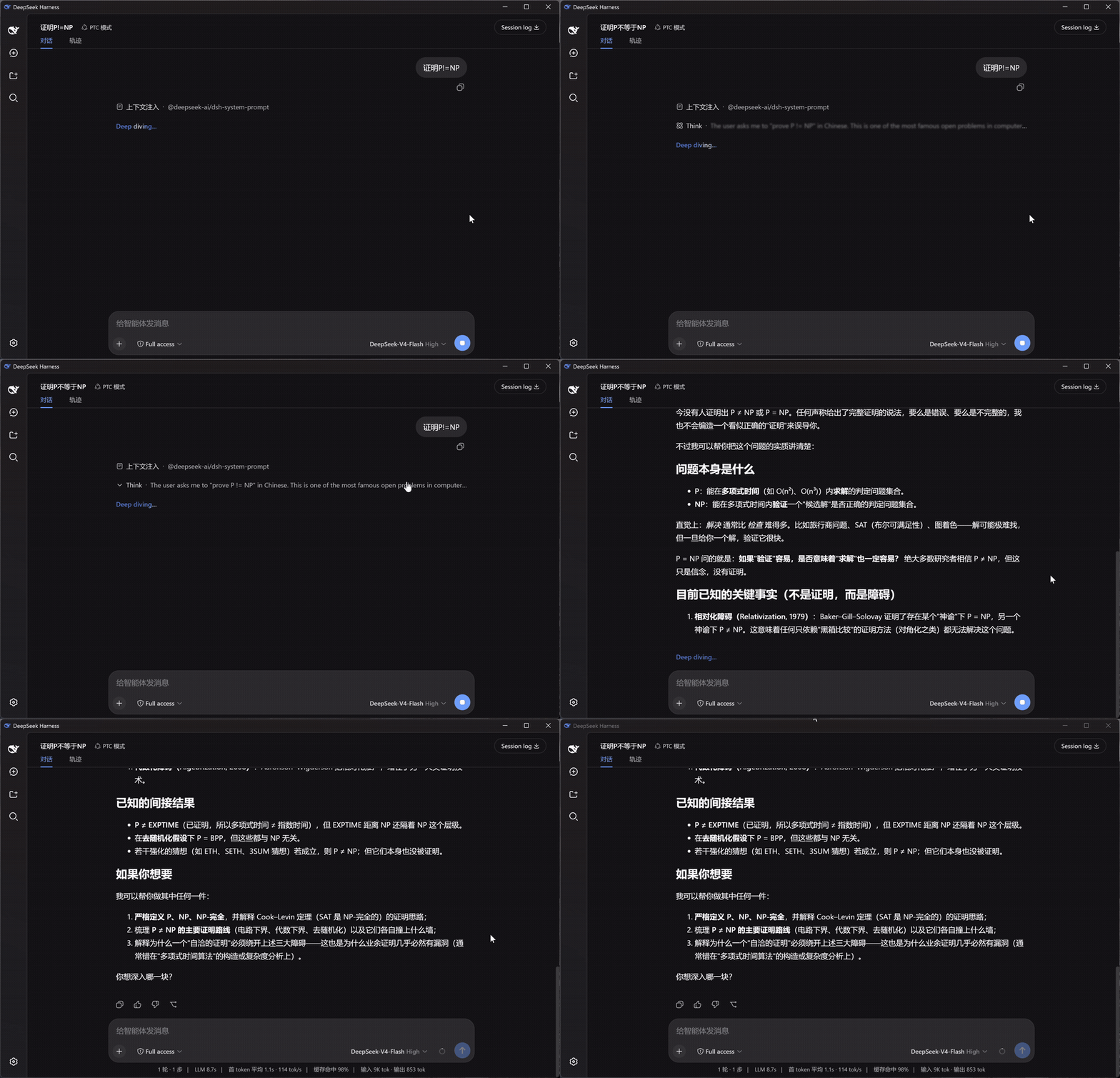
Replaces token-by-token streaming twitch with paragraph-batched, fading reveals. Scroll follows smoothly while streaming, and reasoning blocks show a live one-line summary.
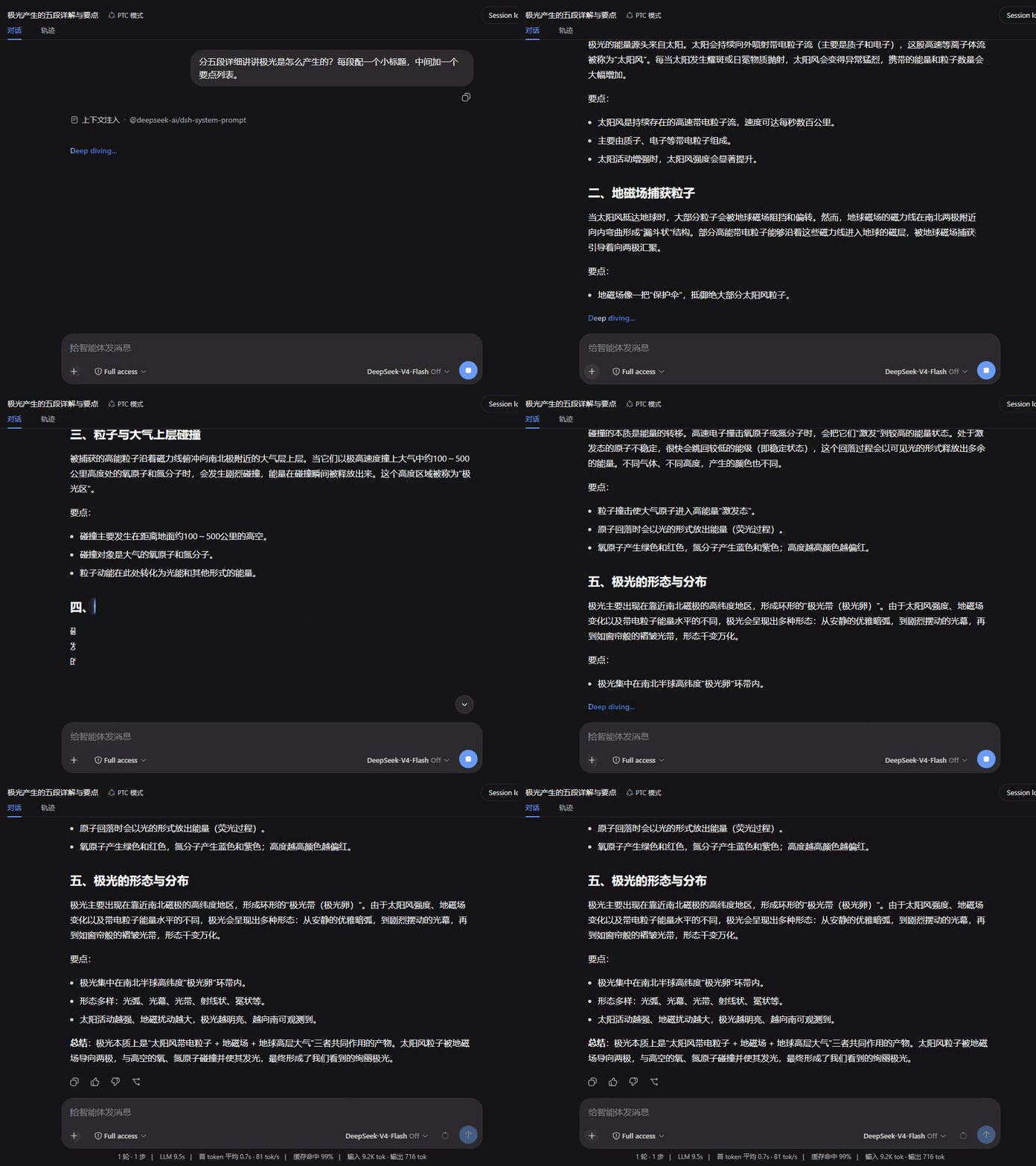
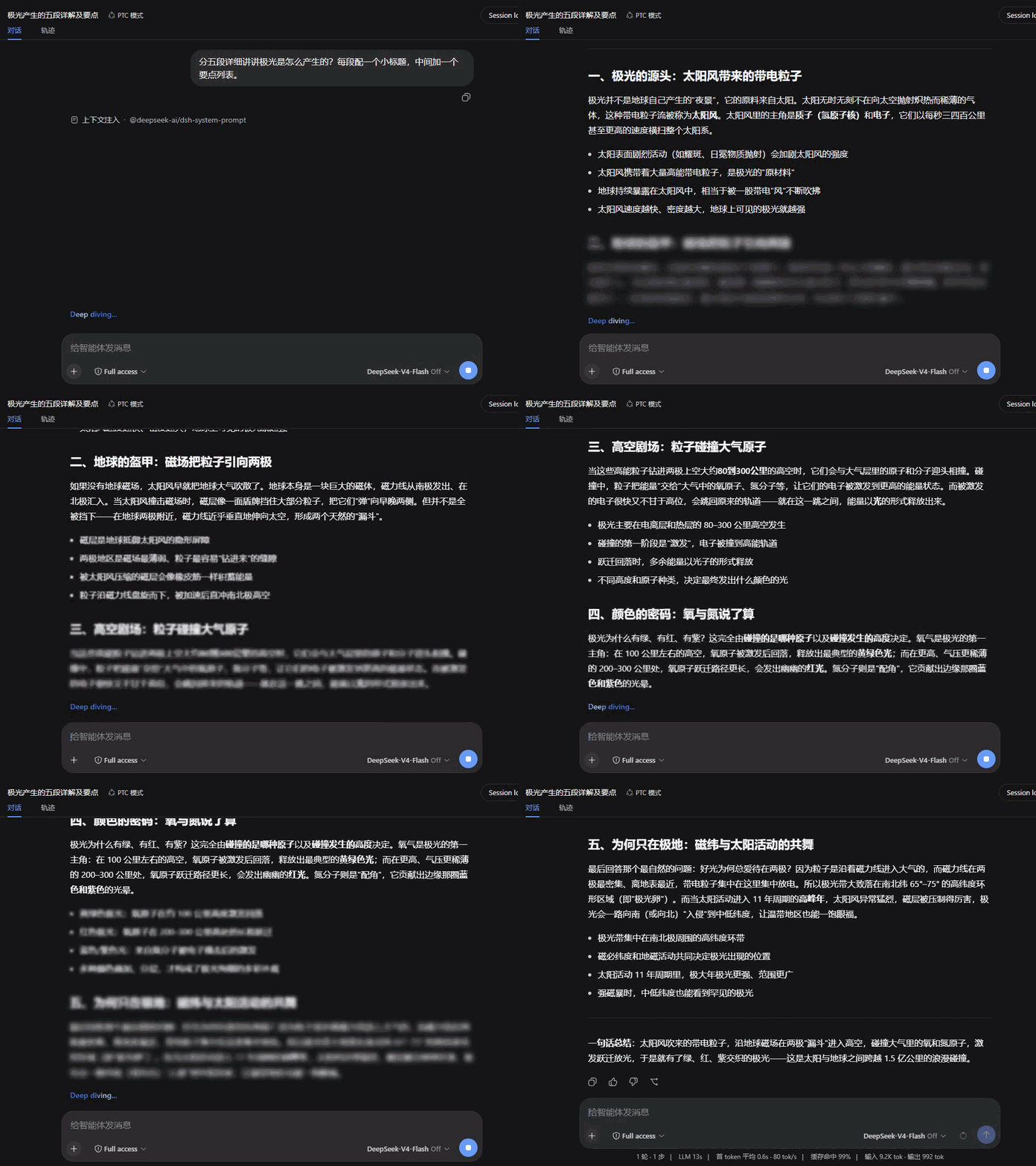
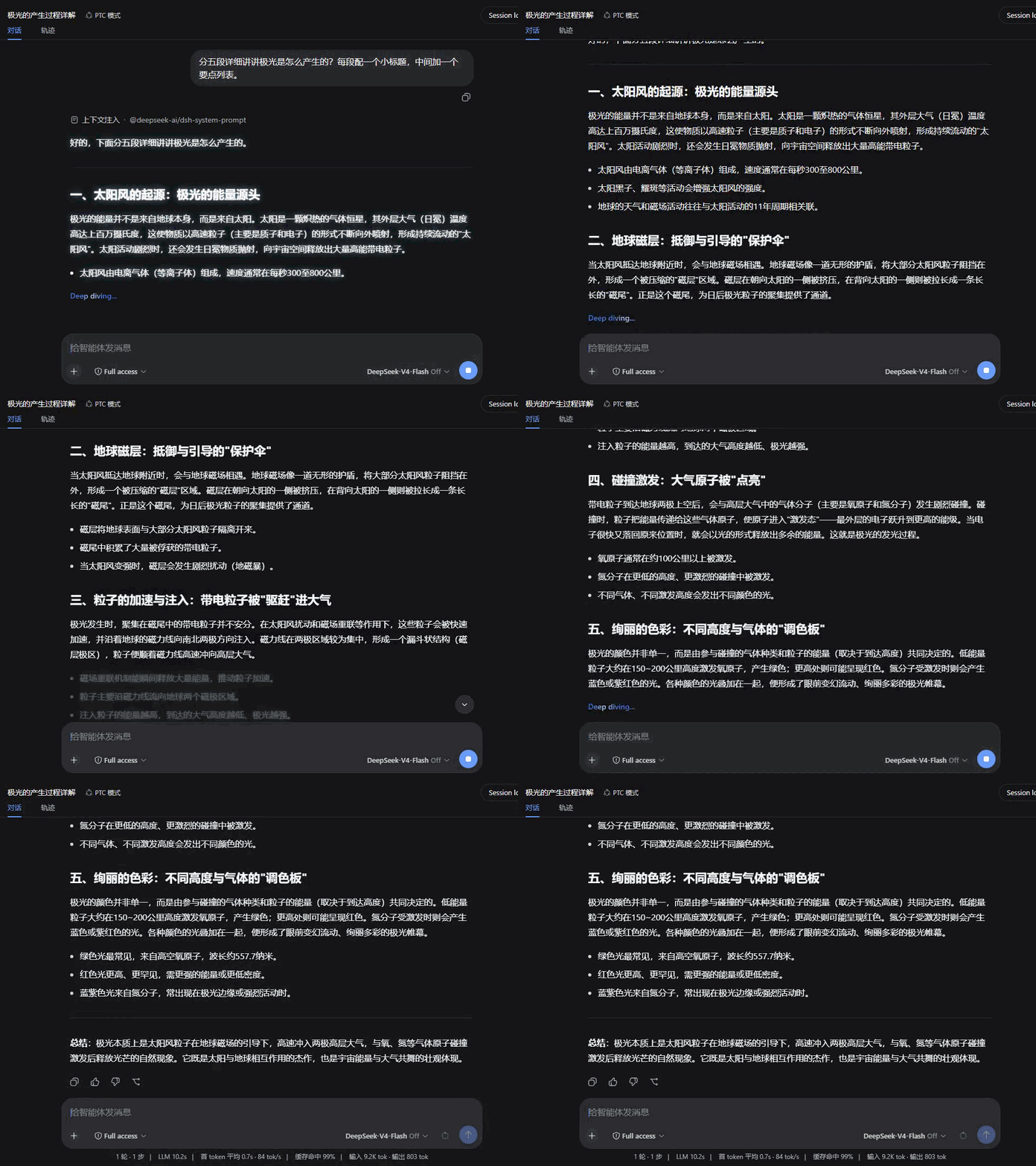
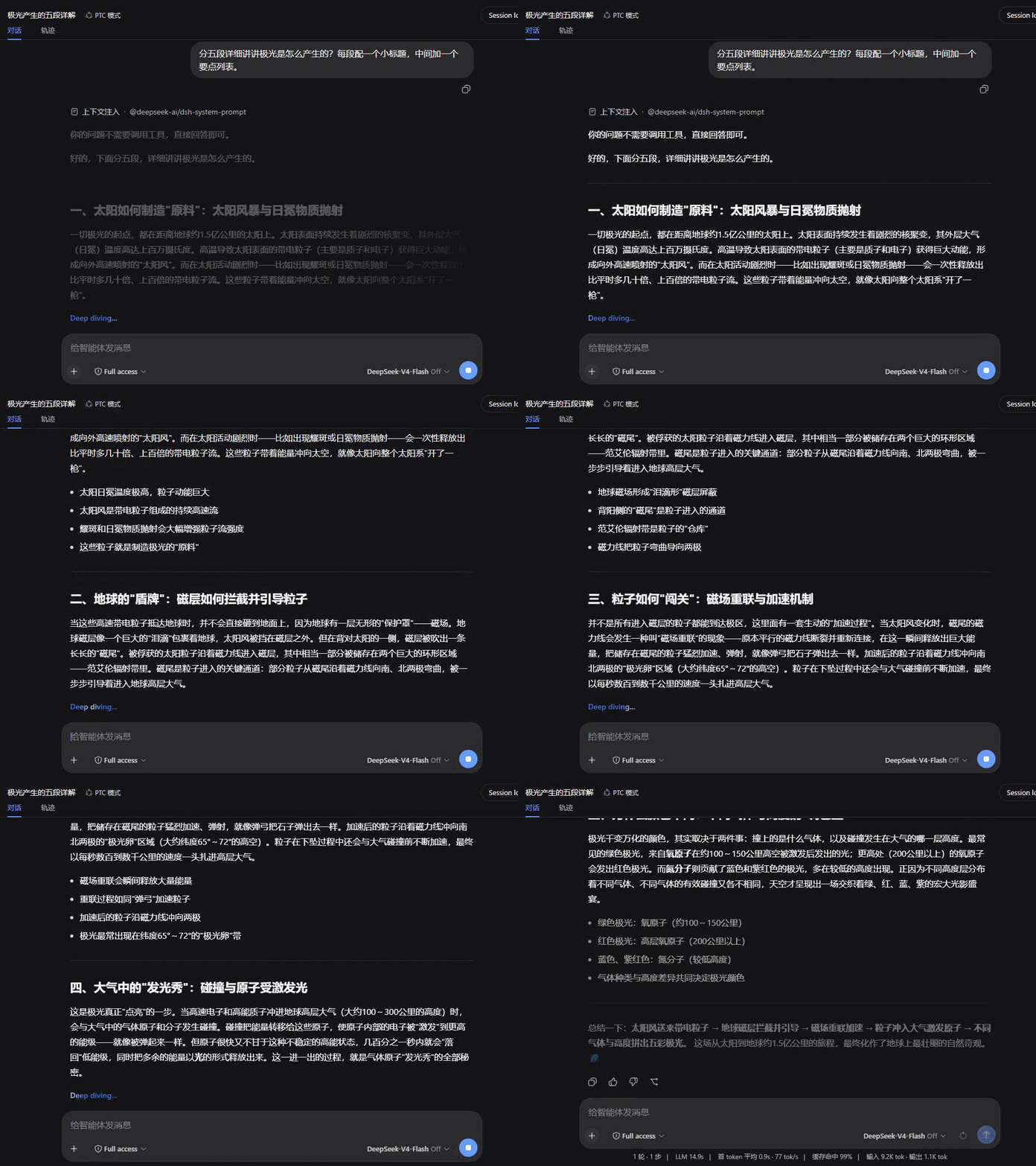
Left: native DSH rendering · Right: Smooth Stream — same question, started together:
Install
dsh plugin --profile web add dsh-plugin-smooth-stream
Takes effect in any open session. Settings live under Settings → Smooth Stream.
What it changes
- Paragraph-batched reveal — body text no longer jitters in token by token; it accumulates and enters a paragraph at a time with a fade. Batch boundaries avoid unclosed code fences and tables, so half-rendered Markdown never appears.
- Smooth scroll-follow — while streaming, the conversation glides toward the bottom covering a fraction of the remaining distance each frame: large appends catch up without teleporting. Scrolling up hands control back to you; returning to the bottom re-engages the follow.
- Reasoning summary — while thinking runs, the collapsed row live-scrolls its latest line, with soft fades instead of hard clipping at both edges. When a turn completes, a closing underline retracts — finished, not merely stopped.
- Markdown & math — body text renders through the host's own renderer: code highlighting, copy buttons, tables and KaTeX math look exactly like native output.
Settings
The Smooth Stream section in the settings panel; changes apply live and persist:
| Setting | Default | Notes |
|---|---|---|
| Enable Smooth Stream | On | Off hands rendering back to the built-in view instantly — handy for comparing |
| Reveal animation | Fade | Fade / Rise / Dissolve / Wipe / Focus / Glow / Iris / Soak |
| Animation duration | 520 ms | Entrance duration (120–1200 ms) |
| Batch size | 500 chars | Text accumulated before a batch reveals; smaller feels more live, larger reads calmer |
| Smooth scroll-follow | On | The streaming-time scroll glide |
Includes a live preview and one-click reset. The settings UI follows DSH's display language.
Reveal styles
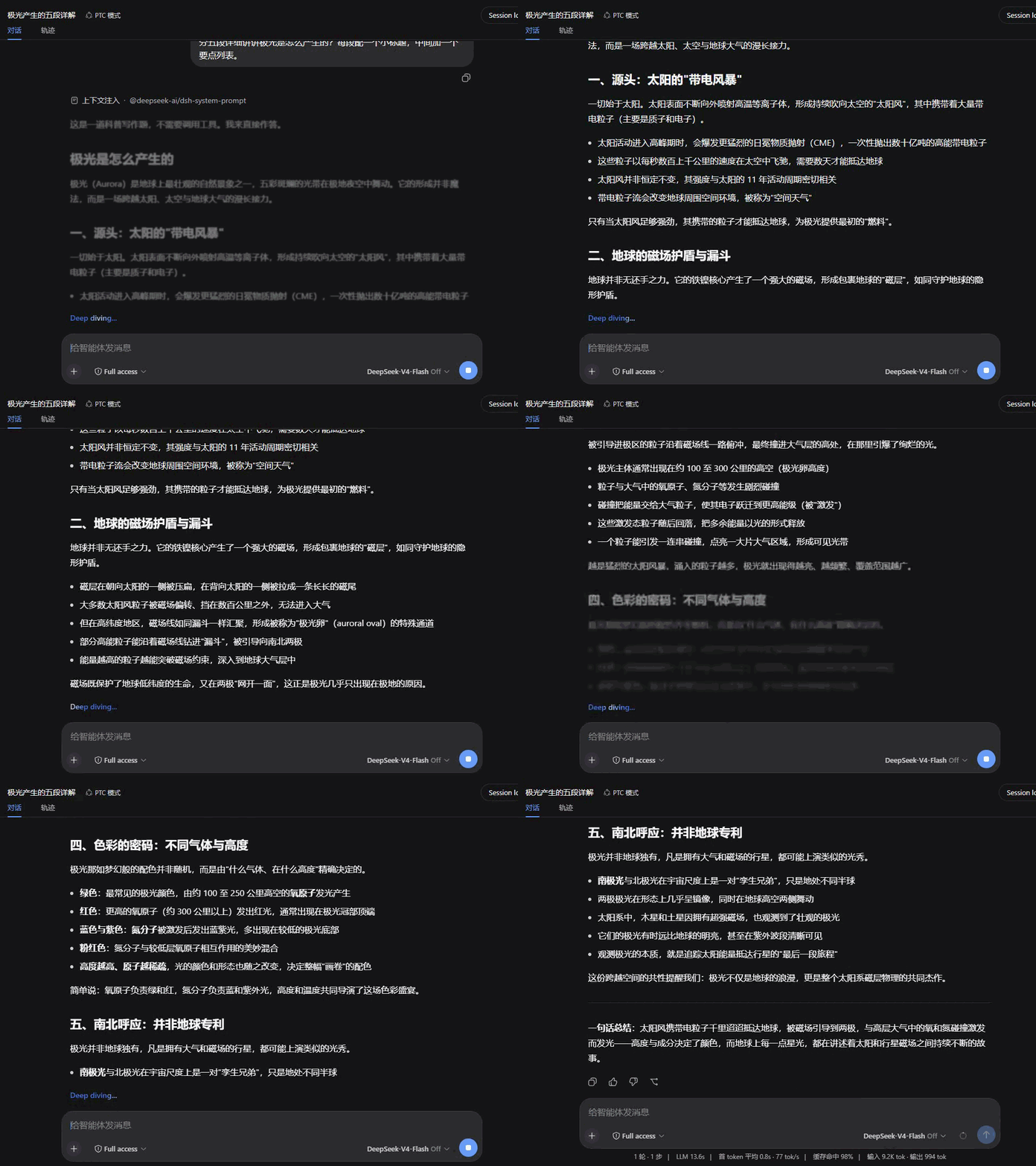
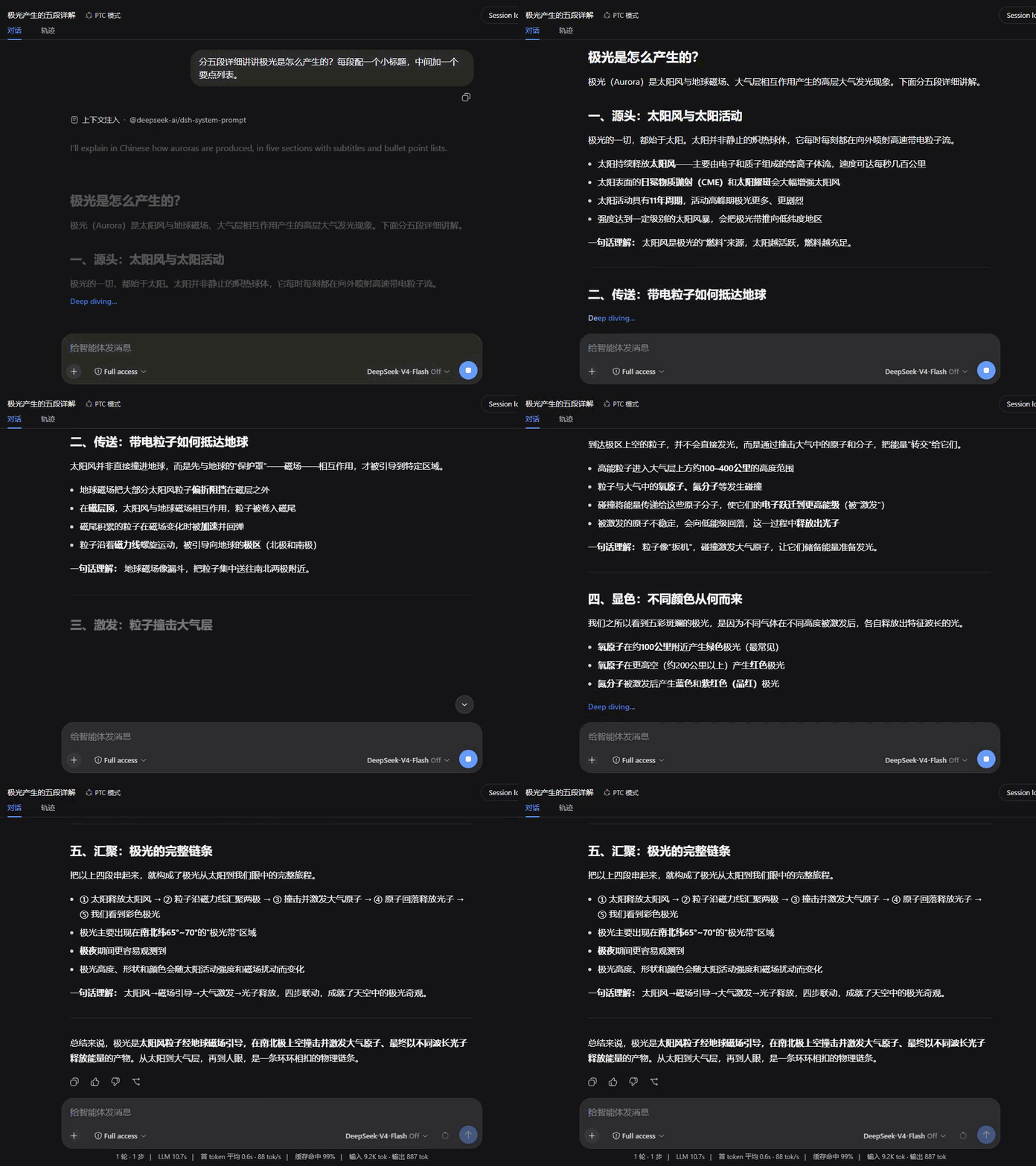
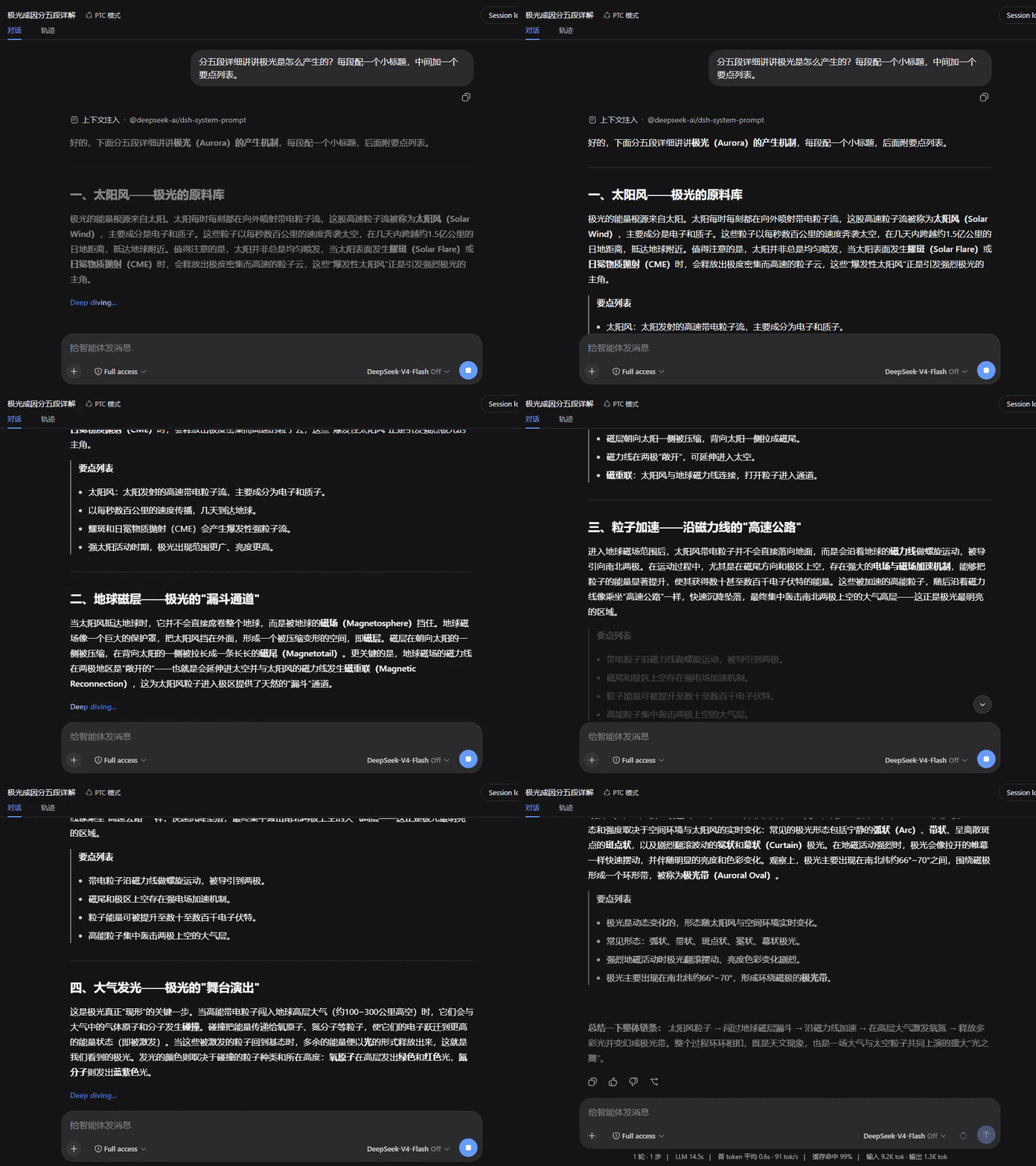
Eight entrances, each tuned to its own rhythm; all recorded over the same reply for a direct comparison.
| Fade | Rise |
|---|---|
 |
 |
| Dissolve | Wipe |
 |
 |
| Focus | Glow |
 |
 |
| Iris | Soak |
 |
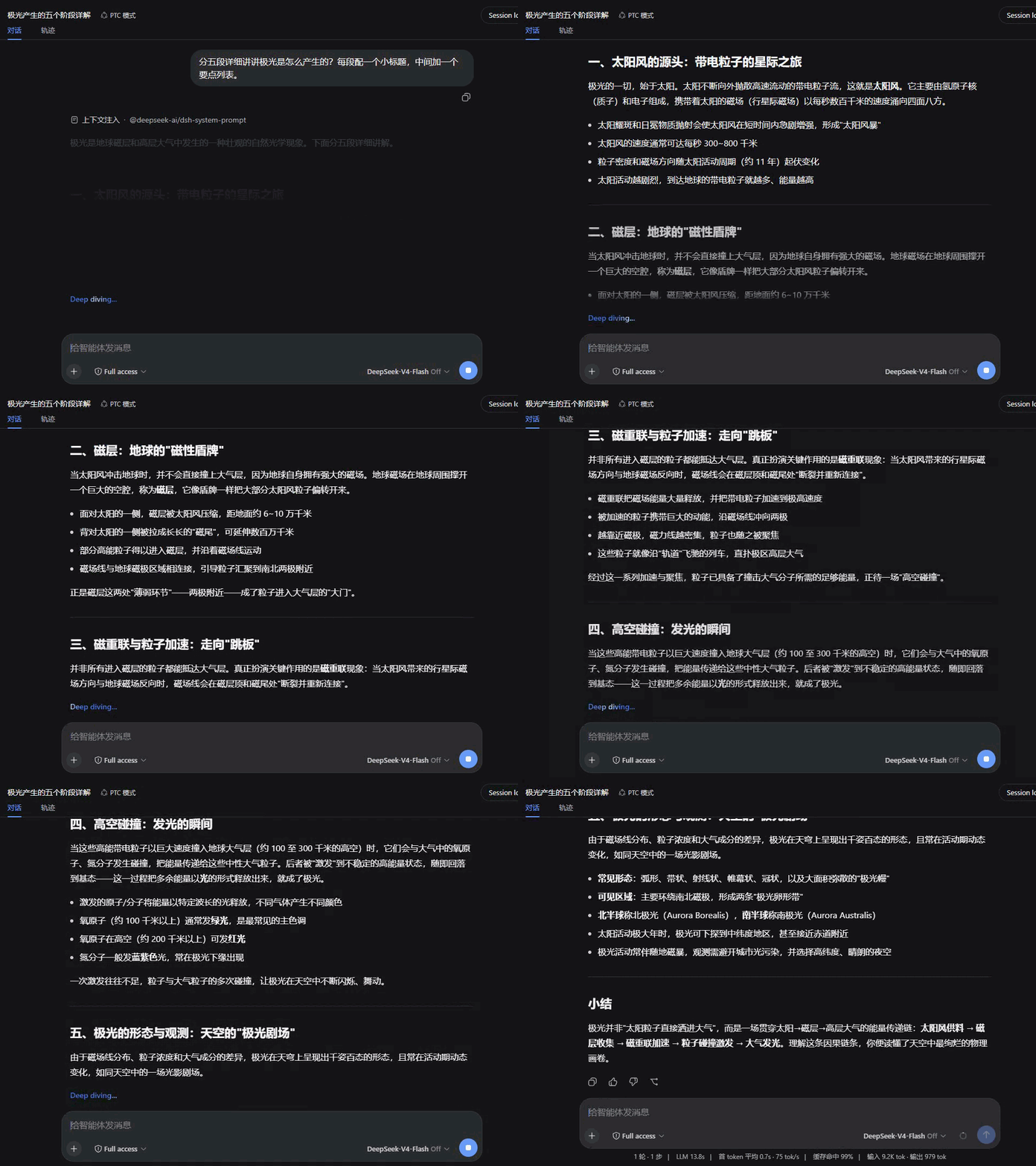 |
Compatibility
Version 1.3.0: Load on official dsh 0.2.0-rc.2. Rendering still registers on conversation.chat.node and settings.section.
Version 1.2.0: Declare the current UI renderer service provider and the verified DSH release range. Existing rendering behavior passes the current host checks.
The declared host range is >=0.2.0-rc.2 <0.3.0-0; official dsh 0.2.0-rc.2 satisfies it. Keep the previous plugin release on older DSH. Validation record.
Download the archive from the GitHub Release, then run dsh plugin --profile desktop add ./dsh-plugin-smooth-stream-1.3.0.tgz.
This release targets DSH 0.2.0-rc.2. Run npm ci, npm test, and npm run check:package to verify the build and package. Restart DSH after updating.
- Uses the host client services, Markdown and image APIs; automated tests cover loading and component rendering.
- This plugin owns the conversation view's assistant rendering (the
assistant-stepcell ofconversation.chat.node) and is mutually exclusive with other plugins that take over the same rendering — with both installed, only one wins. - Respects
prefers-reduced-motion: with reduced motion enabled, all animation and smooth scrolling switch off. - A rendering failure degrades to plain text for that message instead of breaking the conversation.
License
Links
More in this category
zhu1090093659/dsh-web#packages/dsh-task-board★ 8178
Task board for the dsh web GUI: a sidebar multi-column kanban whose cards run in real DSH agent sessions and can also be scheduled with cron expressions, executed host-side even with the browser closed.
zhu1090093659/dsh-web#packages/dsh-web-all★ 8178
Plugin and skin collection for the DSH Web UI: task board, Git graph, right-side panel, remote mobile UI, pet, live token stats, and a skin center.
omdsh-dev/DSH-better-sidebar★ 3903
Full sidebar workbench with file rendering and editing, terminal, Git, and subagents; third-party plugins can register new tabs.
ccch1mneyyy/dsh-TUI★ 3815
Claude Code-style full-screen terminal UI: pixel-whale header, live status line, and streaming thought expansion.
MeteorNOX/DeepSeek-Balance-Whale-Widget★ 3514
A fixed-corner whale widget for the DSH web GUI — balance, today's usage and per-turn cost with peak/off-peak pricing, editable balance-alert and daily-budget bubbles, a module-based custom bubble queue with A/B weighted choices and random lines or images, 30+ vendor templates (OpenAI, OpenRouter, Kimi, SiliconFlow, Ark, Zhipu, MiniMax and more) with per-model balance and subscription quota, plus task-end sound, imported audio, custom roles and a resource manager. Local-only, no telemetry.
Devin-AXIS/deepseek-design#deepseek-idesign★ 1711
Visual design studio for websites, app prototypes, posters, cards, reports, and magazines, with templates, direct element editing, selection-aware AI draft handoff, and export.
Community comments
Comments are public GitHub Discussions. Loading them connects to GitHub and Giscus; a GitHub account is required to post.