Codex-backed `web_search`, `image_gen`, and `image_vision` tools for DeepSeek Harness, reusing ChatGPT OAuth login state.
Install
# from npm (prebuilt)
dsh plugin --profile web add dsh-codex-tools
# from GitHub (first run asks for allowBuilds approval — follow the hint, retry)
dsh plugin --profile web add github:SPYQWER1/dsh-codex-tools
Any plugin you install runs third-party code with your own permissions — it can read your files, use your credentials, and reach the network, and tool approvals don’t sandbox it. GitHub-sourced plugins also run build scripts at install time — pnpm blocks those until you allow them, so an install can stop with ERR_PNPM_GIT_DEP_PREPARE_NOT_ALLOWED or ERR_PNPM_IGNORED_BUILDS; dsh prints the exact key to add under allowBuilds in your profile’s pnpm-workspace.yaml, and the install works on the next run. Allowing a build is a trust decision: only install sources you trust, and pin a commit (github:owner/repo#sha).
README
A DeepSeek Harness plugin that registers three tools provided by ChatGPT Codex:
| Tool | Function |
|---|---|
codex_web_search |
Searches the public web and returns a summary with source URLs. |
image_gen |
Generates a bitmap image. It does not edit or transform an existing image. |
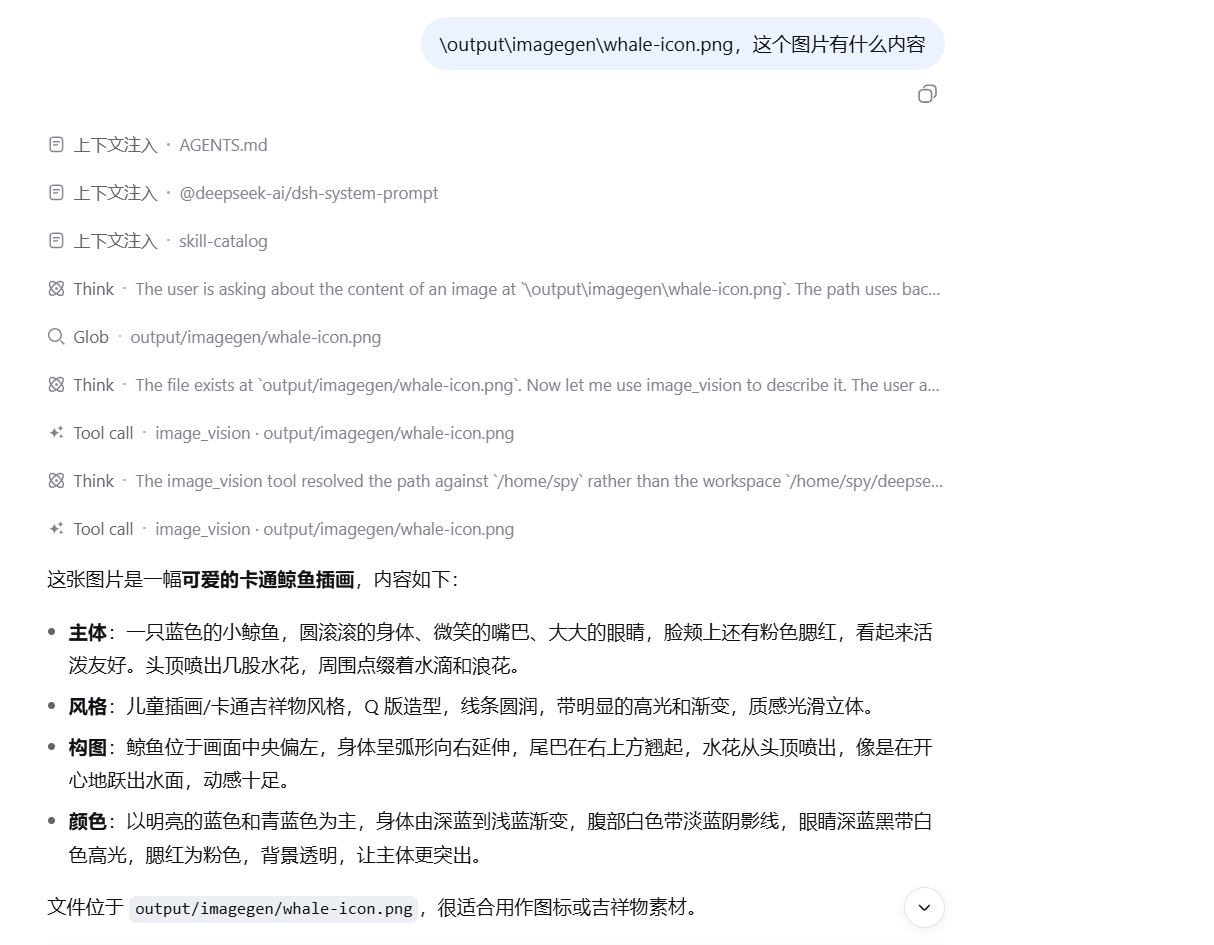
image_vision |
Reads a local image and returns a description or an answer to a question about it. |
It consumes an existing Codex/ChatGPT login; it does not provide login or an LLM provider.
Runtime requirements
- DeepSeek Harness.
- A ChatGPT/Codex login state, either
codex loginwith an auth file, or credentials in DSH:OPENAI_CODEX_API_KEYOPENAI_CODEX_REFRESH_TOKEN
Credentials are resolved from CODEX_ACCESS_TOKEN and CODEX_REFRESH_TOKEN environment variables first (the plugin maps the DSH credential names above to these variables). If those are absent, the transport reads $CODEX_HOME/auth.json when CODEX_HOME is set, or ~/.codex/auth.json otherwise. Set CODEX_HOME to choose another auth directory; the default is ~/.codex. After an HTTP 401, a transport refreshes the access token once and attempts to persist the refreshed login state to that auth file. When the plugin injects DSH credentials, the refresh code may still write to the auth file selected by CODEX_HOME or the default path.
Installation
# Git
dsh plugin --profile web add github:SPYQWER1/dsh-codex-tools

# npm
dsh plugin --profile web add dsh-codex-tools
Restart after installation (dsh web or dsh --profile web).
Remove it with dsh plugin --profile web remove dsh-codex-tools.
Screenshots
Image generation
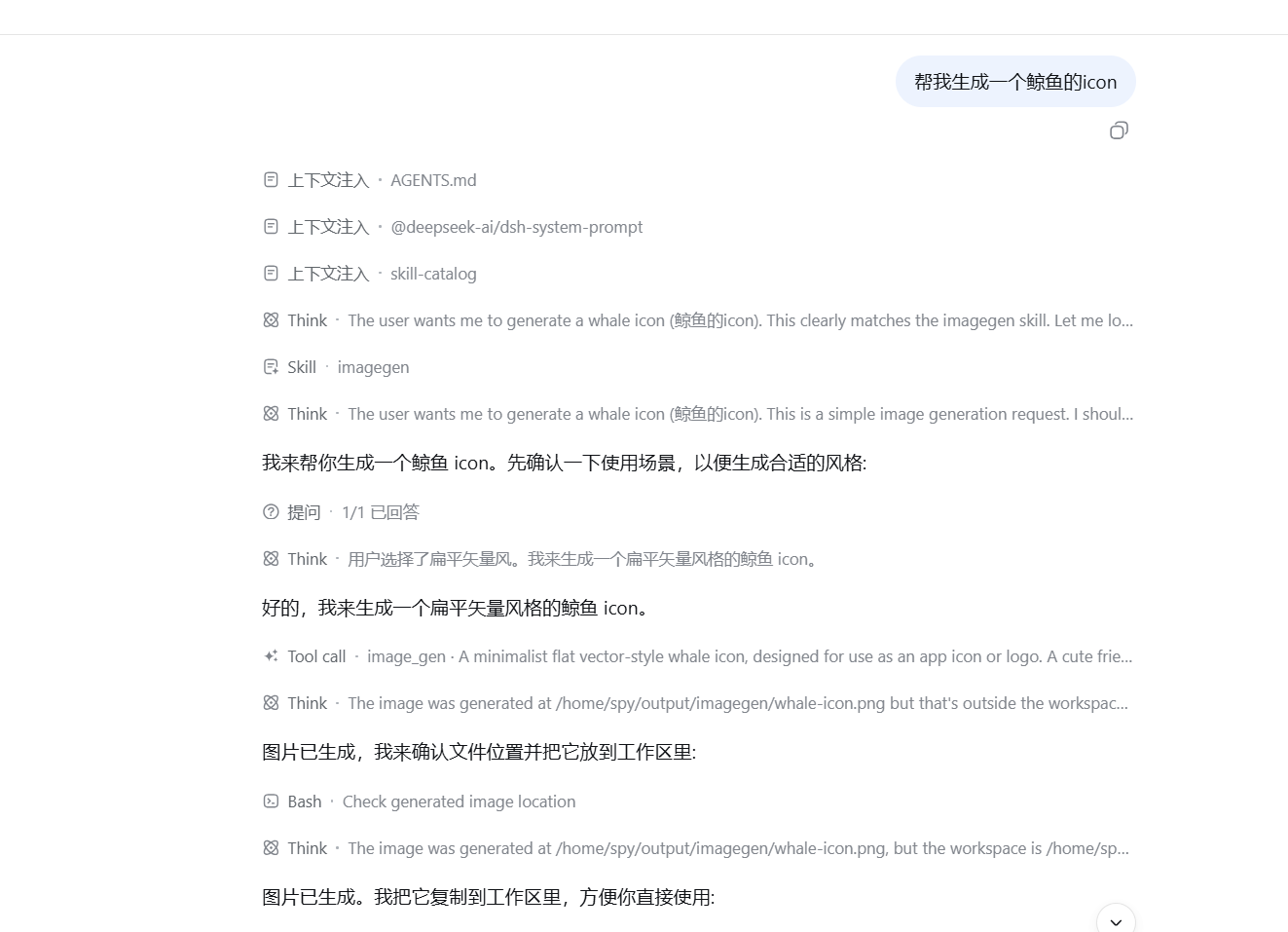
Image vision
Tool parameters
codex_web_search
| Parameter | Type | Default / limits |
|---|---|---|
query |
string (required) | Public-web research question. |
maxSources |
integer | 5; from 1 to 10. |
freshness |
string | cached, or live for time-sensitive queries. |
model |
string | gpt-5.4-mini. |
The result contains summary and sources; each source has a title, URL, and snippet.
image_gen
| Parameter | Type | Default / limits |
|---|---|---|
prompt |
string (required) | Describe the subject, style, composition, palette, and constraints. |
out |
string | output/imagegen/<timestamp>.<format>; must be relative to the current DSH session workspace. The workspace root comes from DSH's sandbox-policy service. Absolute paths, parent-directory segments, and symbolic links are rejected. Parent directories are created, and existing files are never overwritten. If out is omitted, the extension follows format. |
size |
string | auto, 1024x1024, 1536x1024, 1024x1536, 2048x2048, or 2048x1152. |
format |
string | png, jpeg, or webp; default png. |
model |
string | gpt-5.5. |
image_vision
| Parameter | Type | Default / limits |
|---|---|---|
image |
string (required) | Existing png, jpeg/jpg, webp, or gif under the current DSH session workspace; absolute paths, parent-directory segments, and symbolic links are rejected. Maximum 15 MiB. |
question |
string | Optional focus question; omitted means a full description. |
model |
string | gpt-5.5. |
The transport reads the local file, embeds it in the request, and sends it to the ChatGPT Codex endpoint. Only files inside the transport workspace are accepted.
Architecture
Harness model tool
        |
        v
index.js -> tools.js -> scripts/codex-*.mjs
                              |
                              +-- OAuth refresh (auth.openai.com)
                              +-- POST chatgpt.com/backend-api/codex/responses
                              |
             codex_web_search: gpt-5.4-mini by default
             image_gen / image_vision: gpt-5.5 by default
Caveats and service terms
chatgpt.com/backend-api/codex/responsesis an internal endpoint used by the official Codex CLI, not a documented public API. It may change or be restricted without notice.- Search summaries and snippets are model-generated; open the returned source URLs and check the original text before relying on them.
- Web search and image generation use the metered Codex-usage bucket of the ChatGPT plan.
- Follow OpenAI's Terms of Use; do not use a ChatGPT subscription to power a public-facing image-generation service.
License
MIT — see LICENSE.
Links
More in this category
Tencent/WeKnora#dsh-weknora★ 30675
Four read-only tools over a WeKnora knowledge base: list knowledge bases, hybrid passage search, reassemble one document's chunks in order, and WeKnora's own cited RAG or ReAct-agent answer with a resumable session id.
superdesigndev/treg★ 3596
Tool catalog for agents: search ~2,600 external endpoints (SEO and SERP, backlinks, social, people and company enrichment, ad libraries, scraping) by the task you want done, read each one's parameters and per-call price, then call it with the credential injected server-side. Ships the skill plus an MCP row that stays disabled until TREG_TOKEN is set.
TencentCloudBase/CloudBase-AI-Toolkit#dsh-plugin★ 1126
Tencent CloudBase backend for DeepSeek Harness — scaffold and deploy full-stack apps from chat, render query results as table cards with paging, sorting and CSV export, preview a deployment on its domain, and call the CloudBase MCP toolset (`mcp__cloudbase__*`) with device-code login.
gitroomhq/postiz-agent#dsh-postiz★ 496
Connects DeepSeek Harness to Postiz over MCP: list connected social media channels, fetch per-platform posting rules, and schedule, draft, or publish posts to X, LinkedIn, Instagram, Facebook, Threads, TikTok, YouTube, Reddit, Bluesky, Mastodon, Discord, Slack, Telegram and more; adds a postiz workflow skill.
EthanYoQ/Invoice-Downloader#dsh-invoice-downloader★ 446
Local IMAP invoice download, OCR, archive, and Excel reimbursement summaries for DeepSeek Harness.
anysearch-team/anysearch-dsh★ 430
AnySearch-powered real-time web and vertical search provider for DeepSeek Harness.
Community comments
Comments are public GitHub Discussions. Loading them connects to GitHub and Giscus; a GitHub account is required to post.