A browser pixel-art and sprite animation editor with Aseprite-compatible files, local crop/outline blueprints, and optional LLM workflow nodes.
Install
# from GitHub (first run asks for allowBuilds approval — follow the hint, retry)
dsh plugin --profile web add github:Ratevoid/dsh-aseprite
Any plugin you install runs third-party code with your own permissions — it can read your files, use your credentials, and reach the network, and tool approvals don’t sandbox it. GitHub-sourced plugins also run build scripts at install time — pnpm blocks those until you allow them, so an install can stop with ERR_PNPM_GIT_DEP_PREPARE_NOT_ALLOWED or ERR_PNPM_IGNORED_BUILDS; dsh prints the exact key to add under allowBuilds in your profile’s pnpm-workspace.yaml, and the install works on the next run. Allowing a build is a trust decision: only install sources you trust, and pin a commit (github:owner/repo#sha).
README
A pixel-art and sprite-animation editor plugin for DeepSeek Harness. It is compatible with Aseprite project files and requires no Aseprite installation.
- 🎨 Adds a 🎨 button to the conversation header; click it to open or close the editor dock above the message input.
- ✏️ Tools: pencil, eraser, bucket fill, picker, line, rectangle, and rectangular region selection, with undo, redo, wheel zoom, grid, onion skinning, adjustable brush/eraser size, and draggable left/right/top/bottom panel splitters.
- 🤖 Select a region, click ASK, describe a local adjustment, and send an enlarged PNG crop plus the selection coordinates to the active DSH conversation. The AI response is reviewed in chat; editor pixels are not changed automatically.
- 🧩 Blueprint workflows: click 🧩 in the toolbar to open a ComfyUI-style visual node graph; drag nodes and click input/output ports to connect them.
- Passive blueprints such as transparent cropping, pixel outlines, and crop-plus-outline run locally, can be reused indefinitely after one creation, and never call the LLM.
- Active blueprints contain an LLM node and send the selected image plus node prompt to the current conversation AI.
- Click AI Create Blueprint and describe a complete task. The assistant's dsh-blueprint JSON is automatically parsed, validated, and stored in the browser library—no manual JSON copying. The library has UI import/export controls.
- 🧅 Layers: create, delete, reorder, and toggle visibility.
- 🎞️ Animation frames: add, duplicate, delete, set frame duration (ms), and preview playback.
- 🎨 Palettes: built-in DB16 and PICO-8-style 16-color palettes, custom colors, extra palettes, and color picking.
- 💾 Reads and writes .aseprite project files in pure JavaScript, with no Aseprite installation required; supports RGBA, grayscale, indexed-color reading, compressed cel decoding, current-frame PNG export, and sprite-sheet PNG export.
Demo
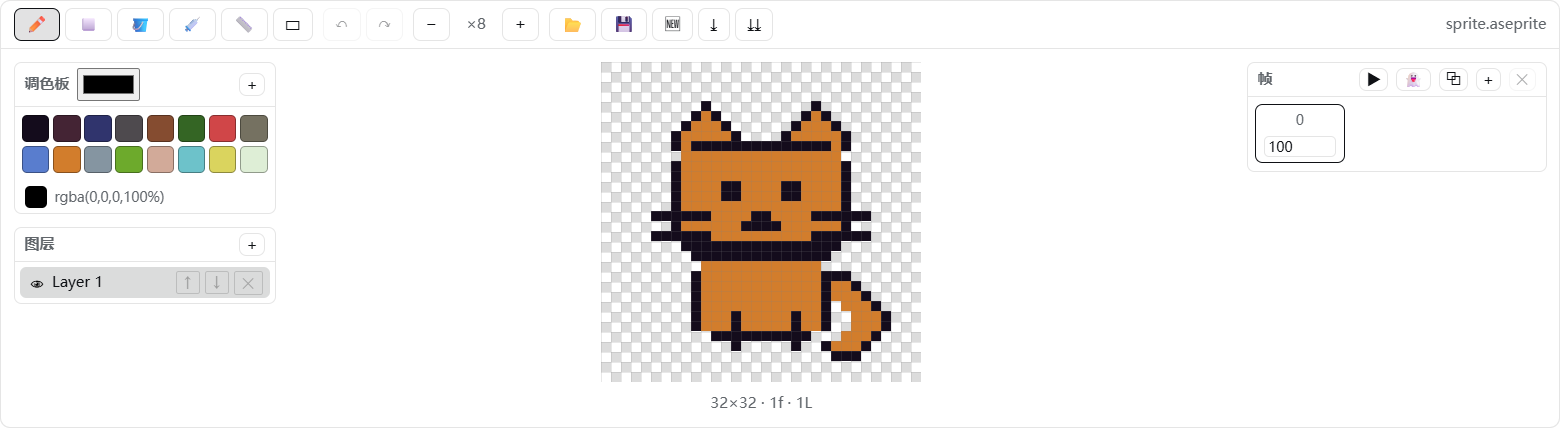
Canvas close-up:

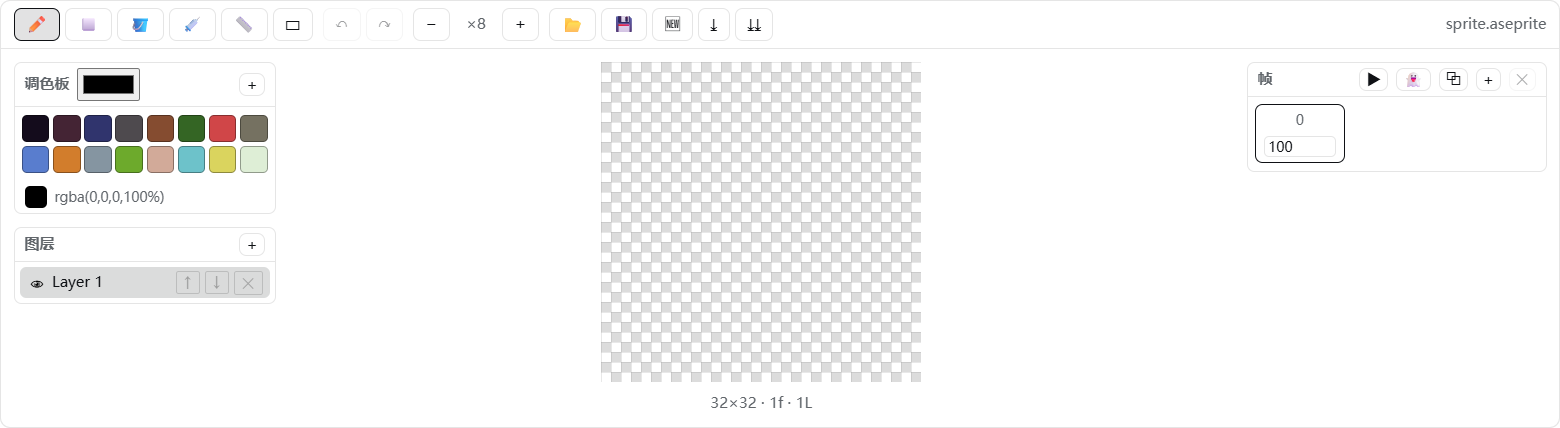
The transparent canvas uses a standard square checkerboard:
How it works
- Host (
lib/index.js): a minimal loader entry that exposes thedsh.clientdeclaration; the editor runs entirely in the browser. - Client (
client/client.js): follows thewindow.__ModuleLoader__.load({ id, factory })contract and registers the header button and dock throughctx.slotsatconversation.session.header.actionsandconversation.input.dock. - Codec (
src/ase-codec.js): implements the Aseprite file format specification, writing 32bpp RGBA, raw cels, and modern palette chunks that Aseprite can open directly.
Project structure
dsh-aseprite/
├── package.json        # dsh.bundle.patch + dsh.client declarations
├── README.md           # English documentation
├── README.zh-CN.md     # Chinese documentation
├── LICENSE
├── assets/             # GitHub demo images
├── cordis.patch.yml    # loader row: - id: aseprite, name: 'dsh-aseprite'
├── lib/index.js        # minimal host entry
├── client/client.js    # browser bundle (generated)
├── src/ase-codec.js    # ASE binary codec
├── src/editor.js       # document model, drawing, layers, frames, and export
├── src/blueprints.js   # safe declarative blueprint graph engine and library
├── src/client.js       # React UI + apply()
├── tests/blueprints.test.mjs # blueprint normalization/execution/parser tests
└── scripts/build.mjs   # zero-dependency build script
Development / build
node scripts/build.mjs      # regenerate client/client.js
pnpm test:blueprints       # run blueprint engine tests
Install locally
Install with dsh plugin --profile web add. To reinstall manually:
# Replace these placeholders with your local paths; omit --store-dir if it is not needed
dsh plugin --profile web add --store-dir "<your-pnpm-store>" "file:<path-to-dsh-aseprite>"
Restart DeepSeek Harness after installation, then refresh the page. The 🎨 button in the conversation header confirms that the plugin is loaded.
Uninstall
dsh plugin --profile web remove dsh-aseprite
If present, also remove the handwritten aseprite entry from the profile cordis.patch.yml, then restart the application.
Links
More in this category
zhu1090093659/dsh-web#packages/dsh-task-board★ 8370
Task board for the dsh web GUI: a sidebar multi-column kanban whose cards run in real DSH agent sessions and can also be scheduled with cron expressions, executed host-side even with the browser closed.
zhu1090093659/dsh-web#packages/dsh-web-all★ 8370
Plugin and skin collection for the DSH Web UI: task board, Git graph, right-side panel, remote mobile UI, pet, live token stats, and a skin center.
ccch1mneyyy/dsh-TUI★ 4036
Claude Code-style full-screen terminal UI: pixel-whale header, live status line, and streaming thought expansion.
MeteorNOX/DeepSeek-Balance-Whale-Widget★ 4004
A fixed-corner whale widget for the DSH web GUI — balance, today's usage and per-turn cost with peak/off-peak pricing, editable balance-alert and daily-budget bubbles, a module-based custom bubble queue with A/B weighted choices and random lines or images, 30+ vendor templates (OpenAI, OpenRouter, Kimi, SiliconFlow, Ark, Zhipu, MiniMax and more) with per-model balance and subscription quota, plus task-end sound, imported audio, custom roles and a resource manager. Local-only, no telemetry.
omdsh-dev/DSH-better-sidebar★ 3992
Full sidebar workbench with file rendering and editing, terminal, Git, and subagents; third-party plugins can register new tabs.
Devin-AXIS/deepseek-design#deepseek-idesign★ 1418
Visual design studio for websites, app prototypes, posters, cards, reports, and magazines, with templates, direct element editing, selection-aware AI draft handoff, and export.
Community comments
Comments are public GitHub Discussions. Loading them connects to GitHub and Giscus; a GitHub account is required to post.