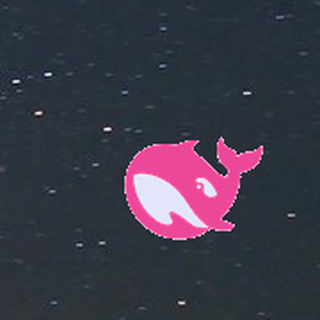
A desktop floating ball for DeepSeek Harness: whale-shaped, pixel-transparent, valley/peak tint, yellow highlight when an approval is waiting, edge docking and four themes. Click to bring the DSH window back.
Install
# from GitHub (first run asks for allowBuilds approval — follow the hint, retry)
dsh plugin --profile web add github:NoMana666/dsh-floatball
Any plugin you install runs third-party code with your own permissions — it can read your files, use your credentials, and reach the network, and tool approvals don’t sandbox it. GitHub-sourced plugins also run build scripts at install time — pnpm blocks those until you allow them, so an install can stop with ERR_PNPM_GIT_DEP_PREPARE_NOT_ALLOWED or ERR_PNPM_IGNORED_BUILDS; dsh prints the exact key to add under allowBuilds in your profile’s pnpm-workspace.yaml, and the install works on the next run. Allowing a build is a trust decision: only install sources you trust, and pin a commit (github:owner/repo#sha).
README
A tiny whale that lives on your desktop, shows the pricing state of DeepSeek Harness, and lights up when an approval is waiting for you.
Native Windows only: PowerShell + WinForms layered window. No Electron, no extra runtime.
Features
- Follows DSH: appears when DSH starts, disappears within 20s after DSH quits (heartbeat based, not process-tree based).
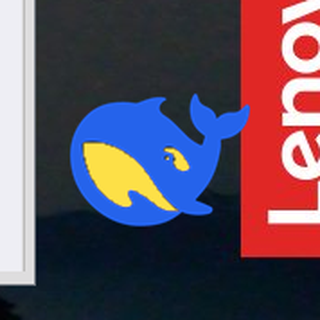
- Peak / valley colours: red-ish during peak hours (weekdays 9–12, 14–18), blue-ish at valley (nights, weekends, public holidays).
- Attention: the hollow area turns bright yellow, plus a bubble, while DSH is waiting for an approval or a question answer (bubble can be turned off).
- Click to focus: left click brings the DSH window back, including from a minimized state.
- Edge docking: drop it near a screen edge to half-hide it; hover to slide out, leave to slide back (with hysteresis, no flicker).
- Themes: classic (blue/pink), purple, mint, amber — each with peak and valley variants.
- Sizes: 48 / 60 / 72 / 84 / 108 / 132 px.
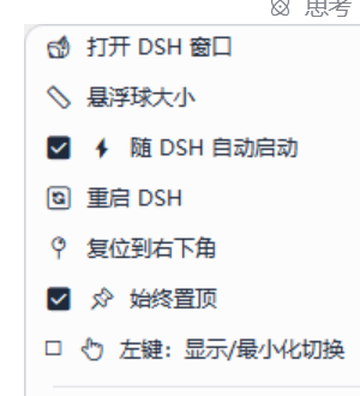
- Context menu: open DSH, size, theme, bubble on/off, autostart with DSH, reset position, always-on-top, quit.

Install
dsh plugin add /path/to/dsh-floatball
Then enable it in Plugins. The ball appears immediately, no restart needed.
Runtime data
%LOCALAPPDATA%\dsh-floatball\ — settings.json, heartbeat.json, ball.log, plugin.log.
Known limits
- Windows only.
- Closing DSH with ✕ hides the window. The main window carries
WS_EX_NOREDIRECTIONBITMAP; its pixels are committed through DirectComposition, so externalShowWindow/SetWindowPos/SetWindowPlacementdo nothing (verified) and forcing it visible yields a blank, unclickable window. Use minimize instead, or click the tray icon. - Edge docking is inaccurate when the taskbar is auto-hidden or moved to the top/side.
License
MIT
Links
More in this category
zhu1090093659/dsh-web#packages/dsh-task-board★ 10645
Task board for the dsh web GUI: a sidebar multi-column kanban whose cards run in real DSH agent sessions and can also be scheduled with cron expressions, executed host-side even with the browser closed.
zhu1090093659/dsh-web#packages/dsh-web-all★ 10645
Plugin and skin collection for the DSH Web UI: task board, Git graph, right-side panel, remote mobile UI, pet, live token stats, and a skin center.
ccch1mneyyy/dsh-TUI★ 8283
Claude Code-style full-screen terminal UI: pixel-whale header, live status line, and streaming thought expansion.
MeteorNOX/DeepSeek-Balance-Whale-Widget★ 7472
A fixed-corner whale widget for the DSH web GUI — balance, today's usage and per-turn cost with peak/off-peak pricing, editable balance-alert and daily-budget bubbles, a module-based custom bubble queue with A/B weighted choices and random lines or images, 30+ vendor templates (OpenAI, OpenRouter, Kimi, SiliconFlow, Ark, Zhipu, MiniMax and more) with per-model balance and subscription quota, plus task-end sound, imported audio, custom roles and a resource manager. Local-only, no telemetry.
omdsh-dev/DSH-better-sidebar★ 5336
Full sidebar workbench with file rendering and editing, terminal, Git, and subagents; third-party plugins can register new tabs.
omdsh-dev/dsh-genui★ 1060
Interactive UI components rendered inline in replies: layout, charts, forms, quizzes, mermaid, 3D scenes, and an action event loop back to the model.
Community comments
Comments are public GitHub Discussions. Loading them connects to GitHub and Giscus; a GitHub account is required to post.