Rewrites the composer draft in place: the panel streams a structured rewrite above the input, a line diff confirms the replacement, and a nine-second undo takes it back. Local-only history, version compare, seven templates and variable extraction.
Install
# from npm (prebuilt)
dsh plugin --profile web add @minus77/dsh-prompt-optimize
# from GitHub (first run asks for allowBuilds approval — follow the hint, retry)
dsh plugin --profile web add github:Minus77/dsh-prompt-optimize
Any plugin you install runs third-party code with your own permissions — it can read your files, use your credentials, and reach the network, and tool approvals don’t sandbox it. GitHub-sourced plugins also run build scripts at install time — pnpm blocks those until you allow them, so an install can stop with ERR_PNPM_GIT_DEP_PREPARE_NOT_ALLOWED or ERR_PNPM_IGNORED_BUILDS; dsh prints the exact key to add under allowBuilds in your profile’s pnpm-workspace.yaml, and the install works on the next run. Allowing a build is a trust decision: only install sources you trust, and pin a commit (github:owner/repo#sha).
README
A DeepSeek Harness plugin that turns the rough draft in your composer into a prompt you can actually use. You review a line-by-line diff before it replaces anything, you can undo for nine seconds afterwards, and it keeps a local history with version compare and a library of reusable templates.
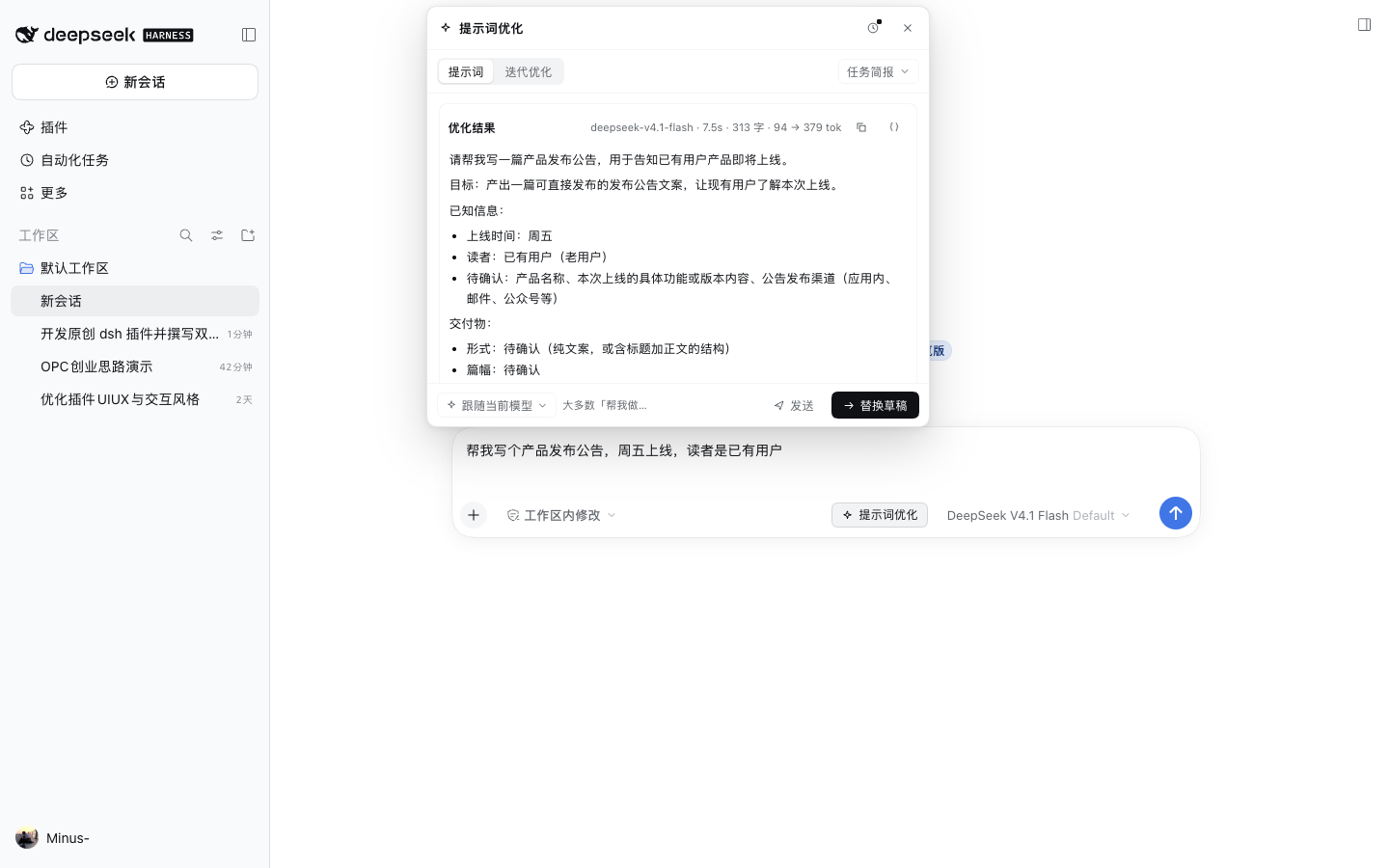
Why
Most prompts that "don't work" are not a model problem — they are a draft problem: the ask is there, but the material, the deliverable and the boundaries are not. This plugin fills that gap without leaving the composer, and it lets the diff and the undo window decide whether it is allowed to touch your words.
- No context switch: a seat button opens a panel above the composer.
- Reviewable: a line diff shows what changes before anything is written back.
- Reversible: nine seconds of undo after replacing.
- Iterable: ask for a change on the result; only that part moves.
- Local: history stays on this machine, and it is opt-in.
Features
| Capability | Detail |
|---|---|
| Auto rewrite | Opening the panel runs once automatically; rerun after the draft changes |
| Streaming | Text arrives incrementally, can be stopped, never blocks the composer |
| Line diff | - / + rows before replacing, unchanged runs collapsed |
| 9-second undo | Undo bar after replacing, expires on its own |
| History | Last 50 runs, grouped into version chains, replay / compare / delete |
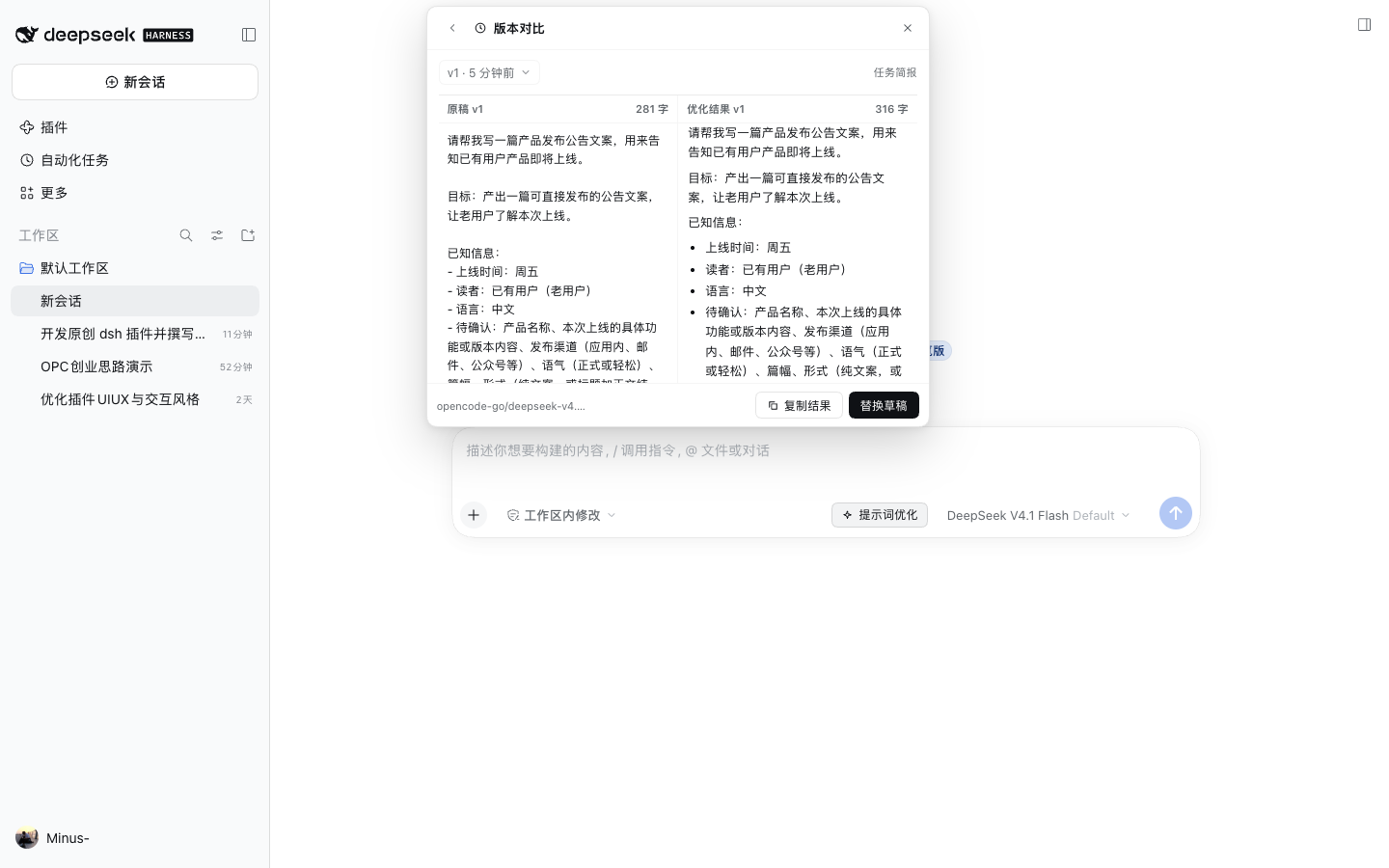
| Compare | Two columns plus a local, line-level structure summary |
| Placeholders | Extract up to 5 reusable fragments into {{snake_case}} variables |
| Templates | 7 built-ins grouped as basic / structure / examples / reasoning / iterate |
| Model pin | Follow the session model, or pin one for this panel only |
| Bilingual | Follows the app locale automatically |
| Privacy | History off by default; when on, it stays in localStorage |
Install
Requires DeepSeek Harness >= 0.1.7-0 and Node.js >= 18.
1. Install from npm (recommended)
dsh plugin --profile web add @minus77/dsh-prompt-optimize
That pulls the published package (npm / release); then continue with step 2.
git clone https://github.com/Minus77/dsh-prompt-optimize.git
cd dsh-prompt-optimize
npm pack          # produces minus77-dsh-prompt-optimize-0.1.0.tgz
dsh plugin --profile web add file:$PWD/minus77-dsh-prompt-optimize-0.1.0.tgz
2. Load it in that profile
Edit ~/.dsh/profiles/<profile>/package.json and append the package to dsh.profile.bundles:
{
  "dsh": {
    "profile": {
      "bundles": [
        "@deepseek-ai/dsh-base",
        "@deepseek-ai/dsh-web-app",
        "@minus77/dsh-prompt-optimize"
      ]
    }
  }
}
Restart that profile (dsh --profile <profile>); the "Prompt optimizer" seat appears on the right side of the composer.
Installing with
plugin_manager'sinstall_bundleagainst this repository does both steps for you — no JSON editing.
Local development
npm test                                   # 21 unit tests, no network
dsh plugin --profile dev add file:$PWD     # symlinked; restart to pick up edits
Usage
Open
Write a draft, then click the seat at the right of the composer.
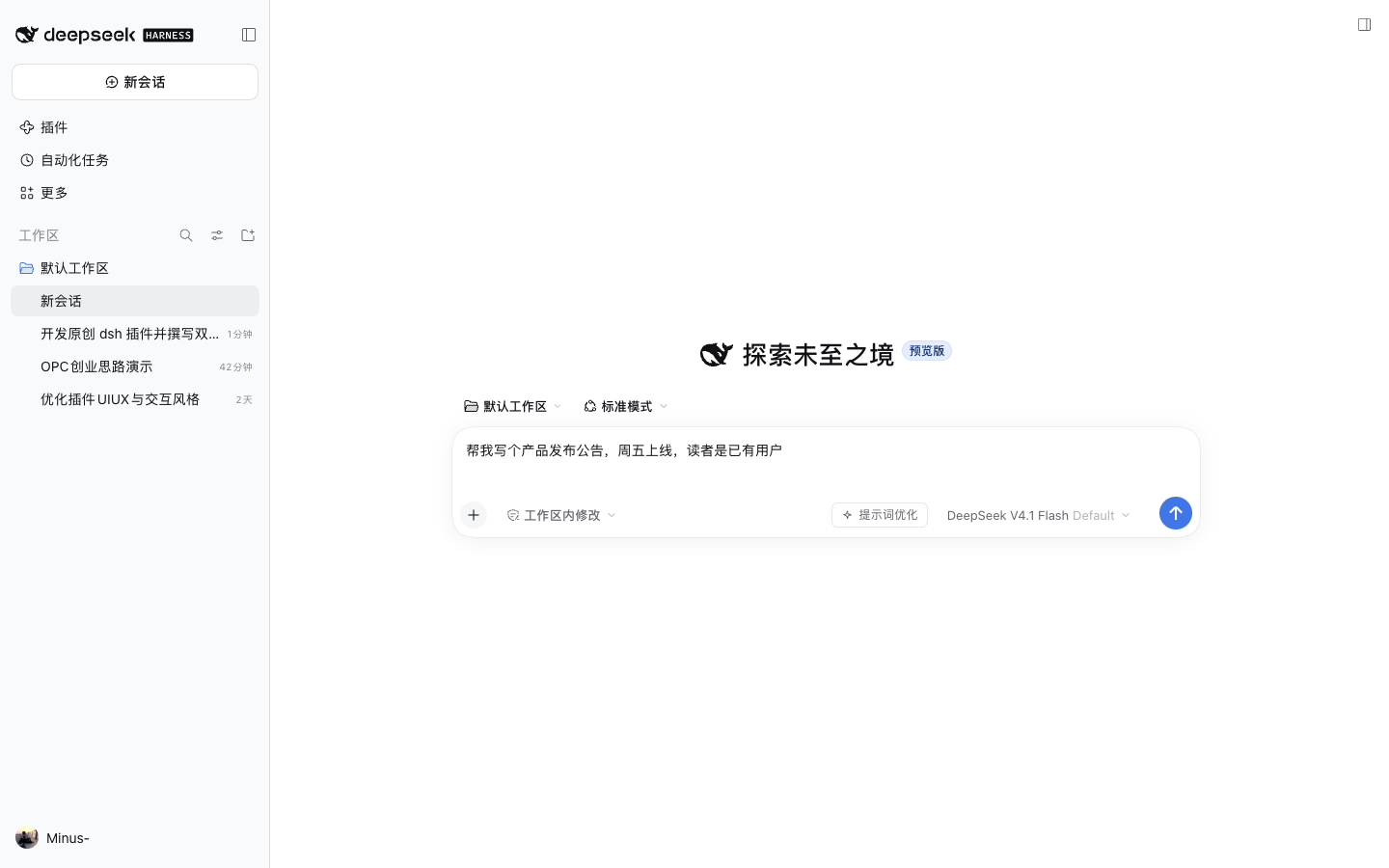
The panel opens above the composer and starts rewriting. The first run asks whether to keep history; the answer is remembered.
Review and replace
When the stream ends, click "Replace draft" to see the diff first:
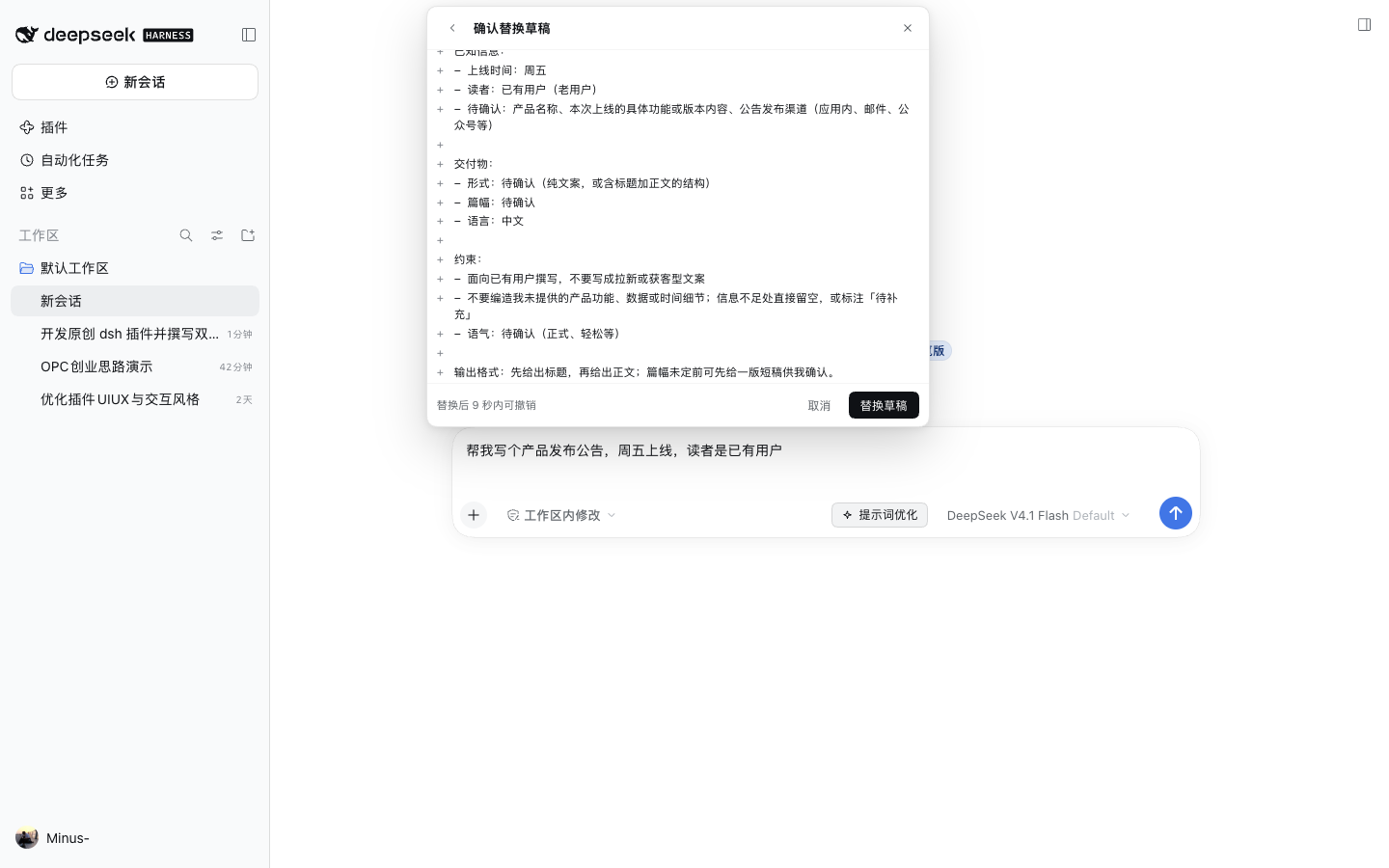
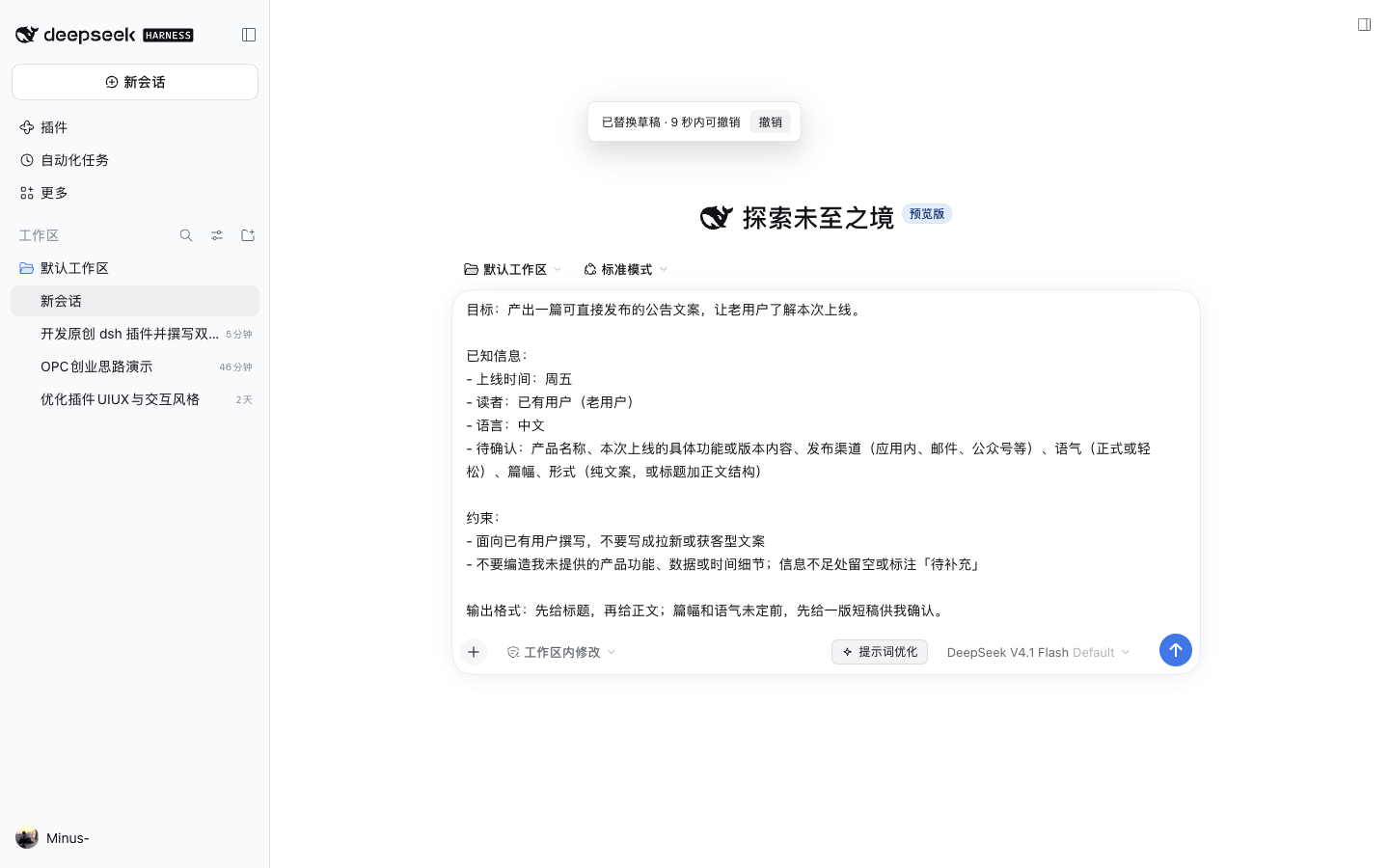
After confirming, the draft is replaced and an undo bar appears for nine seconds:
Placeholders
Click the braces button on the result. The model finds up to five reusable fragments and rewrites them as {{variables}}:
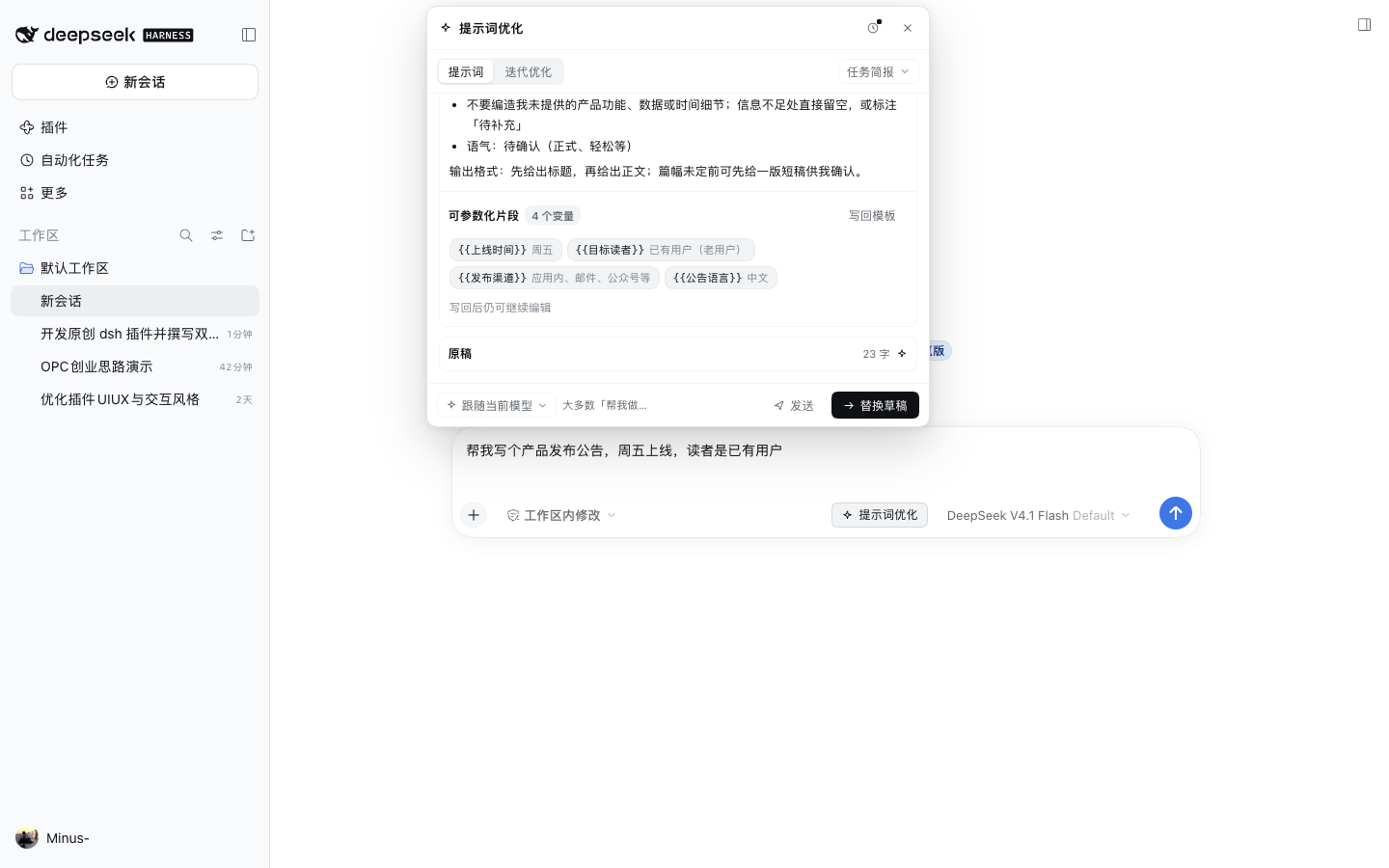
"Write back" puts the parameterized version into the composer, so reuse only means changing values.
Iterate
Switch to "Iterate" and describe one change, e.g. "make the tone lighter and collapse the pending list into three lines". Only the relevant passages move:
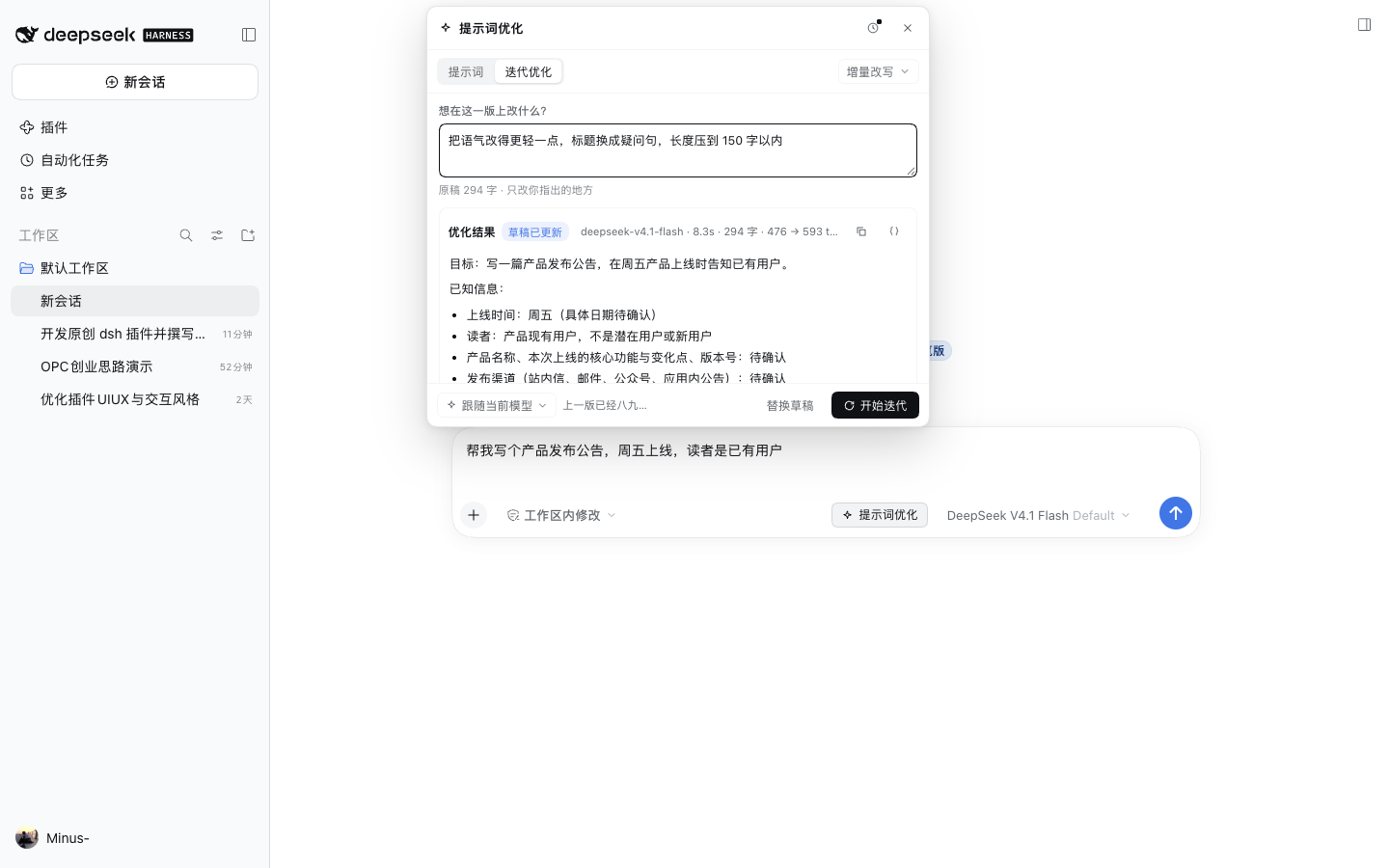
History and compare
The clock button opens history. Each row shows version, template and character delta, and expands to copy, restore, compare or delete:
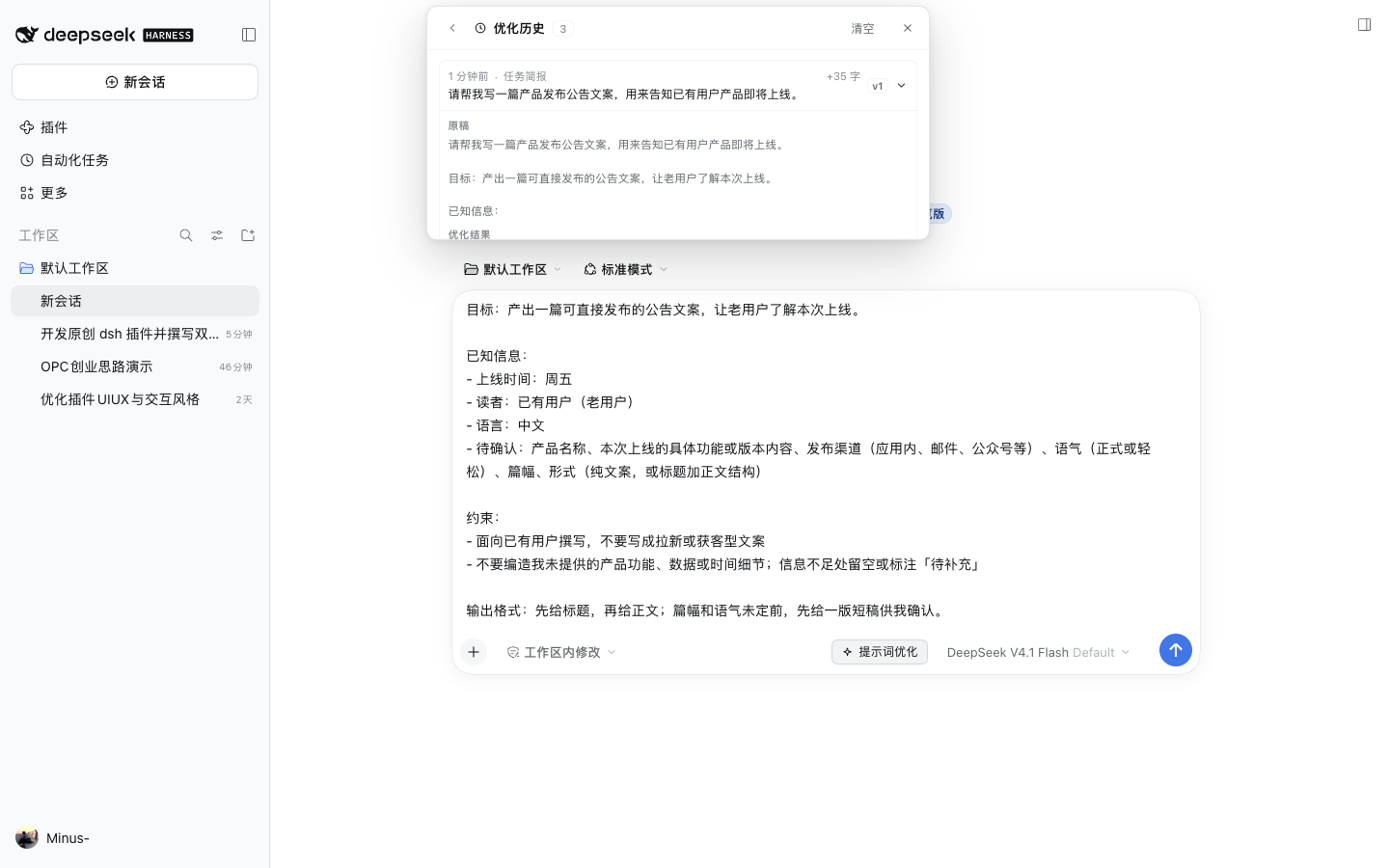
Chinese UI
With a Chinese locale the same panel, templates and buttons are localized:
Templates
Seven built-ins, grouped by intent. Full descriptions live in docs/TEMPLATES.en.md.
| Template | Mode | Group | Use for |
|---|---|---|---|
| Task brief | Prompt | Basic | Most "help me do X" drafts |
| Delivery contract | Prompt | Structure | Work with explicit acceptance criteria |
| Worked examples | Prompt | Examples | Style or format pinned by samples |
| Reasoning steps | Prompt | Reasoning | Multi-step analysis with checkpoints |
| Role contract | System | Basic | Long-lived role constraints |
| Agent persona | System | Basic | Voice and judgment habits |
| Incremental edit | Iterate | Iterate | Small changes on top of a version |
Templates can be switched inside the panel; the footer then offers "rerun with new template" instead of silently overwriting the current result.
Shortcuts
| Action | Key |
|---|---|
| Run / rerun | ⌘ Enter (Ctrl Enter on Windows/Linux) |
| Close | Esc (menu → diff review → panel) |
| Stop | "Stop" in the panel |
Privacy
- History is off by default; when enabled it is written to browser
localStorageonly. - The plugin sends the current draft, the iterate note and template content to the current model — never your history.
- Turning history off keeps existing rows; "Clear" deletes them.
- Pinning a model affects this plugin's requests only, not the session default.
Known limits
- Text only: image attachments are not accepted as rewrite input yet.
- 60,000 characters per draft; at most 5 extracted variables.
- System-prompt templates exist in the API but the panel exposes only Prompt and Iterate.
- A default model is required; the panel reports it clearly instead of failing silently.
Development
src/spec.js          template metadata and queries
src/prompts.js       prompt construction per template
src/placeholders.js  variable parsing, anchoring and application
src/catalog.js       model and template catalog
src/index.js         host routes (models / optimize / variables)
src/web.js           client panel (React + theme tokens)
test/                node:test unit tests
- Tests:
npm test - ESM, no build step, no JSX on the client; all colors come from
--dsw-alias-*tokens. - Host routes:
GET /prompt-optimize/models,POST /prompt-optimize/optimize(NDJSON),POST /prompt-optimize/variables.
License
MIT. Screenshots were captured from a real running instance on this machine.
Links
More in this category
zhu1090093659/dsh-web#packages/dsh-task-board★ 10458
Task board for the dsh web GUI: a sidebar multi-column kanban whose cards run in real DSH agent sessions and can also be scheduled with cron expressions, executed host-side even with the browser closed.
zhu1090093659/dsh-web#packages/dsh-web-all★ 10458
Plugin and skin collection for the DSH Web UI: task board, Git graph, right-side panel, remote mobile UI, pet, live token stats, and a skin center.
ccch1mneyyy/dsh-TUI★ 7797
Claude Code-style full-screen terminal UI: pixel-whale header, live status line, and streaming thought expansion.
MeteorNOX/DeepSeek-Balance-Whale-Widget★ 7271
A fixed-corner whale widget for the DSH web GUI — balance, today's usage and per-turn cost with peak/off-peak pricing, editable balance-alert and daily-budget bubbles, a module-based custom bubble queue with A/B weighted choices and random lines or images, 30+ vendor templates (OpenAI, OpenRouter, Kimi, SiliconFlow, Ark, Zhipu, MiniMax and more) with per-model balance and subscription quota, plus task-end sound, imported audio, custom roles and a resource manager. Local-only, no telemetry.
omdsh-dev/DSH-better-sidebar★ 5191
Full sidebar workbench with file rendering and editing, terminal, Git, and subagents; third-party plugins can register new tabs.
omdsh-dev/dsh-genui★ 1007
Interactive UI components rendered inline in replies: layout, charts, forms, quizzes, mermaid, 3D scenes, and an action event loop back to the model.
Community comments
Comments are public GitHub Discussions. Loading them connects to GitHub and Giscus; a GitHub account is required to post.