Superpowers for DeepSeek Harness: TDD, debugging, planning, and collaboration skills adapted from obra/superpowers, installed as a Cordis plugin registering 14 skills with zero runtime dependencies.
Install
# from npm (prebuilt)
dsh plugin --profile web add superpowers-dsh
# from GitHub (first run asks for allowBuilds approval — follow the hint, retry)
dsh plugin --profile web add github:LayneChai/superpowers-dsh
Any plugin you install runs third-party code with your own permissions — it can read your files, use your credentials, and reach the network, and tool approvals don’t sandbox it. GitHub-sourced plugins also run build scripts at install time — pnpm blocks those until you allow them, so an install can stop with ERR_PNPM_GIT_DEP_PREPARE_NOT_ALLOWED or ERR_PNPM_IGNORED_BUILDS; dsh prints the exact key to add under allowBuilds in your profile’s pnpm-workspace.yaml, and the install works on the next run. Allowing a build is a trust decision: only install sources you trust, and pin a commit (github:owner/repo#sha).
README
English | 简体中文
superpowers-dsh
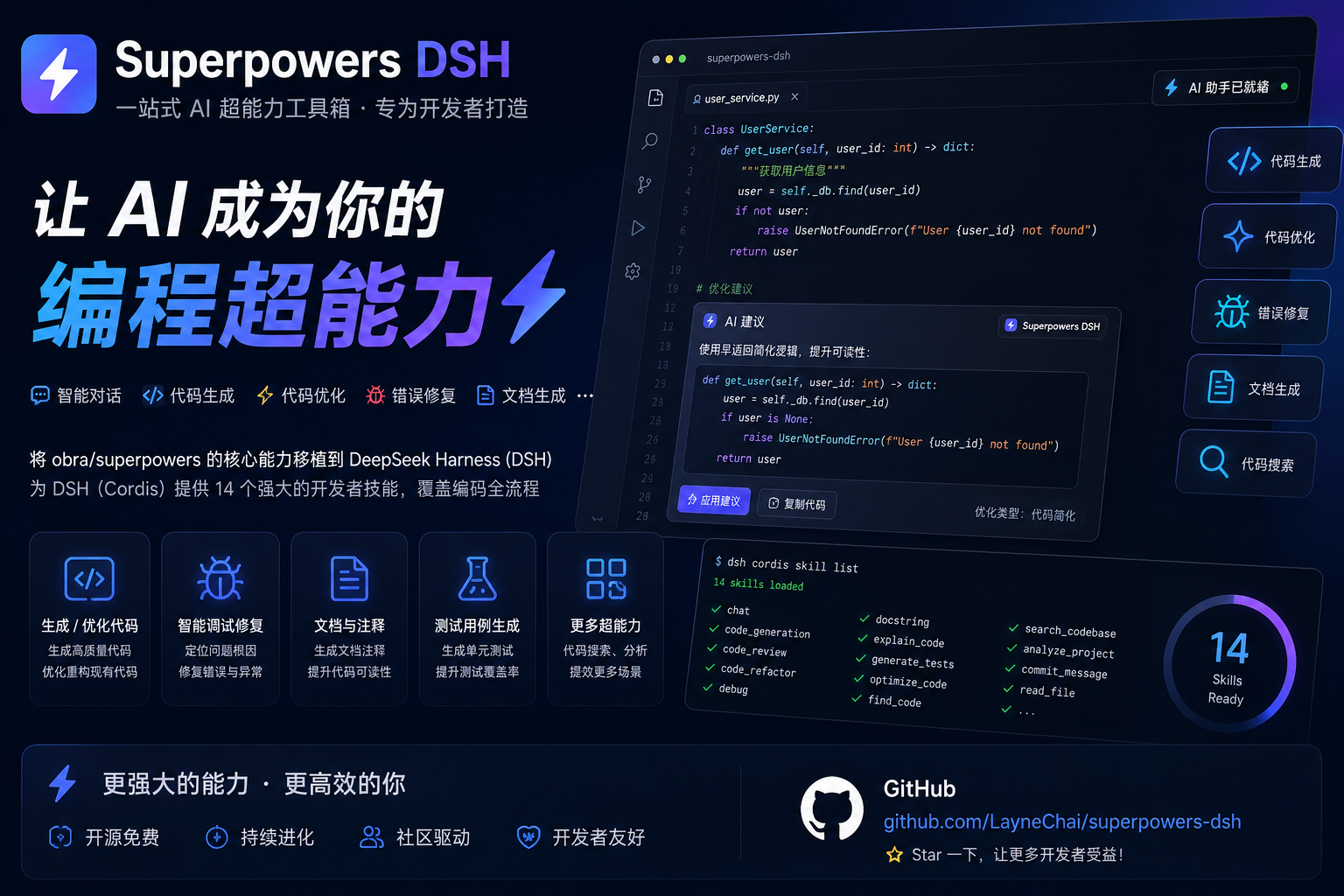
Superpowers for the DeepSeek Harness: a plugin bundle that ports the core skills of obra/superpowers (the Claude-Code skills library: TDD, debugging, planning, collaboration patterns) to DSH's Cordis plugin architecture.
The plugin registers a skill provider into the host layer of the
ctx.skills registry, so every agent preset's scope chain merges these
skills. Skill bodies ship inside the package (skills/<name>/SKILL.md) and
are located from import.meta.url — an assembly fact of the package, never
user configuration.
Install & use in your DeepSeek Harness
A plugin bundle for DeepSeek Harness (DSH). Installing it registers the
15 skills below into the host skill registry, so every agent session in your
profile sees them in its skill catalog and can load them with the skill
tool. Skill content is synced from upstream obra/superpowers v6.4.2.
Simplest: one command
No global dsh install required. Run this from any directory:
npx @deepseek-ai/dsh plugin --profile web add github:LayneChai/superpowers-dsh
Then restart npx @deepseek-ai/dsh web (or dsh web) and refresh the browser.
Easiest: let the DeepSeek Harness agent install it
Open the DeepSeek Harness web UI, start a new conversation, and send this message:
Please install the plugin from this link: https://github.com/LayneChai/superpowers-dsh
The agent will run the install for you (dsh plugin --profile web add →
restart the profile → verify the skills registered), so you never have to
type a command. Afterwards you can ask it to run
dsh --profile web --dump-config and confirm a superpowers-dsh row is
present.
Install from npm (recommended — one command)
The package is published on npm as superpowers-dsh (synced to the
npmmirror mirror for mainland China):
dsh plugin --profile web add superpowers-dsh
Use the
dsh pluginform — a plainnpm install superpowers-dshinstalls the package as a library in the current directory but does not register it into any DeepSeek Harness profile, so the skills would never load.
Install from GitHub
# from anywhere
dsh plugin --profile web add https://github.com/LayneChai/superpowers-dsh.git
Install from a tarball or a local folder
# tarball (e.g. the release asset superpowers-dsh-0.1.0.tgz)
dsh plugin --profile web add C:\path\to\superpowers-dsh-0.1.0.tgz

# or the unpacked package folder (pnpm links it, so edits take effect on restart)
dsh plugin --profile web add C:\path\to\superpowers-dsh
Restart and verify
The bundle layer mounts at profile startup, so restart the profile (stop
and re-run dsh web / npx @deepseek-ai/dsh web, then refresh the browser).
To confirm the layer is composed:
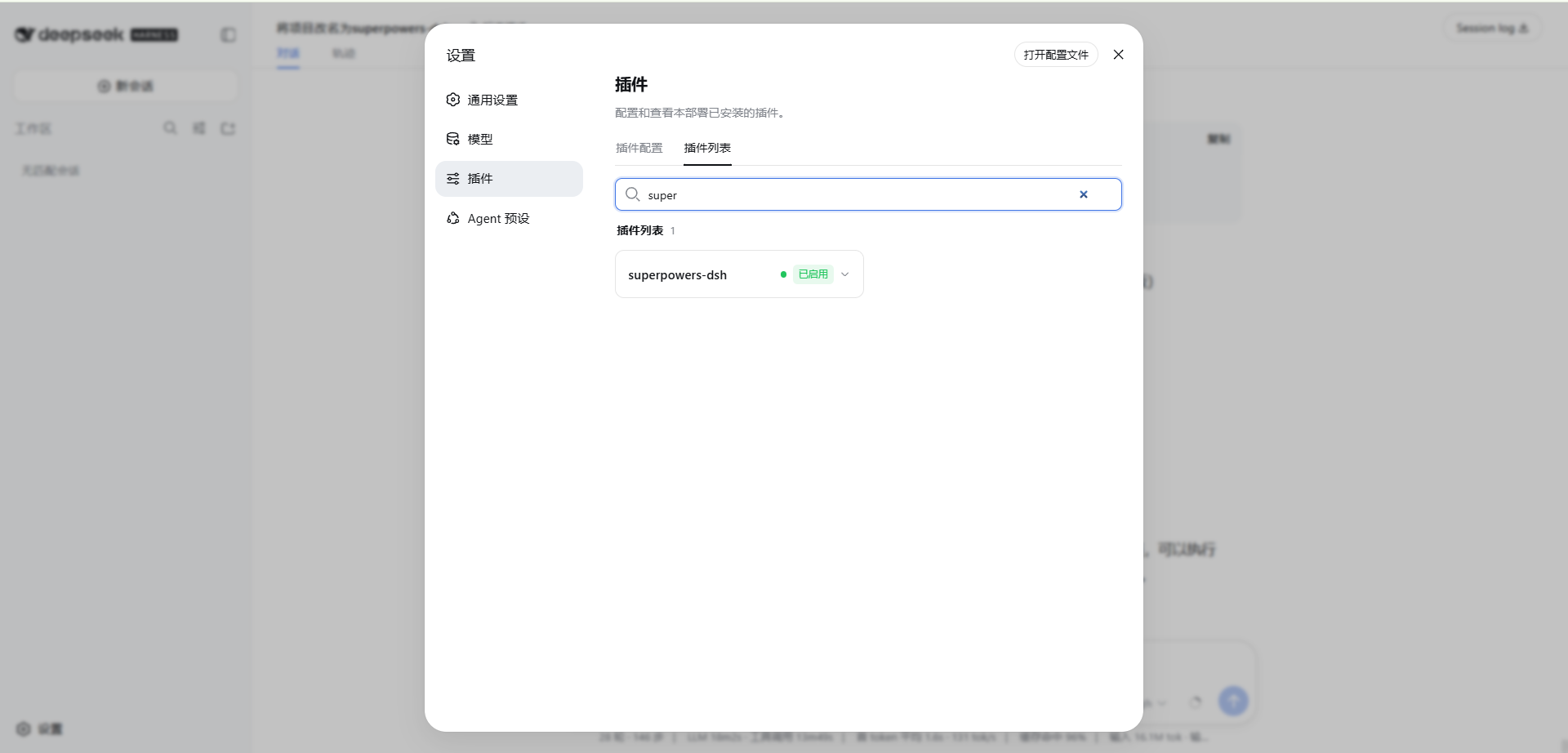
dsh --profile web --dump-config # a `superpowers-dsh` row must be present
The skills then appear in the agent skill catalog (using-superpowers is the
entry-point skill) and are loadable with the skill tool.
A successful install looks like this:
Using another profile (headless / tui / custom)
Point --profile at whichever profile you run:
dsh plugin --profile headless add superpowers-dsh
dsh --profile headless --dump-config
Uninstall
dsh plugin --profile web remove superpowers-dsh
# then restart the profile again
Notes
- Installers in mainland China can set the npm mirror first — it makes
dsh plugin add superpowers-dshfast:npm config set registry https://registry.npmmirror.com - A plugin installed from a folder or
file:spec is linked, not copied: changes to that folder take effect after the next profile restart. - Consumers need no npm account and no 2FA — installing is a plain package download.
DSH version compatibility
Bottom line: compatible with every DSH version published on npm, verified
end-to-end on DSH 0.2.0-rc.2 (the current latest). No known
incompatibilities.
Checked 2026-10-03. npm dist-tags: latest = next = 0.2.0-rc.2,
alpha = 0.2.1-alpha.1.
Support matrix
| Check | Result |
|---|---|
| DSH interfaces this plugin uses | ① ctx.skills.registerProvider(...) (skill provider registration) ② dsh.bundle.patch (a bundle mounting its own cordis.patch.yml) |
| Published versions carrying them | 31 released versions each of @deepseek-ai/dsh-skill and @deepseek-ai/dsh-app-boot |
| Per-version audit | 31 / 31 identical — from the first release 0.0.1-rc.1 through the newest 0.2.1-alpha.1, no signature or semantics changed |
| End-to-end run | lib/index.js mounted into the real SkillRegistry of local DSH 0.2.0-rc.2: list() returned 15 skills and every get() returned a body and a resourceBase |
| This plugin's version | 0.2.0 (skill content synced from obra/superpowers v6.4.2) |
| Runtime dependencies | None. Node built-ins only, so a DSH dependency-tree change cannot break it |
| Node.js | Verified on v22.22.2; DSH declares no engines, and neither does this plugin |
Known compatibility notes
- No known incompatibilities. Since
0.1.7-rc.2DSH has a plugin compatibility gate (evaluatePluginCompatibility): it only inspects the@deepseek-ai/dsh*peerDependencies a plugin declares and skips the whole bundle when a range does not match. This plugin declares no peerDependencies, so the gate never blocks it — which also means DSH does not version-check it for you, so re-run the audit below after a DSH upgrade. - Same-name precedence is deliberate: the plugin registers at
PACKAGED_SKILL_RANK = 550while DSH's bundled root isBUNDLED_SKILL_RANK = 600(lower wins), so your own skill wins a same-name collision. No in-box DSH skill shares a name with these. - Windows note: the bash helpers in the skill bodies need Git for Windows
(Git Bash); the Node helpers (
server.cjs,render-graphs.js) run everywhere. The prose invokes bundled scripts through their interpreter (bash scripts/...), so it does not depend on Unix executable bits. - The install method does not affect compatibility: npm, GitHub, and a linked local folder all load the same bundle declaration.
How to re-verify compatibility
One command re-runs every check above — including the real-registry mount — against the DSH you actually have installed:
node scripts/check-dsh-compat.mjs
# or point it at another node_modules, or set $DSH_NODE_MODULES
node scripts/check-dsh-compat.mjs D:\path\to\profile\node_modules
Output on this machine:
dsh SDK      : @deepseek-ai/dsh-skill 0.2.0-rc.2
mounted      : 15 skills listed and read through the real SkillRegistry
rank         : PACKAGED_SKILL_RANK=550 is below BUNDLED_SKILL_RANK=600

check-dsh-compat: OK — this plugin matches the installed DSH SDK
It checks, in order: that the SDK is present and which version it is → that the
installed SDK's own type declarations still declare the provider interface this
plugin implements (registerProvider, SkillProvider.list/get,
SkillCandidate, SkillResourceBase, the 'custom' source bucket) → that
lib/index.js really mounts into SkillRegistry and every skill reads back →
the rank relationship. Any failure exits 1 and names the contract that changed.
The conclusion holds for the DSH version it was verified against. On a newer DSH, run the command above first: if upstream changes the skill interface it names the exact break instead of letting skills disappear quietly.
Skills
| Skill | Purpose |
|---|---|
using-superpowers |
How to find and use skills; the entry-point skill |
brainstorming |
Turn ideas into designs through collaborative dialogue |
writing-plans |
Write comprehensive implementation plans from specs |
executing-plans |
Execute a plan inline (Native) in this session, one whole-branch review at the end |
subagent-driven-development |
Dispatch fresh subagents per task with reviews |
dispatching-parallel-agents |
Fan independent work out across parallel agents |
systematic-debugging |
Root-cause-first debugging discipline |
test-driven-development |
RED-GREEN-REFACTOR implementation loop |
verification-before-completion |
Evidence before success claims |
requesting-code-review |
Get rigorous review before merging |
receiving-code-review |
Verify feedback instead of blindly implementing it |
finishing-a-development-branch |
Integrate completed work safely |
using-git-worktrees |
Isolated workspaces for feature work |
writing-skills |
Author and validate new skills TDD-style |
diagnosing-superpowers |
Read a session's transcripts on disk and report what went wrong, with path:line evidence |
How it works
- Bundle layer —
cordis.patch.ymlinserts one row (- id: superpowers-dsh, name: superpowers-dsh) over the dsh-base layer. Later layers (the profile'scordis.patch.yml,--patchoverlays) can still address that row by id. - Provider —
lib/index.jscallsctx.skills.registerProvider(...)with a provider that:list()scans the package'sskills/directory for<name>/SKILL.mdbundles and returns candidates parsed from YAML frontmatter (name,description,whenToUse).get()reads the winning candidate's body on demand and returns a full skill definition withresourceBasepointing at the skill's directory, so relative references (scripts, prompt templates) resolve.
- Zero runtime dependencies — the plugin imports only Node built-ins and
consumes the injected
ctx.skillsservice interface.
Upstream sync (currently obra/superpowers v6.4.2)
skills/ is generated output — do not hand-edit it. The sync lives in two
places; change those and re-run:
scripts/sync-from-upstream.mjs— copies the upstream skill tree and replays every DSH adaptation. Each adaptation is an asserted string rewrite, so if upstream rewords the anchor the run fails loudly instead of silently dropping an adaptation.port/overrides/— DSH-only files (using-superpowers/references/dsh-tools.md) copied over the synced tree.
# 1. Fetch the upstream release (git-over-https is blocked on some networks;
#    codeload works)
mkdir -p .upstream/superpowers
curl -L https://codeload.github.com/obra/superpowers/tar.gz/refs/tags/v6.4.2 \
  | tar -xz -C .upstream/superpowers --strip-components=1

# 2. Replay the sync
node scripts/sync-from-upstream.mjs .upstream/superpowers

# 3. Verify (provider lists every skill, frontmatter is valid, no dangling refs)
node scripts/verify-skills.mjs

# 4. Compatibility (replays the contract and the real-registry mount against
#    the DSH you have installed)
node scripts/check-dsh-compat.mjs
What this sync brought in from upstream:
- New skill
diagnosing-superpowers(v6.4.1): when a session goes wrong, locate the transcripts on disk and report what happened withpath:lineevidence; build a scrubbed bundle or a GitHub issue draft on request. The DSH transcript location and decompression recipe are recorded inskills/diagnosing-superpowers/references/session-discovery.mdandskills/using-superpowers/references/dsh-tools.md. executing-plansrebuilt as Native (inline) execution (v6.4.1): no check-in every few tasks; the session implements every task itself, then one whole-branch review at the end. Shares SDD's workspace and ledger, and addsscripts/task-start/scripts/task-done.writing-plans(v6.4.1 + v6.4.2): the saved plan is reviewed before anything runs; a newReview Focussection names the inputs or failure modes the spec implies but no task's tests exercise;No PlaceholdersbecameWhat a Step Contains(test steps give assertions, code steps give the signature and file, verification steps give the command and its passing output), self-review gained a proportion check, andplan-document-reviewer-prompt.mdis gone.brainstorming(v6.4.1): establish why your partner wants the thing before proposing features, reflect the intent back for correction, and tie approval to the actual design and planning stages.- Code review (v6.4.1): reviewers judge behavior the spec is silent on by
what a reasonable person would expect, plus a "Declined to judge" list the
executor rules on; the
BASE_SHAalternative is nowgit merge-base origin/main HEAD. test-driven-development(v6.4.1): the project's suite defines green, not just your test file; run the project's test command and report every failure by name.subagent-driven-development(v6.4.1): a workspace records its owning plan so same-basename plans stop colliding;review-packagerejects empty or non-descendant ranges (exit 3).- Executable-bit fix (v6.4.1): skill prose invokes bundled scripts through
their interpreter (
bash scripts/foo.sh,node render-graphs.js); this port extends that to the helperstask-start/task-donecall each other with (Windows has no Unix exec bit at all).
Porting notes (vs. upstream obra/superpowers)
- Namespace prefixes removed:
superpowers:brainstorming→brainstorming(DSH skills are addressed by bare name). using-superpowersnow documents the DSHskilltool and points atskills/using-superpowers/references/dsh-tools.md, a full Claude-Code → DSH tool mapping (pwsh,subagent,workflow,goal, ...). Upstream's per-harness reference list (Claude Code / Codex / Gemini / Copilot / Pi / Antigravity / Hermes / Muse) collapses to the DSH file; the otherreferences/*-tools.mdfiles are not shipped.- Subagent references map to DSH's
subagent/subagent_fork. Upstream's named agent (superpowers:code-reviewer) does not exist here; dispatch the skill's own prompt template instead. - Upstream's
<SUBAGENT-STOP>gate is not kept: DSH subagents must follow the skills too (an implementer subagent has to run TDD). - Cross-harness paths become DSH paths:
~/.claude/skills/→$DSH_HOME/skills/,~/.superpowers/...→$DSH_HOME/...(default~/.dsh). diagnosing-superpowersgains DSH session-storage facts ($DSH_HOME/sessions/<cwd-slug>/session-<uuid>/session.*.jsonl.zstd, concatenated zstd frames that need frame-by-frame decompression).brainstorming's visual companion adds a Windows note: the Node server (scripts/server.cjs) runs everywhere; the.shhelpers are bash-only.writing-skills/examples/CLAUDE_MD_TESTING.mdships verbatim (an upstream example document that still uses Claude Code paths), so the reference fromtesting-skills-with-subagents.mddoes not dangle.
Adding your own skills
list() discovers any skills/<kebab-name>/SKILL.md in the package — it must
start with a YAML frontmatter block (name + description, optionally
whenToUse). No code change needed.
Note that skills/ is generated by the upstream sync: re-running
scripts/sync-from-upstream.mjs rebuilds it wholesale, so a skill dropped
there directly is deleted. Two safe places:
$DSH_HOME/skills/(user level) or the project's.dsh/skills/— unrelated to this package and the least effort;- or
port/overrides/<kebab-name>/SKILL.md— copied intoskills/on every sync, so it survives.
License
MIT. Skill content adapted from obra/superpowers (MIT), © Jesse Vincent and contributors.
Links
More in this category
zhu1090093659/dsh-web#packages/dsh-skill-explorer★ 8440
Skill center for the dsh web GUI: browse all loaded skills grouped by source, enable or disable model invocation, create new skills, and delete into a recoverable trash.
GanyuanRan/Aegis★ 1323
Software-engineering method pack for coding agents, with skills for baseline-first planning, systematic debugging, prompt hygiene, verification before completion, and repair/retirement tracking.
superdesigndev/superdesign-skill★ 628
Design skill for UI and marketing graphics on the Superdesign canvas: reads the repo for context, extracts its design system, then generates and iterates branchable design drafts, flow pages, and reusable components through the Superdesign CLI.
linhay/harmony-next.skills★ 360
HarmonyOS NEXT skill bundle for DeepSeek Harness with offline API references and DevEco, HDC, and emulator automation guidance.
dhicoc/dsh-reverse-skill★ 213
Complete reverse-skill pack (85 SKILL.md) as a DeepSeek Harness Cordis plugin: reverse engineering, authorized pentesting and security-research skill router.
sandbaseai/sandbase-skills★ 201
Mounts 88 packaged research, social-intelligence, marketing and business Agent Skills into dsh through the filesystem Skill provider.
Community comments
Comments are public GitHub Discussions. Loading them connects to GitHub and Giscus; a GitHub account is required to post.