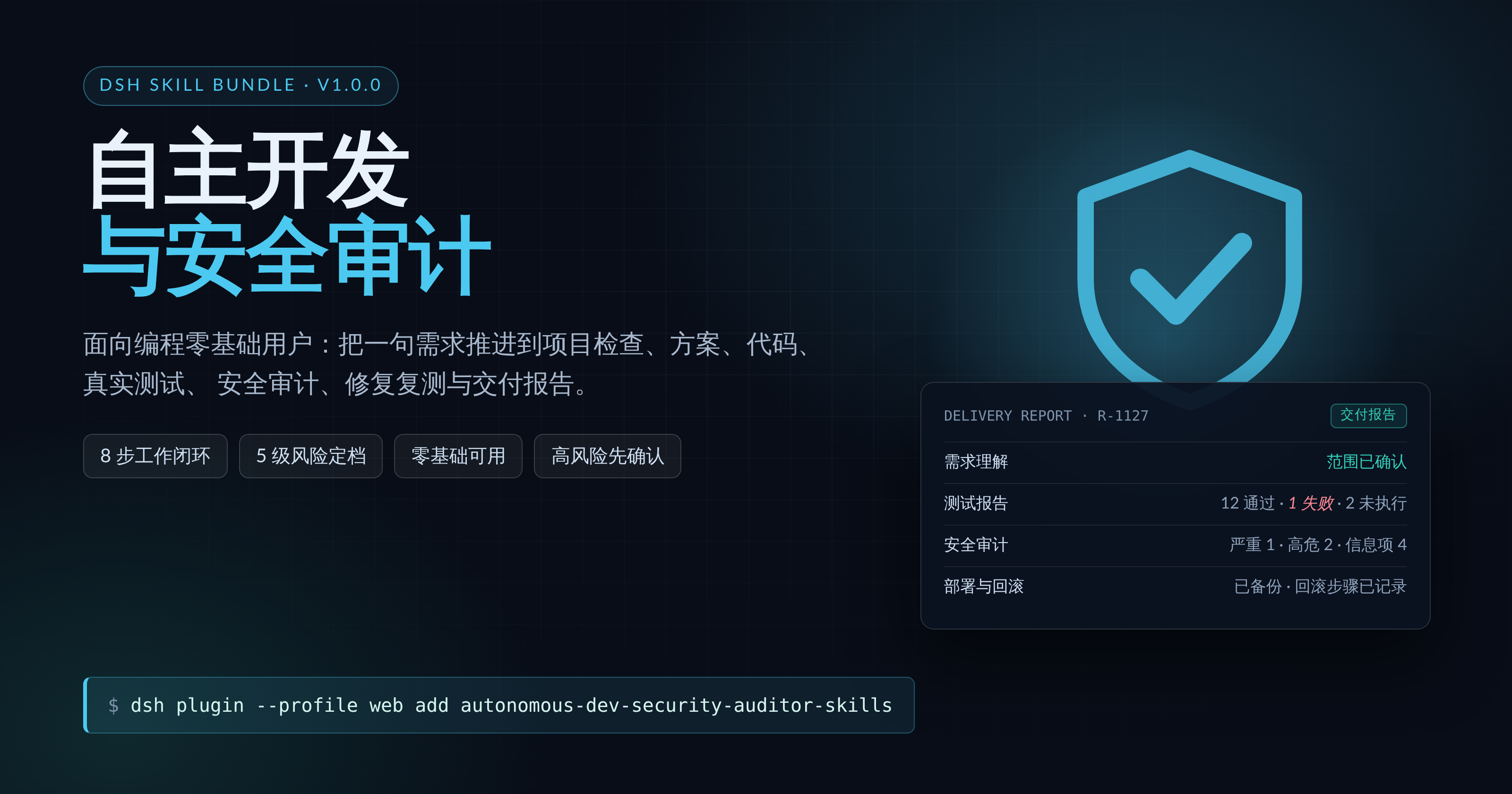
Autonomous development and security-audit skill for non-coders: inspects the project, plans, writes code, runs real tests, audits authentication, authorization and payment logic, then delivers a six-section report that separates facts from guesses.
Install
# from GitHub (first run asks for allowBuilds approval — follow the hint, retry)
dsh plugin --profile web add github:KunKun24/autonomous-dev-security-auditor-skills
Any plugin you install runs third-party code with your own permissions — it can read your files, use your credentials, and reach the network, and tool approvals don’t sandbox it. GitHub-sourced plugins also run build scripts at install time — pnpm blocks those until you allow them, so an install can stop with ERR_PNPM_GIT_DEP_PREPARE_NOT_ALLOWED or ERR_PNPM_IGNORED_BUILDS; dsh prints the exact key to add under allowBuilds in your profile’s pnpm-workspace.yaml, and the install works on the next run. Allowing a build is a trust decision: only install sources you trust, and pin a commit (github:owner/repo#sha).
README
Takes a plain-language request all the way to working, tested, audited, deliverable software — with evidence at every step, and a question before anything risky.
- Open-sourced by TG KunKun @sad1881 — available for all kinds of projects.
What it does
This is an AI skill for people who do not write code. Describe what you want; the skill does the technical work: inspect the project, write a plan, write the code, run real tests, perform a security audit, fix and retest, then hand you a delivery report you can actually read.
What separates it from "write me a feature":
| Typical code generation | This skill | |
|---|---|---|
| Progress | stops when code appears | eight-step loop, each step with status and evidence |
| Testing | "should work" | runs real commands; pass / fail / not run listed separately |
| Security | reviewed afterwards, if at all | auth, IDOR, injection and payment logic checked while coding |
It works autonomously by default: low-risk, reversible work inside an agreed plan is finished without bothering you with technical trivia.
The eight-step loop
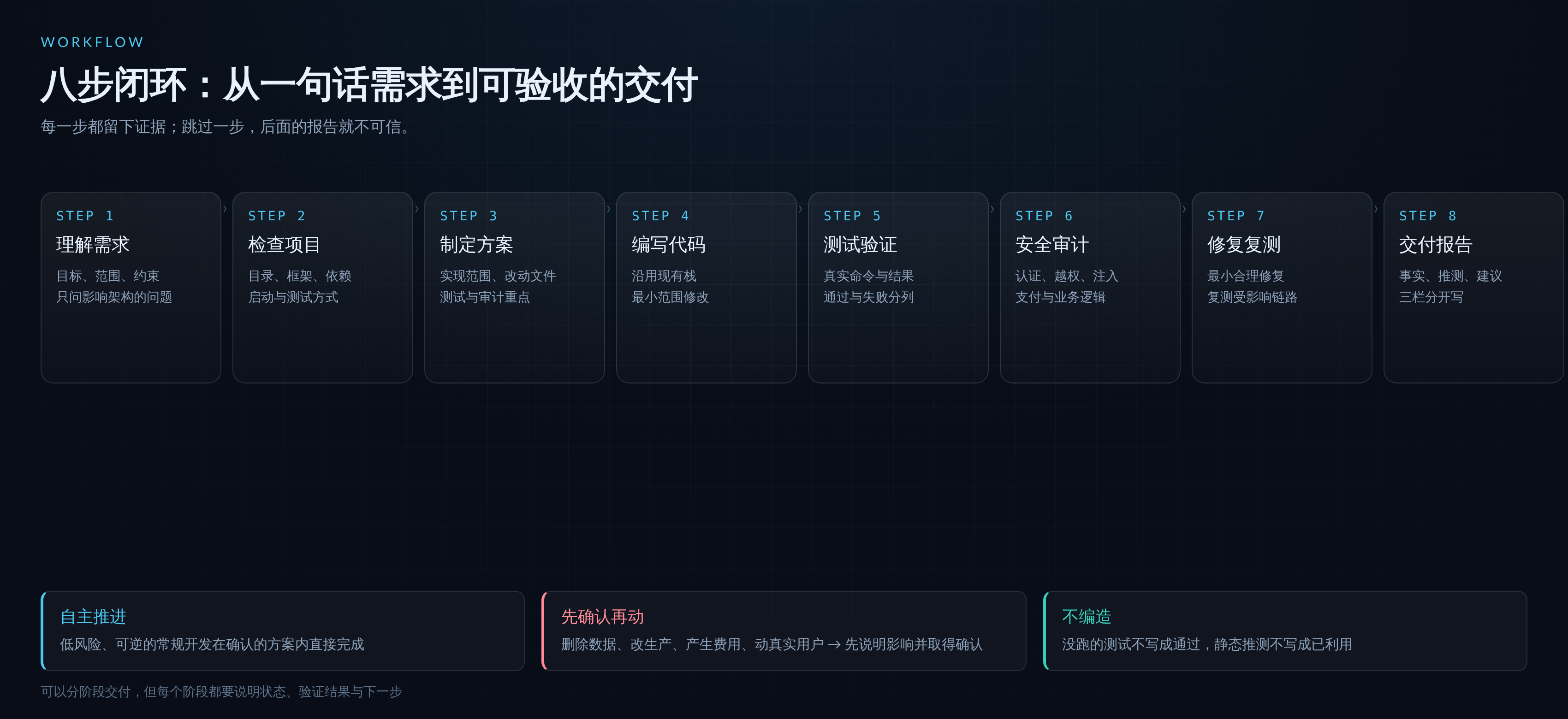
- Understand the request — goal, scope, constraints; only ask what changes the architecture
- Inspect the project — layout, framework, dependencies, how to build and test; call out doc/code drift
- Plan — what will be implemented, which files change, what to test and audit
- Write code — stay on the existing stack, minimal diff, no gratuitous refactor
- Test — run real commands and record results honestly
- Audit — general, web and Telegram Bot checks, graded critical / high / medium / low / informational
- Fix and retest — smallest reasonable fix, retest the affected paths
- Delivery report — facts, inferences and suggestions kept apart
What it will not do
This is not a "deploy everything automatically" bot. The following always require explaining the impact and getting your confirmation first:
| Area | Examples |
|---|---|
| Secrets | reading, copying or printing keys; writing tokens into code or logs |
| Data | deleting or bulk-editing real data; changing the database schema |
| Cost | paid API calls, new servers, anything that generates a bill |
| Production | deploying, editing live config, changing state real users can see |
| Irreversible | force-push, deleting repositories, overwriting backups |
It also will not call a successful build "functionally correct", or present a static guess as "exploited".
Install
From the plugin market (once listed):
dsh plugin --profile web add autonomous-dev-security-auditor-skills
From GitHub:
dsh plugin --profile web add github:KunKun24/autonomous-dev-security-auditor-skills
From a local checkout (picks up edits immediately):
git clone https://github.com/KunKun24/autonomous-dev-security-auditor-skills
dsh plugin --profile web add /absolute/path/autonomous-dev-security-auditor-skills
The skill activates automatically after install — no manual config edit. Verify:
dsh --profile web --dump-config | grep -A2 autonomous-dev-security-auditor
Requires DSH 0.2.x (dsh --version).
Usage
After install, just describe the task in plain language — no need to name the skill:
I want a Telegram bot where a customer sends an order number and gets the shipping status. Only support staff can change the status. I don't code — you decide how.
It first inspects the environment (existing project, language, whether it runs), then states the plan and the files it will touch in one or two sentences before starting. When a decision is genuinely yours (which database, whether an API costs money), it asks without jargon.
You can also scope it to one step:
I don't trust this project. Audit only — do not change code.
The report
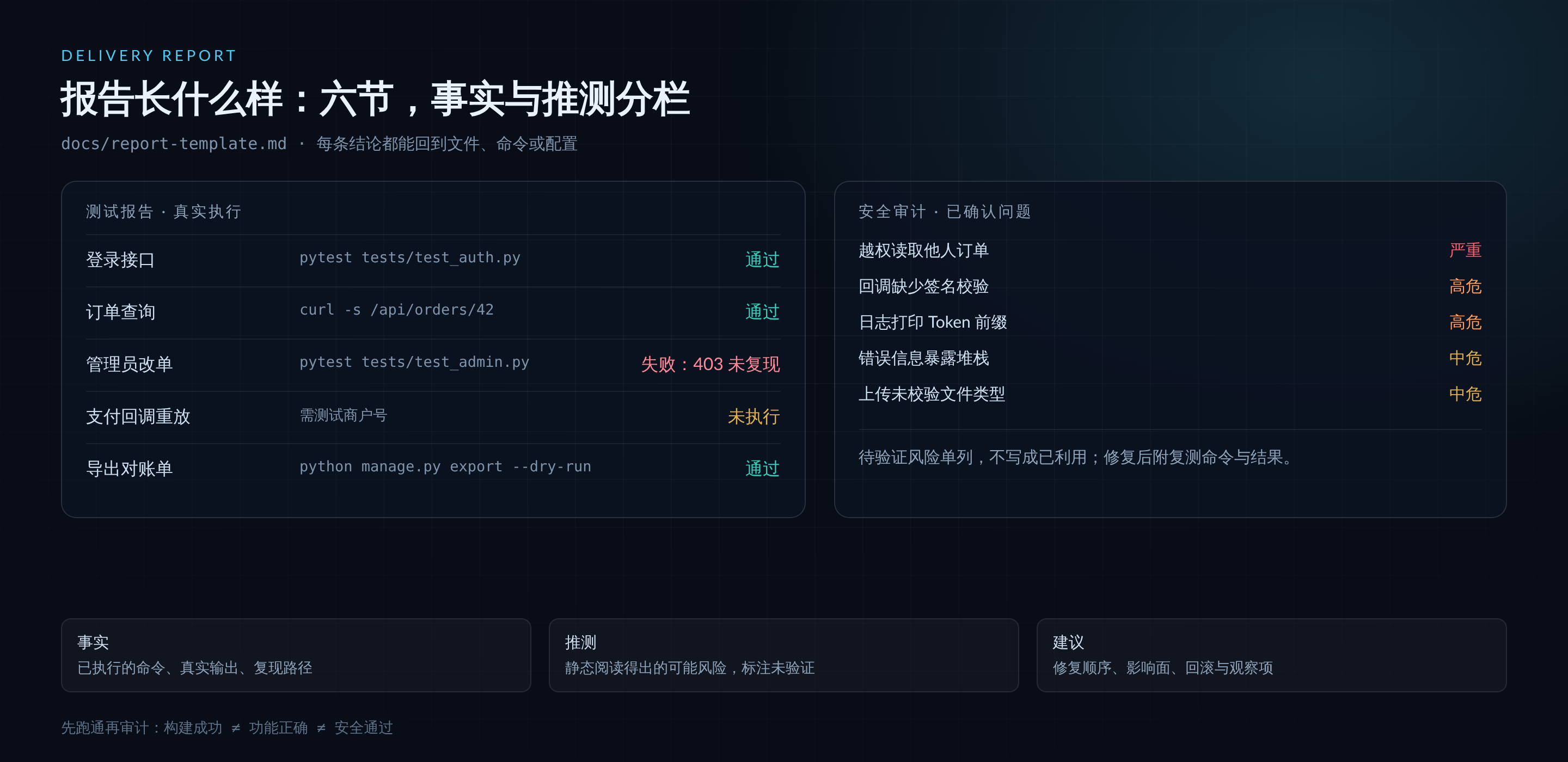
Six fixed sections, template at templates/REPORT_TEMPLATE.md:
- Scope — what was done, what was not, and why
- Changes — file level, one line each
- Tests — command, result, failure reason, what was not run and why
- Security audit — each item with grade, location, impact, reproduction, fix, retest result
- Deploy and rollback — only after authorization; includes backup and rollback steps
- Open items — pending decisions, known limits, next steps
Grades are critical / high / medium / low / informational: they describe impact, not confidence. Anything unproven is marked as needing validation.
Configuration
The skill needs no configuration. To set project-level defaults, see examples/config.example.yml:
skills:
  autonomous-dev-security-auditor:
    deploy: ask            # ask | never | allow
    paidApis: ask          # may it call paid APIs directly
    reportLanguage: zh     # zh | en
Layout
autonomous-dev-security-auditor-skills/
├── package.json                     # DSH bundle manifest
├── cordis.patch.yml                 # registers the skill in a profile
├── index.js                         # mounts the bundled skill directory
├── skills/
│   └── autonomous-dev-security-auditor/
│       ├── SKILL.md                 # the skill itself (16 sections)
│       ├── SECURITY.md              # boundaries and disclosure
│       ├── templates/REPORT_TEMPLATE.md
│       └── examples/EXAMPLE_TASK.md # order-lookup bot, end to end
├── examples/config.example.yml
├── docs/
│   ├── images/                      # cover, icon, loop, report cards
│   └── submission.md                # market submission material
└── scripts/check.py                 # repository self-check
Compatibility
| Item | Requirement |
|---|---|
| DSH | 0.2.x (dsh --version) |
| Node.js | ≥ 20 |
| Platform | Linux / macOS / Windows (WSL) |
| Project language | Any: Python, Node.js, PHP, Go, Java/Kotlin, Rust, C#, Ruby |
| Project type | Web front/back end, admin panel, Telegram Bot / Mini App, API, scripts, databases |
Docs
Development and self-check
python3 scripts/check.py # files, bilingual pairs, manifest, links, whitespace
When editing the skill, keep:
versioninSKILL.mdequal to the one inpackage.json;- the id in
cordis.patch.ymlequal to the package name; - Chinese and English docs paired, with working relative links.
License
MIT © 2026 KunKun24
About AIGC
The skill text, documentation and images in this project were produced with AIGC (AI-generated content) assistance and reviewed section by section by a human before release. We aim to keep the description faithful to the behaviour; if the docs and the skill disagree, please open an issue and we will fix it. Code and reports produced by this skill should still be reviewed by someone with the relevant experience before production use.
Links
More in this category
tw93/Mole#mole★ 76456
Official agent skill for the open-source Mole CLI (mo), a disk cleanup tool for macOS and Windows: read disk usage, preview and run cleanup, inspect installed apps, and read system health and cleanup history from Mole's JSON output. It previews with --dry-run and asks before removing anything, and leaves app uninstalls and privileged steps to the user's own terminal. The plugin ships only the skill; the CLI is installed separately.
zhu1090093659/dsh-web#packages/dsh-skill-explorer★ 10669
Skill center for the dsh web GUI: browse all loaded skills grouped by source, enable or disable model invocation, create new skills, and delete into a recoverable trash.
QingYunA/answer-me-with-html★ 6702
Answers a question with a one-page visual HTML explainer: the model writes a short Markdown draft and the bundled `am` CLI builds the page, with flow, sequence, tree, timeline and ER diagrams, tables and callouts.
iflytek/skillhub#dsh★ 5504
Browse and search a SkillHub registry and manage local skill installation, updates, and removal inside DeepSeek Harness. Targets DSH 0.2.0-rc.2 and 0.2.1-rc.2; not yet compatible with 0.2.1-rc.3.
hyhmrright/brooks-lint★ 1592
Provides six code quality skills for code review, architecture audits, technical debt, test quality, health dashboards, and remediation.
GanyuanRan/Aegis★ 1459
Software-engineering method pack for coding agents, with skills for baseline-first planning, systematic debugging, prompt hygiene, verification before completion, and repair/retirement tracking.
Community comments
Comments are public GitHub Discussions. Loading them connects to GitHub and Giscus; a GitHub account is required to post.