Live flowgraph visualization for DeepSeek Harness sessions, including tool calls, parallel groups, subagent branches, and drill-down details.
Install
# from npm (prebuilt)
dsh plugin --profile web add dsh-flowglass
# from GitHub (first run asks for allowBuilds approval — follow the hint, retry)
dsh plugin --profile web add github:Iwctwbh/dsh-flowglass
Any plugin you install runs third-party code with your own permissions — it can read your files, use your credentials, and reach the network, and tool approvals don’t sandbox it. GitHub-sourced plugins also run build scripts at install time — pnpm blocks those until you allow them, so an install can stop with ERR_PNPM_GIT_DEP_PREPARE_NOT_ALLOWED or ERR_PNPM_IGNORED_BUILDS; dsh prints the exact key to add under allowBuilds in your profile’s pnpm-workspace.yaml, and the install works on the next run. Allowing a build is a trust decision: only install sources you trust, and pin a commit (github:owner/repo#sha).
README
This plugin publishes its README in Chinese only.
DeepSeek Harness 的实时会话流程图插件:把用户、助手、工具调用、并行任务和子代理绘制成可钻取的执行流。
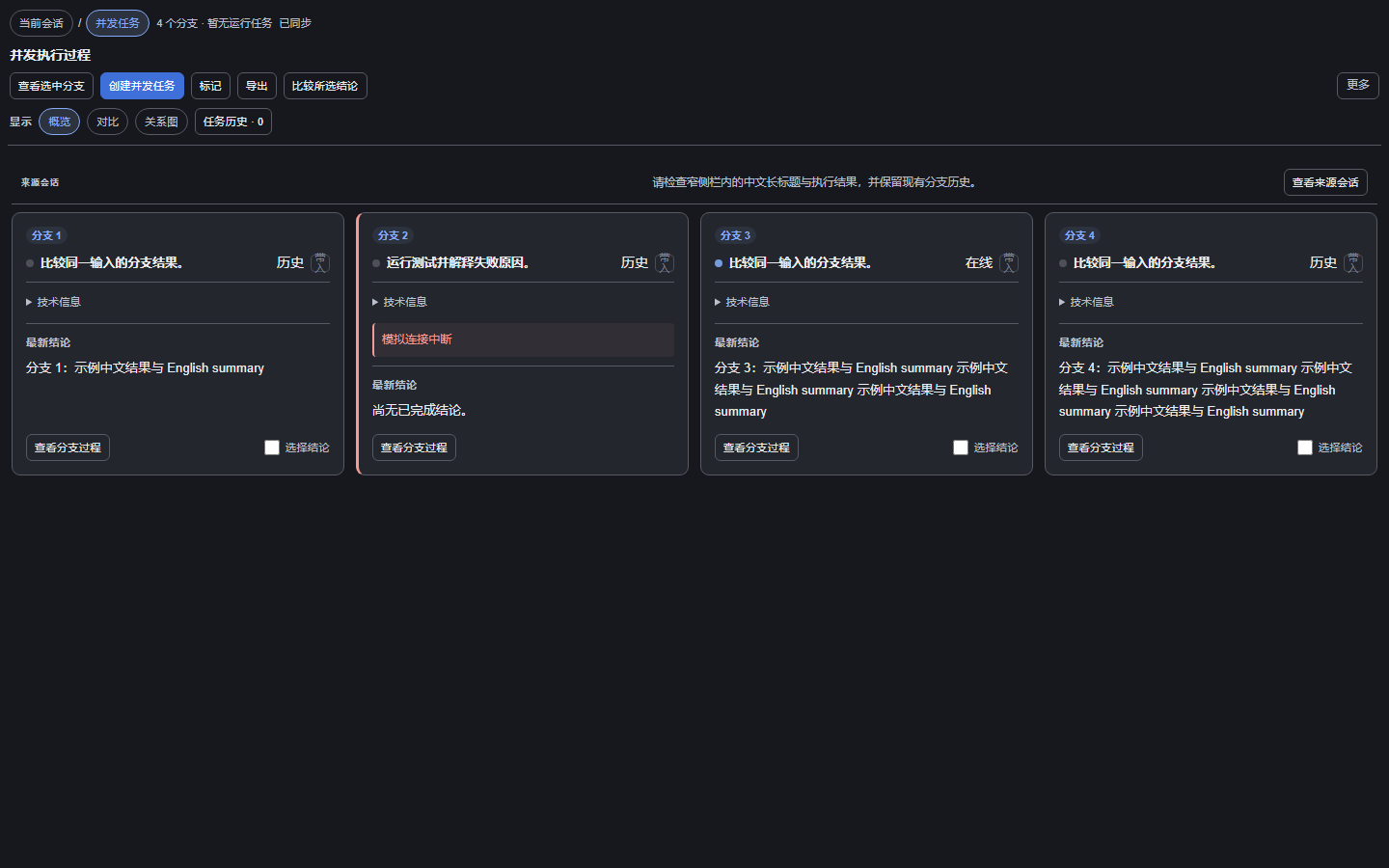
Flowglass 是本仓库的默认产品和默认构建目标,当前版本 0.7.4。它是原生静态 Host/Client 插件,不使用 dynamicCordisRunner,也不产生 dyn/*。0.7.0 同步重构并发布了独立的原生静态 dsh-dynamic-toolbox,各工具以可拆分的 Host feature 直接挂载。
上图来自真实源码与脱敏 fixture。源码能力、验证范围和真实宿主验收见 实施记录;离线测试与性能基线见 基线记录。下面折叠区的既有产品截图来自改造前版本。
流镜
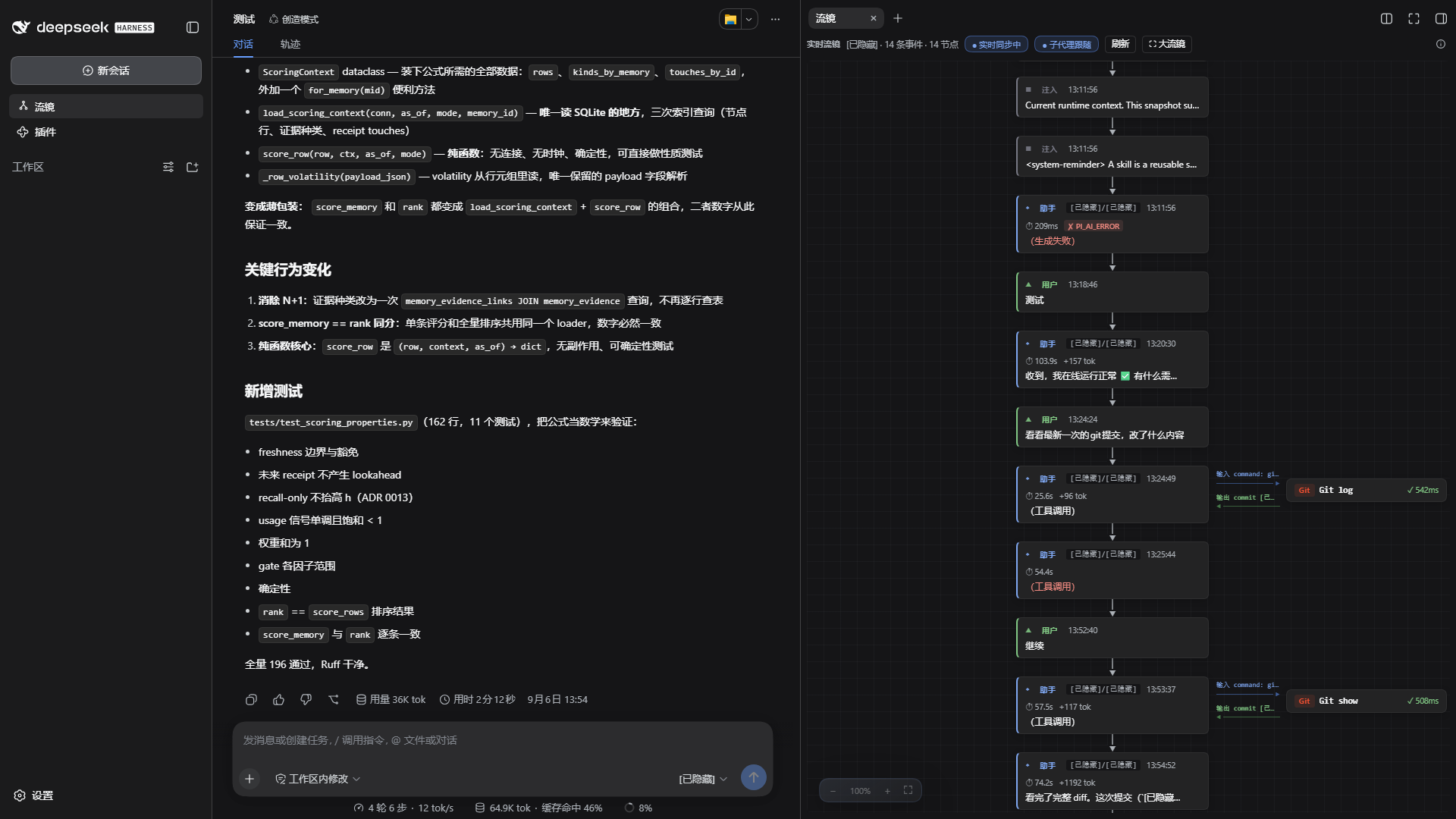
并发任务旧版界面(原“大流镜”)
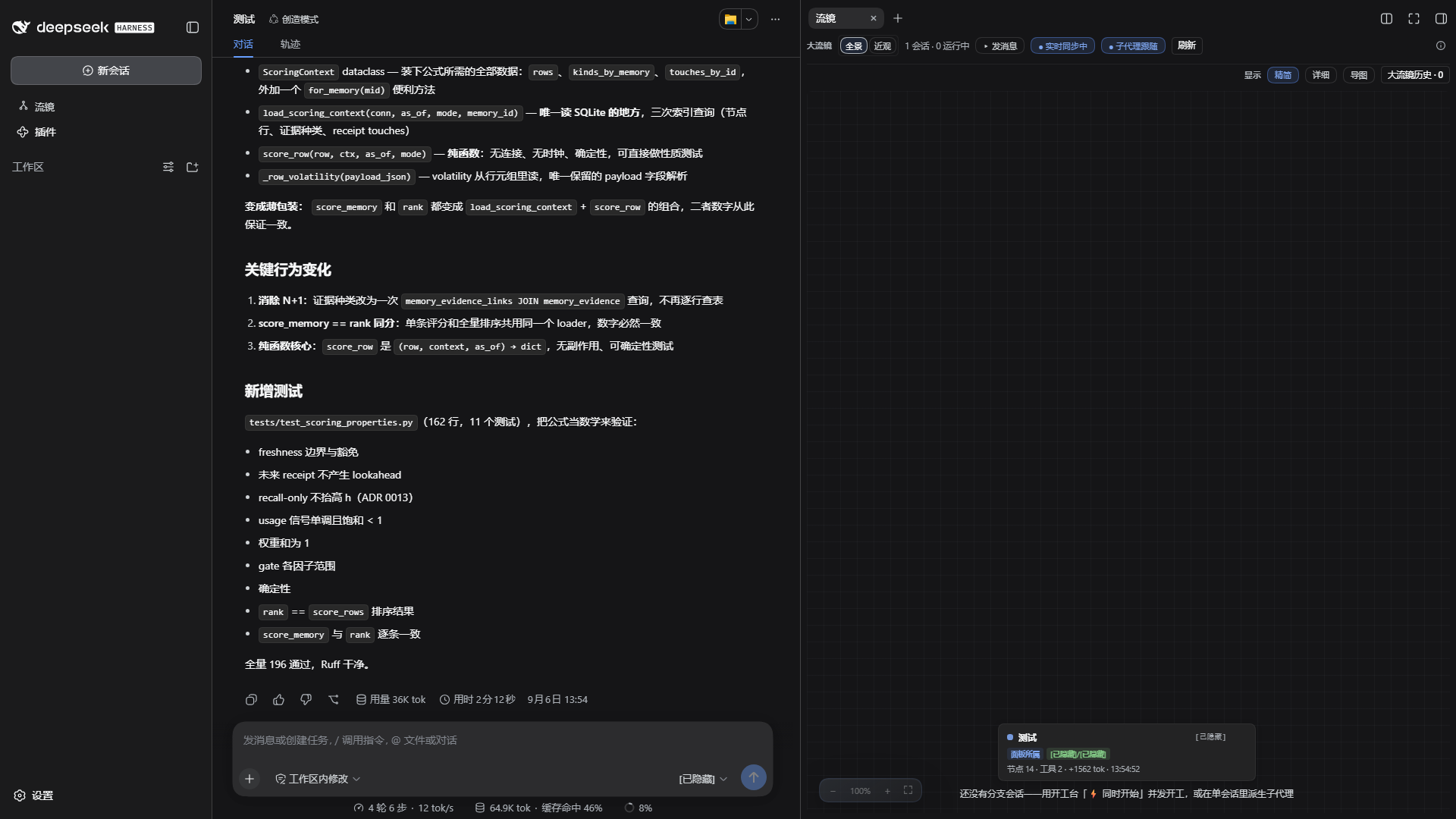
插件详情设置
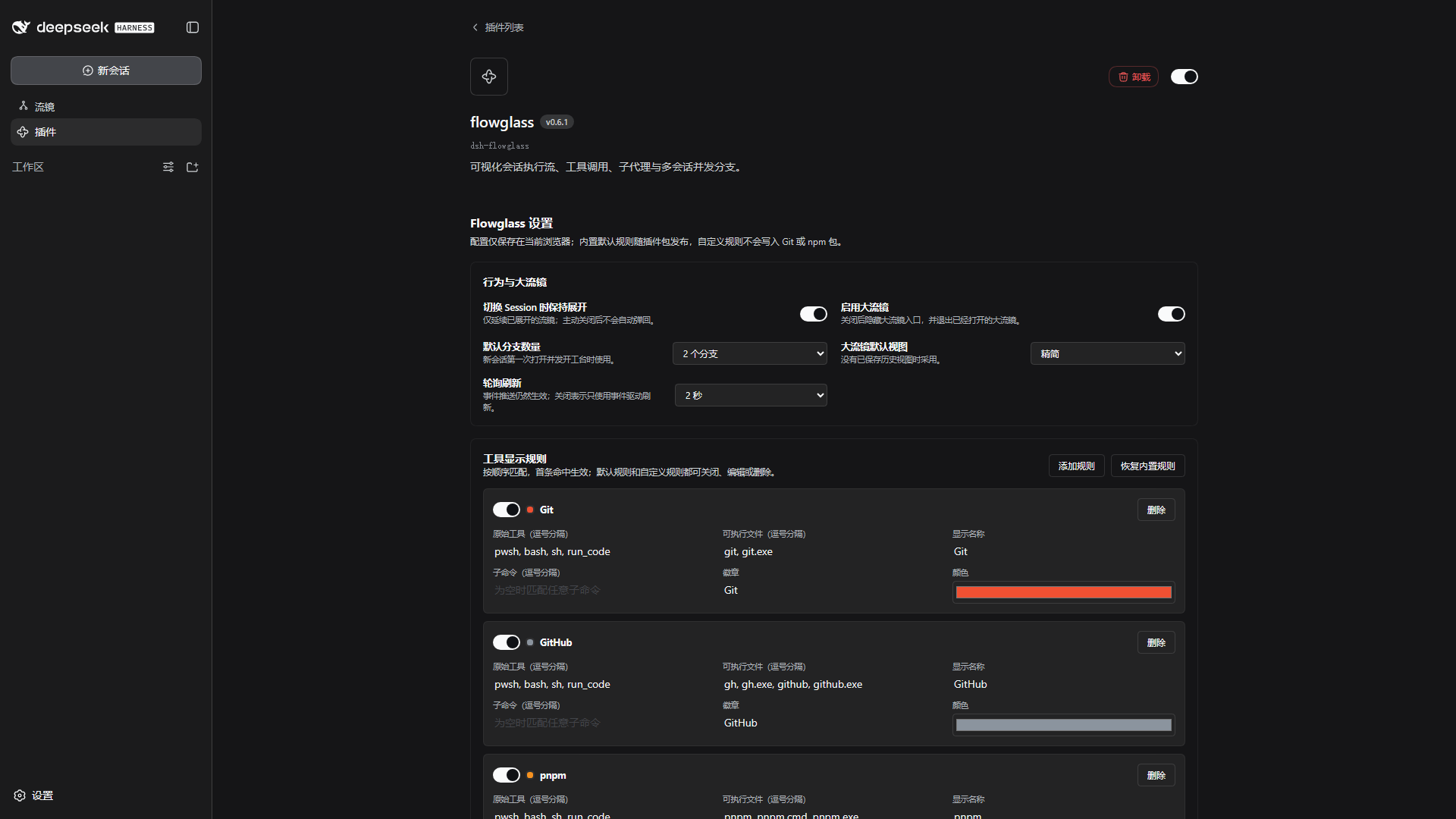
安装
要求 DeepSeek Harness 0.1.5-rc.1 或更高;已适配 0.1.7-alpha.2 的子代理投影读取,并为 0.2.0-rc.2 更新安装兼容声明。0.2.0-rc.2 的真实页面验收仍需在宿主中完成。
使用 DSH 0.2.0-rc.2 时,请安装 dsh-flowglass@0.7.4 或更新版本;0.7.3 的 peer 声明会被 rc.2 拒绝。
方式一:Harness 插件管理器(推荐)
打开 Harness Web 侧栏的「插件」→「添加插件」,输入以下任一项:
| 输入 | 示例 |
|---|---|
| npm 包名 | dsh-flowglass@0.7.4 |
| GitHub 仓库地址 | https://github.com/Iwctwbh/dsh-flowglass |
| 本地插件目录 | C:\work\dsh-flowglass |
| 本地 tarball | C:\work\dsh-flowglass-0.7.4.tgz |
点击「安装」,安装完成后选择「启用」。插件管理器会先读取包的名称、版本和说明,再执行安装;本地插件代码会以当前用户权限运行,请只安装可信来源。
方式二:命令行
# npm,推荐固定版本
dsh plugin --profile web add dsh-flowglass@0.7.4

# GitHub,建议固定 tag 或 commit
dsh plugin --profile web add github:Iwctwbh/dsh-flowglass#v0.7.4

# 本地目录或 tarball
dsh plugin --profile web add C:\work\dsh-flowglass
dsh plugin --profile web add C:\work\dsh-flowglass-0.7.4.tgz
升级或卸载:
dsh plugin --profile web add dsh-flowglass@0.7.4
dsh plugin --profile web remove dsh-flowglass
安装后重启 Harness;如已安装 dsh-better-sidebar,它会作为原生右侧栏不可用时的兼容后备,不是 Flowglass 的必需依赖。
能力概览
当前会话
- 按容器宽度切换纵向时间流与宽栏泳道;用户、助手、工具和子代理都有清楚的层次。
- 实时显示助手生成、工具调用、并行分组和子代理分支。
- 点击或键盘激活消息 / 工具查看详情;输出优先,系统上下文、输入参数和技术信息按需展开。
- 支持子代理逐层钻取、面包屑返回、分支续跑和 Harness Session 联动。
- 默认使用 Harness 官方 Markdown renderer;页面不可见时暂停刷新,返回后继续。
- 支持声明式工具显示规则:Git、GitHub CLI、pnpm、npm、DSH、Python 默认随包提供。
- 支持已加载 / 全会话查找、类型和状态筛选、失败关注入口,以及带备注的本地节点标记。
- 只读事件回放不会执行命令;支持预览后下载当前可见节点的 JSON 诊断摘要或 SVG 节点快照,默认不含正文。
并发任务
- 概览显示实际分支的状态、当前步骤和最新结论;点击查看分支过程,以面包屑返回。
- 支持 2/3/4 分支、概览 / 对比 / 关系图;旧视图偏好保持兼容。
- 对比基于完整输入证据,缺少同源证据时标注“未对齐”;共享输入只显示一次,可筛选差异。
- 选择 2–4 条已完成结论,预览来源后追加到目标会话草稿,不自动发送。
- 保存拓扑历史和分支轮次,不覆盖旧历史,可表达
1→2→1→2等并发演进。 - 关系图按「会话竖列 × 历史轮次」展示分叉、沿用和跨轮关系;可适应画布、定位选中、恢复布局,并支持键盘操作。
- 支持添加/移除并发成员、从回答节点发起新的
1→N任务。 - 编辑草稿时继续观察刷新;逐分支记录创建、配置、发送结果,未知回执保持未知,恢复时复用已有 Session。
官方插件设置
在 Harness 侧栏「插件」中打开 flowglass 详情页,可配置:
- 切换 Session 时是否保持流镜展开;
- 是否启用并发任务;
- 默认分支数量;
- 并发任务默认视图;
- 轮询刷新间隔;
- 工具显示规则的启停、编辑、删除和恢复。
设置通过 Harness 官方 plugins.bundle.config 扩展点提供,仅保存于当前浏览器,不写入 Git、Session 日志或 npm 包。
承载与降级
Flowglass 按以下顺序选择承载面,同一时刻只启用一条路径:
- Harness 原生右侧栏(DSH 0.1.5+);
dsh-better-sidebar >=0.19.0的原生桥;- Flowglass 自带的固定右侧兜底面板。
无需手动选择承载方式,插件会自动适配当前 Harness 能力。
本地开发与验证
构建静态 Flowglass
node make-payloads.mjs
node scripts/build-toolbox-bundle.mjs --flow --version 0.7.4 --repo-dir flowglass --clean
node scripts/verify-generated.mjs
node scripts/verify-bundle.mjs dist/toolbox-bundles/flow --pack
node smoke.mjs
构建产物位于 dist/toolbox-bundles/flow/;如需回填仓库内的默认产品目录:
Copy-Item dist/toolbox-bundles/flow/* flowglass/ -Recurse -Force
最新 Harness 联调
在最新 Harness 源码 checkout 中:
pnpm install --frozen-lockfile
pnpm run build
pnpm dsh web --no-open --port 3080
另开终端构建并安装本地 Flowglass(在本仓库根目录执行):
node scripts/build-toolbox-bundle.mjs --flow --version 0.7.4 --repo-dir flowglass --clean
node scripts/verify-bundle.mjs dist/toolbox-bundles/flow --pack
New-Item -ItemType Directory -Path .scratch -Force | Out-Null
$flowglassPackage = npm pack ./dist/toolbox-bundles/flow --pack-destination .scratch
dsh plugin --profile web add (Join-Path (Resolve-Path .scratch).Path $flowglassPackage.Trim())
截图验收应覆盖 360 / 480 / 720 / 960px 侧栏与宽屏,分别检查当前会话、并发任务、详情和「插件 → flowglass」设置页。已运行的离线门禁及真实宿主验收限制见 基线记录。不要为了联调替换正在使用的 3080 实例;新增测试实例使用独立 profile 与端口。
动态 Toolbox(可选)
本仓库也提供独立的完整工具箱 dsh-dynamic-toolbox,包含 Jira、Git、文件、HTTP、AI 助手等工具。它不是 Flowglass 的运行前置:
dsh plugin --profile web add dsh-dynamic-toolbox@0.7.3
相关文档:dynamic-toolbox/README.md、REBUILD.md、PLUGIN-DEV.md。
Flowglass 和 Toolbox 共用部分源码。此次增强保留普通工具的 {html,state} 和 data-action/data-field 协议;Flow 样式按根节点限定,flowedit 继续使用原有基础样式。独立 Flowglass、完整静态 Toolbox、源码动态 Toolbox 的能力与验证矩阵见 实施记录。
License
MIT © 2026 Iwctwbh
Links
More in this category
zhu1090093659/dsh-web#packages/dsh-task-board★ 8440
Task board for the dsh web GUI: a sidebar multi-column kanban whose cards run in real DSH agent sessions and can also be scheduled with cron expressions, executed host-side even with the browser closed.
zhu1090093659/dsh-web#packages/dsh-web-all★ 8440
Plugin and skin collection for the DSH Web UI: task board, Git graph, right-side panel, remote mobile UI, pet, live token stats, and a skin center.
MeteorNOX/DeepSeek-Balance-Whale-Widget★ 4135
A fixed-corner whale widget for the DSH web GUI — balance, today's usage and per-turn cost with peak/off-peak pricing, editable balance-alert and daily-budget bubbles, a module-based custom bubble queue with A/B weighted choices and random lines or images, 30+ vendor templates (OpenAI, OpenRouter, Kimi, SiliconFlow, Ark, Zhipu, MiniMax and more) with per-model balance and subscription quota, plus task-end sound, imported audio, custom roles and a resource manager. Local-only, no telemetry.
ccch1mneyyy/dsh-TUI★ 4130
Claude Code-style full-screen terminal UI: pixel-whale header, live status line, and streaming thought expansion.
omdsh-dev/DSH-better-sidebar★ 4031
Full sidebar workbench with file rendering and editing, terminal, Git, and subagents; third-party plugins can register new tabs.
Devin-AXIS/deepseek-design#deepseek-idesign★ 1424
Visual design studio for websites, app prototypes, posters, cards, reports, and magazines, with templates, direct element editing, selection-aware AI draft handoff, and export.
Community comments
Comments are public GitHub Discussions. Loading them connects to GitHub and Giscus; a GitHub account is required to post.