Your agent has browsed countless web pages — now let it watch video. Video2Agent lets an AI agent understand video and answer directly: ask Bilibili or local videos what was said, which one is better, whether it is worth watching. Cross-video search returns the video and timecode, exact-frame evidence at a timecode, and 1-10 video batch analysis; local-first, with optional cloud ASR/OCR and Bilibili login. Needs Python 3.11+, FFmpeg and the CLI (pip install video2agent); the plugin settings page checks and installs the environment. Its HTTP routes have no DSH access check, so a web page open in your browser could call them.
Install
# from npm (prebuilt)
dsh plugin --profile web add dsh-video2agent
# from GitHub (first run asks for allowBuilds approval — follow the hint, retry)
dsh plugin --profile web add github:Harm0ny-AI/DSH-Video2Agent#path:/packages/dsh-video2agent
Any plugin you install runs third-party code with your own permissions — it can read your files, use your credentials, and reach the network, and tool approvals don’t sandbox it. GitHub-sourced plugins also run build scripts at install time — pnpm blocks those until you allow them, so an install can stop with ERR_PNPM_GIT_DEP_PREPARE_NOT_ALLOWED or ERR_PNPM_IGNORED_BUILDS; dsh prints the exact key to add under allowBuilds in your profile’s pnpm-workspace.yaml, and the install works on the next run. Allowing a build is a trust decision: only install sources you trust, and pin a commit (github:owner/repo#sha).
README
This plugin publishes its README in Chinese only.
Video search and understanding for DSH. One library for local files and Bilibili links: cross-video search with video + timecode, exact-frame evidence, and 1–10 video batch analysis. Local-first; cloud ASR/OCR and Bilibili login are optional.
What you can ask
- 「这期视频讲了什么?」→ 概要 + 时间码,想核对就点回原片;
- 「这几个速通视频哪条讲得更好/更全?」→ 1–10 个视频批量读完后对比共识与分歧;
- 「这个视频值不值得看?」→ 用转写、画面上的字(OCR)和关键帧回答,不靠标题;
- 「第 12 分钟那张表写了什么?」→ 按时间码取帧,配同一帧上的文字作证据。
Install
# 1. The Python CLI (the plugin calls this executable)
pip install video2agent          # PyPI; pipx install video2agent also works
video2agent setup                # install the Skill into ~/.dsh/skills
video2agent doctor               # checks Python, FFmpeg and the Python packages

# 2. This plugin
dsh plugin --profile web add dsh-video2agent   # npm
Requires Python 3.11+ and FFmpeg. The plugin settings page has a one-click
环境检查 (Python / CLI / FFmpeg) that reports what is missing and installs it
(CLI via pip, FFmpeg via winget/brew). Any DSH 0.2.1 / 0.2.2 profile works; the host
command is optional, so headless/TUI profiles still get the tool and /video.
- PyPI: https://pypi.org/project/video2agent/
- npm: https://www.npmjs.com/package/dsh-video2agent
- Releases: https://github.com/Harm0ny-AI/DSH-Video2Agent/releases
Screenshots
| 识别视频链接 | 批量处理 | 设置页 · 环境检查 |
|---|---|---|
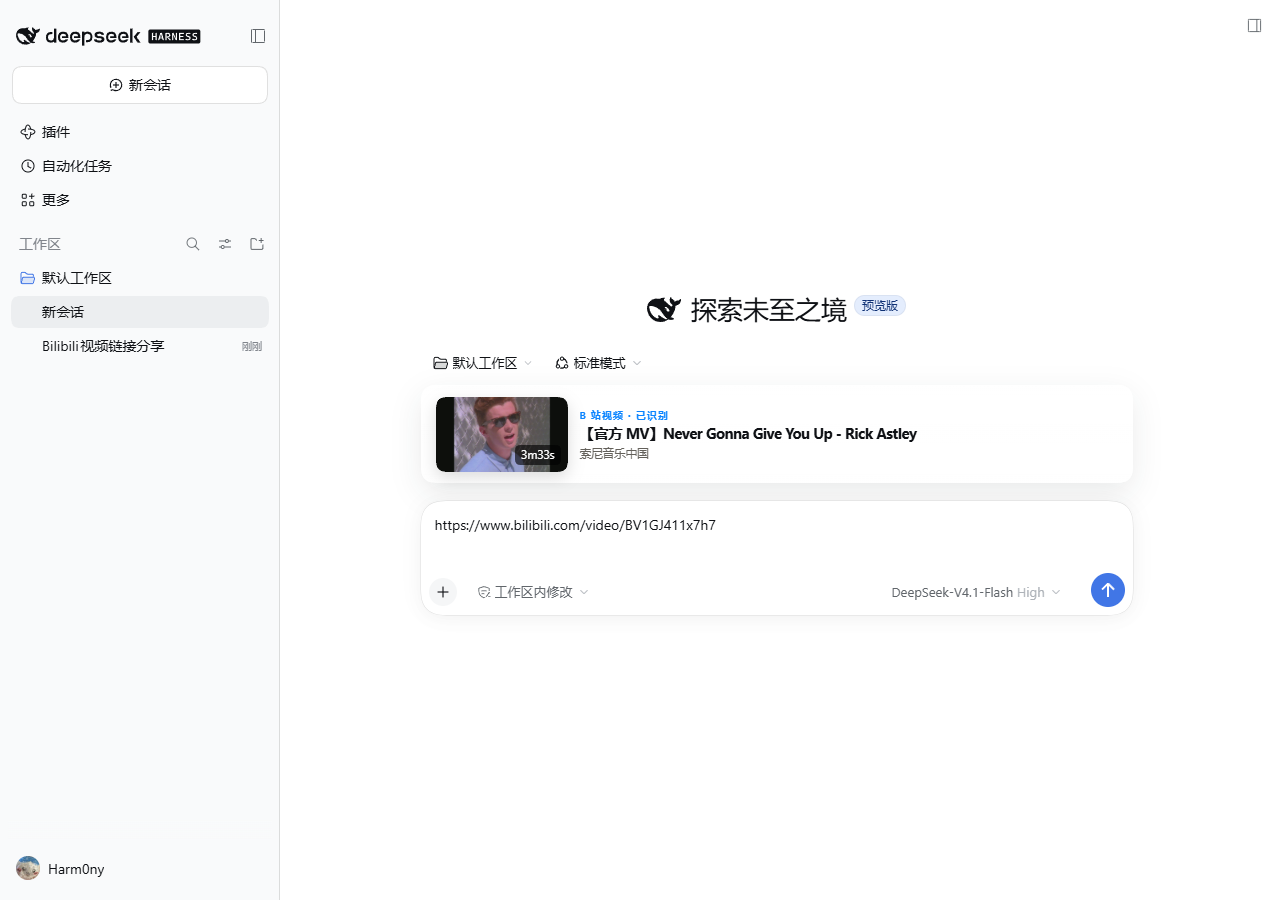 |
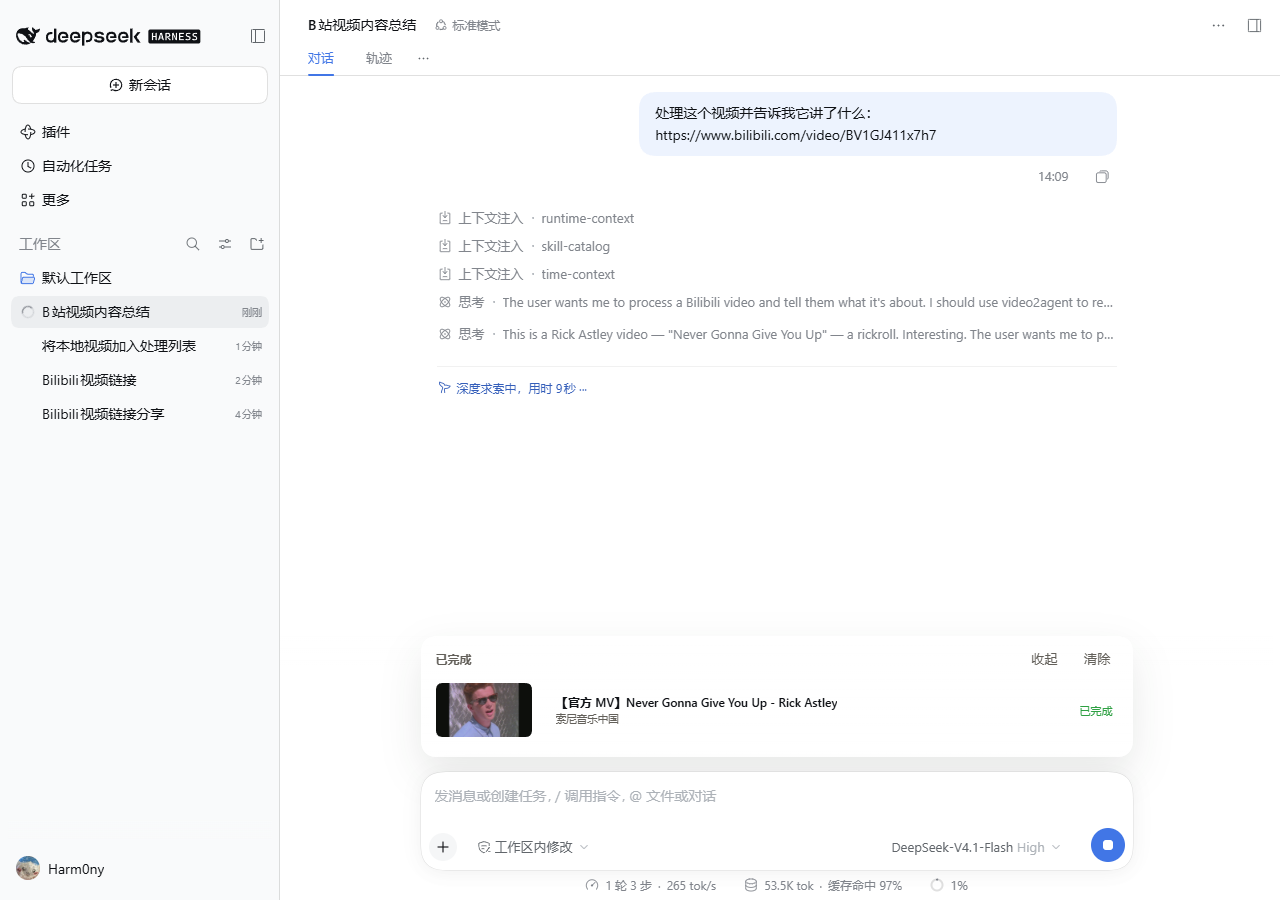 |
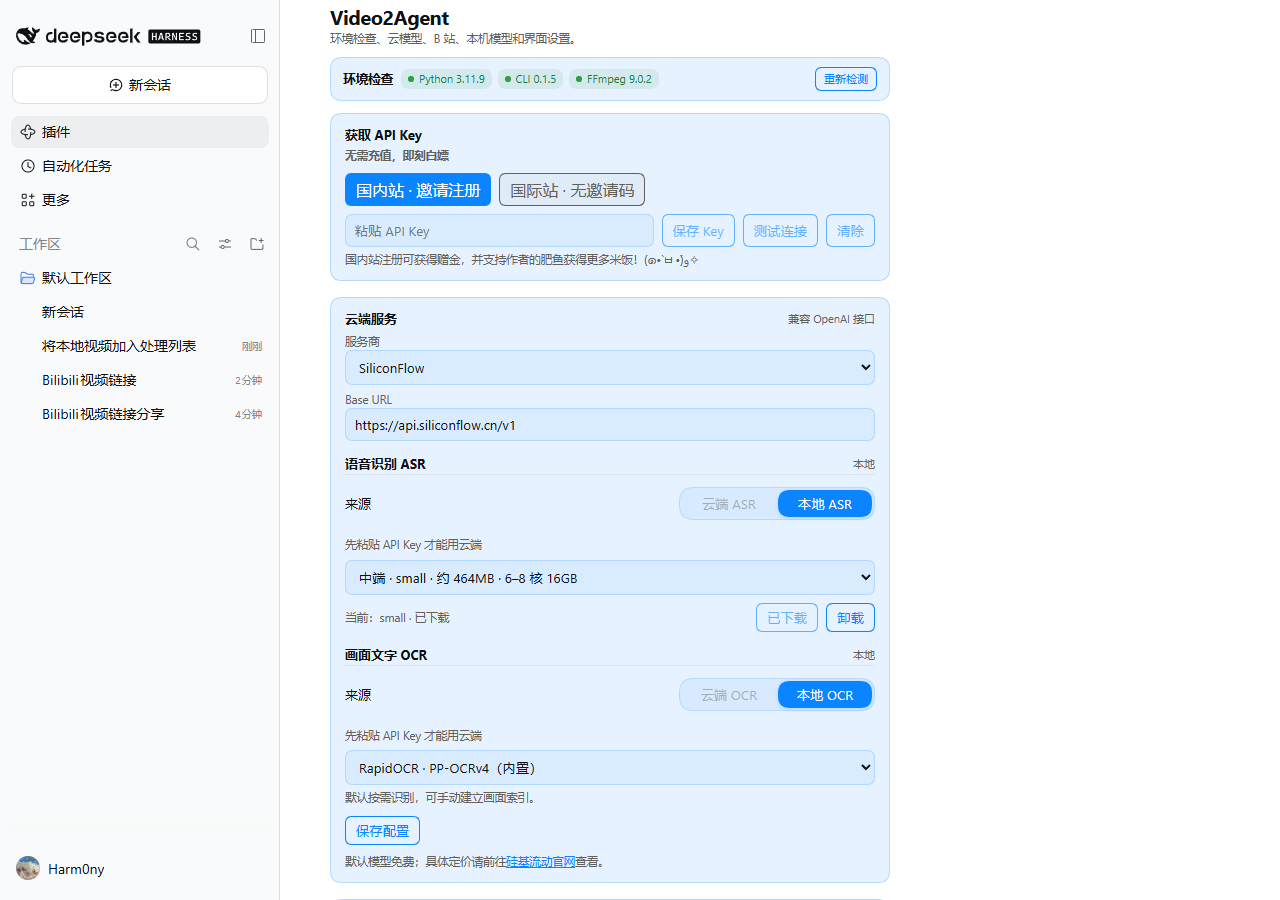 |
What it adds
video2agenttool and/videocommand.- Composer preview for
bilibili.com/video/BV…,avnumbers,b23.tvlinks and bare BV ids. - A session-scoped selected-video table above the composer: cover, title, one plain-language status and stop.
- Search across videos (the default scope), batch analysis of 1–10 videos, and evidence frames with transcript/OCR from the same moment.
- Optional Bilibili QR login for discovery, favorites/history/folders and CC/AI subtitles. The DSH account tool is read-only; folder writes are CLI-only with
--confirm. - Local ASR/OCR runs on this machine; only the frames/text you ask for reach the host model. Cloud ASR/OCR is opt-in per section and uses the provider key you configure.
Manifest
package.json declares:
"dsh": { "bundle": { "patch": "./cordis.patch.yml" }, "client": { "platform": "web" } }
The host command is optional (webServer is injected, not required), so headless/TUI profiles still get the tool and /video.
Documentation
Apache-2.0.
Links
More in this category
liustack/modlens★ 4996
Vision bridge for text-only models: paste an image, get structured JSON evidence (OCR, layout, semantics).
ysr666/dsh-vision-router★ 1281
Free vision for text-only agents: built-in keyless vision chain plus pixel tools (Q&A, grounding, crop, pixel diff, colors, OCR, SVG trace, cutout, screenshots); paste an image to use it.
Anionex/dsh-vision-toolkit★ 945
Vision for text-only models: paste an image and the model switches to a Vision Toolkit variant for image Q&A, multi-image comparison, long-screenshot OCR, screenshot-to-UI reproduction, element grounding, and pixel diff. No API key by default — images are processed by the author-hosted free service, 100 per machine per day; configurable to your own provider.
SAOS-3624/dsh-see-now★ 672
Lets a text-only agent watch a live screen or camera feed: every frame is scored by how much the picture changed, only the ones that matter are packed into one numbered sheet with an audio envelope, so the model looks at what actually changed instead of a screenshot every few seconds.
SAOS-3624/dsh-video-storyboard★ 560
Turns a video (a local file, or a Bilibili/yt-dlp link) into one addressable storyboard grid — numbered cells with exact timestamps, per-cell transcript and an audio envelope on the same timeline — and video_zoom re-reads any window at higher resolution, so a text-only model can look at the video instead of reading a summary.
kingcharleslzy-ai/dsh-qwen-studio★ 229
Qwen Image 2.1 workspace for DSH: Apple Silicon MLX or your own NVIDIA server, native reference editing, LoRA, ControlNet, inpainting, shared presets, gallery and live agent progress. Includes verified updates and an agent setup guide.
Community comments
Comments are public GitHub Discussions. Loading them connects to GitHub and Giscus; a GitHub account is required to post.