Stores API tokens in the DSH credential store and gives every session a token_vault tool to list, read, or save them, with a sidebar panel for editing. Its HTTP routes have no DSH access check, so a web page open in your browser could call them.
Install
# from GitHub (first run asks for allowBuilds approval — follow the hint, retry)
dsh plugin --profile web add github:G-TY/dsh-tokens
Any plugin you install runs third-party code with your own permissions — it can read your files, use your credentials, and reach the network, and tool approvals don’t sandbox it. GitHub-sourced plugins also run build scripts at install time — pnpm blocks those until you allow them, so an install can stop with ERR_PNPM_GIT_DEP_PREPARE_NOT_ALLOWED or ERR_PNPM_IGNORED_BUILDS; dsh prints the exact key to add under allowBuilds in your profile’s pnpm-workspace.yaml, and the install works on the next run. Allowing a build is a trust decision: only install sources you trust, and pin a commit (github:owner/repo#sha).
README
This plugin publishes its README in Chinese only.
给 DSH 加一个 令牌保管库:侧栏一个入口,集中管理各个服务的 token,别的对话需要时能自己找到。
面板本身只保存 引用名和说明,令牌值写进 DSH 自己的凭据库(~/.dsh/.credentials.yaml)——和 DSH 原本存密钥的地方一致,不会多出一份副本。让引用可被枚举的索引放在 ~/.dsh/dsh-tokens.json(权限 0600)。
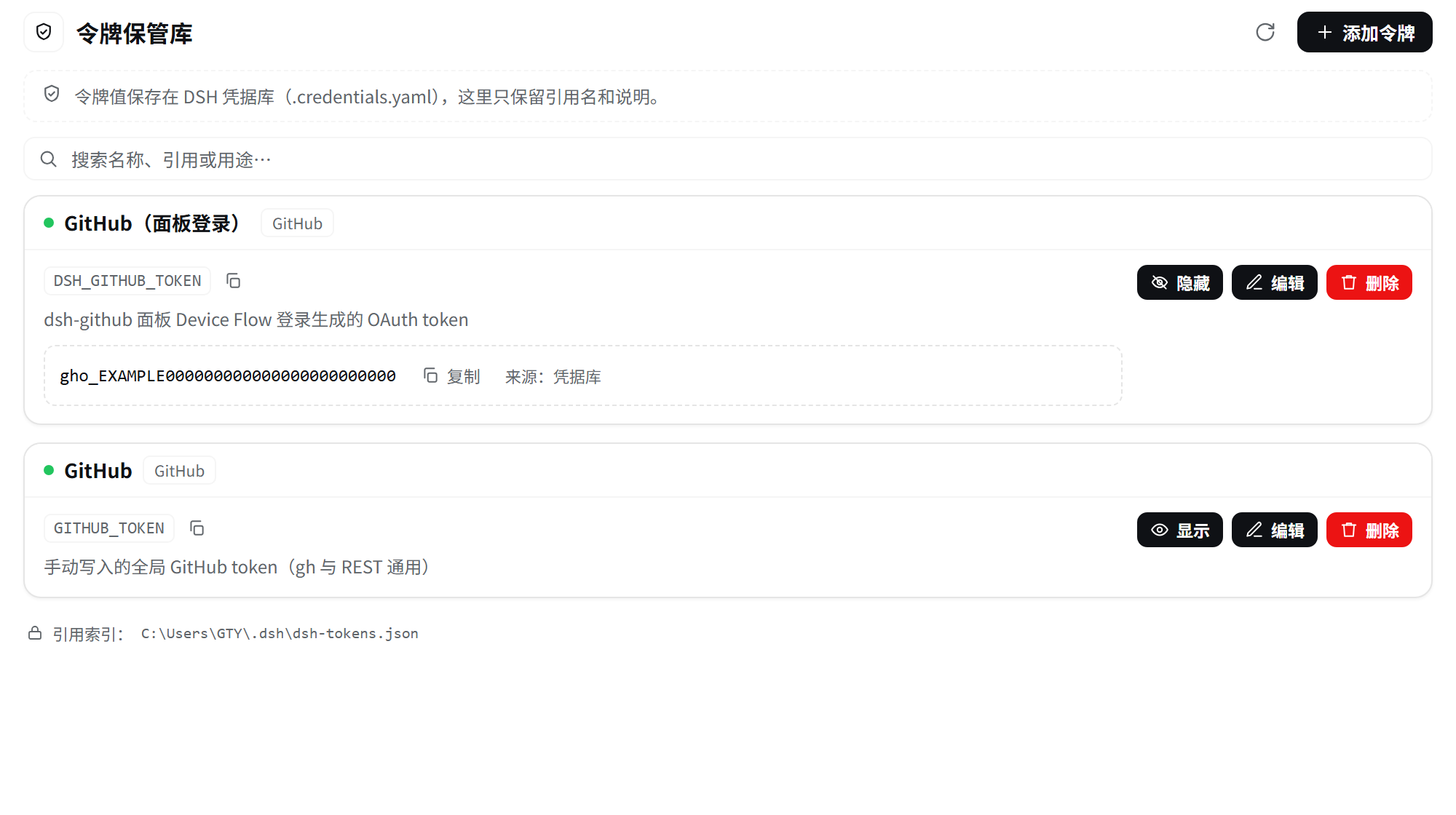
A small token vault for DeepSeek Harness. Keep API tokens (GitHub, npm, anything else you paste around) in one sidebar panel, and let any conversation read them on demand through a token_vault tool — or save a new one when you explicitly ask it to.
The panel stores only references and notes itself: the token values live in DSH's own credential store (~/.dsh/.credentials.yaml), the same place DSH already keeps secrets. Nothing is copied into a second file, and the index that makes refs discoverable is ~/.dsh/dsh-tokens.json (mode 0600).
安装
dsh plugin add github:G-TY/dsh-tokens
桌面端也可以直接在 设置 → 插件 里装(收录进插件市场后,在 插件 → 插件市场 搜 dsh-tokens 即可)。
装好后侧栏出现 令牌保管库 入口;宿主端工具 token_vault 对所有会话立即可用(浏览器端改动需要刷新页面,或点侧栏左上角的 ⟳)。
面板
- 添加令牌:填引用名(如
NPM_TOKEN,必须像环境变量名)、名称、提供方、用途说明和值。 - 显示 / 隐藏:值只在点开时向宿主请求一次,不常驻页面;复制 直接把值写入剪贴板。
- 编辑:改名称、提供方、说明;值留空表示保留原值。
- 删除:连同凭据库里的值一起删掉。
- 搜索框按名称、引用名、提供方、说明过滤。
- 首次安装会从凭据库认领已有的
GITHUB_TOKEN、DSH_GITHUB_TOKEN(如果它们已经配置过),所以你原来的 GitHub 凭据会直接出现在列表里。
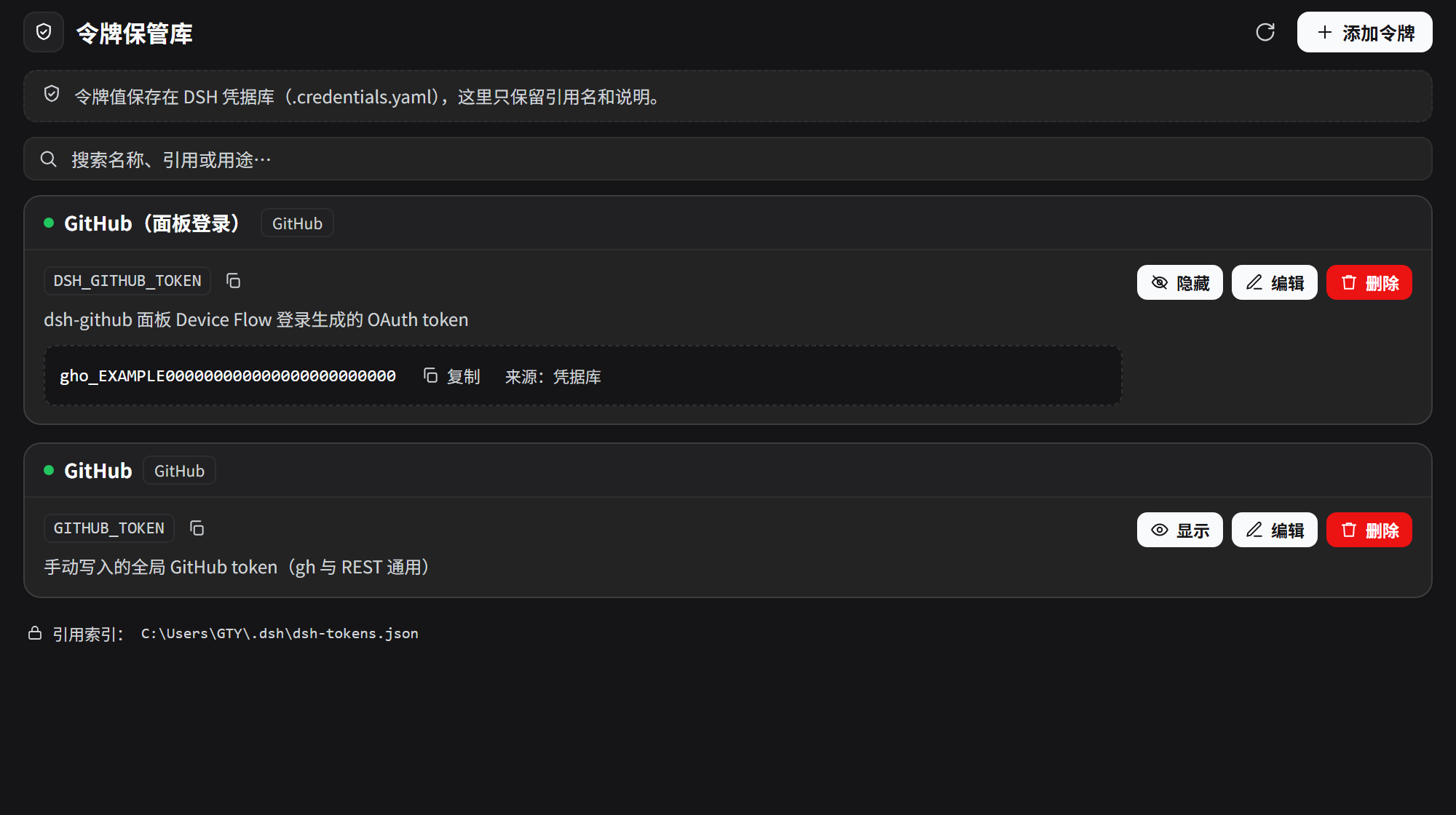
深色主题同样适配(颜色全部来自 DSH 主题变量):
给对话用
宿主注册了一个 token_vault 工具:
| action | 作用 |
|---|---|
list |
列出引用名、名称、提供方、说明,以及是否已保存值(不含值) |
get |
按 ref 取值,返回给当前这一步使用 |
save |
新增或更新一个引用(ref + value,可带 name/provider/note) |
工具描述里写明了:值只能用于当前任务,不要回显到回复、代码或日志里;save 只在用户在本对话里明确要求保存他提供的令牌时才用,不许编造或猜测令牌值。
系统提示里还有一行极简索引(引用名 + 名称),所以新会话不用先问「保管库里有什么」也能知道该 list 还是 get。
存储与安全
| 内容 | 位置 | 权限 |
|---|---|---|
| 令牌值 | $DSH_HOME/.credentials.yaml(默认 ~/.dsh/.credentials.yaml) |
由 DSH 凭据服务管理 |
| 引用、名称、提供方、说明、时间 | $DSH_HOME/dsh-tokens.json |
0600 |
- 面板的 HTTP 路由只接受同源 POST,且只监听宿主自己的端口;跨站请求会被拒绝。
- 值只在
get/ 面板点「显示」时读一次,写文件不涉及网络。 - 删除引用会同时清掉凭据库里的值;只删说明不会。
- 这个保管库和 DSH 凭据库一样是明文 YAML,安全边界就是你的用户目录权限,不是加密保险箱。装第三方插件等于把整个凭据库交给它,这一点 DSH 本身没有改变。
语言
界面跟随 DSH 客户端语言:中文环境用中文,其它语言回退英文(zh / en 两套文案都注册在 locale/)。
卸载
dsh plugin remove dsh-tokens
卸载不会删除 ~/.dsh/dsh-tokens.json 与凭据库里的值;需要的话手动清掉。
文档
实现细节、验收清单和数据格式见 docs/DETAIL.md。
Links
More in this category
kenryu42/cc-safety-net★ 2114
Pre-execution guard that blocks destructive Git and filesystem commands and access to secrets such as SSH keys and .env files before a tool call runs.
ADWMC/helm-d#helmd★ 1553
Security-analysis plugin for DeepSeek Harness: 33 tools spanning six security domains, evidence/reporting and toolbox, plus the case lifecycle, routing and tool ledger; a session-bound case workflow with an evidence chain, E-id validation and reproducible findings; 362 on-demand references; three hot-swappable persona profiles; and a four-tab workbench (armor / case / intercept / about) with case-state recovery after context compaction.
toby-bridges/api-relay-audit★ 934
Runs local security audits of AI API relays and LLM proxies from DeepSeek Harness, producing Markdown reports for prompt injection, model substitution signals, tool-call rewriting, error leakage, stream integrity, and profile-gated Web3 risks.
SeaOf0/dsh-redteam-model★ 929
Authorized-security DSH collection: nine work modes (redteam coordinator, pentest, code audit, binary analysis, attack-defense, AV evasion, incident response, cloud security, CTF solving) and fifteen runtime plugins, managed from a settings page with one-click deploy, install, update and uninstall.
howmp/dsh-pentest★ 624
Authorized pentest mode for DeepSeek Harness — exploration chain, assets and findings with a Web view.
Jueze-2019/dsh-redteam-mode#packages/redteam-bundle★ 306
Red-team engagement mode: send one target organization name; a planner session runs five execution roles (recon, asset triage, vulnerability discovery, exploitation, internal pivot) with configurable concurrency; preflight checks skills/resources; scoring uses four stages (recon, internet, boundary, internal) with server-side caps and privilege-wins dedup; findings stay in a local SQLite fact base. The persistent right-side console has nine pages and includes asset mapping, agents, sessions/tunnels, findings, score targets, reports, POC knowledge base and skill library. v0.15.2 adds automatic HTTP evidence/action records, batch ingest, scope check, tunnel pivot probe, data proof, cleanup ledger and T0-T3 asset admission to prevent scope drift. 59 redteam_* tools; 38 bundled skills.
Community comments
Comments are public GitHub Discussions. Loading them connects to GitHub and Giscus; a GitHub account is required to post.