Three-layer local memory for DeepSeek Harness: L1 snapshot memory (MEMORY.md/USER.md) read on demand through the memory_* tools + L2 searchable knowledge base (facts + SQLite FTS5, Chinese search via sliding-window tokenization) + L3 import from Hermes/Claude Code/Codex/WorkBuddy and from approved Agent Hub documents (memory/global, memory/projects, accepted decisions) with content-hash dedup. v0.2.0 removed every automatic injection: memory enters the context only when the model calls one of the 12 memory_* tools, and data stays on the local drive.
Install
# from GitHub (first run asks for allowBuilds approval — follow the hint, retry)
dsh plugin --profile web add github:Frog755/dsh-hybrid-memory
Any plugin you install runs third-party code with your own permissions — it can read your files, use your credentials, and reach the network, and tool approvals don’t sandbox it. GitHub-sourced plugins also run build scripts at install time — pnpm blocks those until you allow them, so an install can stop with ERR_PNPM_GIT_DEP_PREPARE_NOT_ALLOWED or ERR_PNPM_IGNORED_BUILDS; dsh prints the exact key to add under allowBuilds in your profile’s pnpm-workspace.yaml, and the install works on the next run. Allowing a build is a trust decision: only install sources you trust, and pin a commit (github:owner/repo#sha).
README
Hybrid memory plugin for DeepSeek Harness (DSH) — combining Hermes-style frozen-snapshot memory (L1) with a searchable knowledge base (L2) and multi-tool import (L3).
Why
- Hermes-style memory (
MEMORY.md/USER.md): lightweight, token-cheap, prefix-cache friendly, but not searchable and unmoderated. - Noema-style knowledge base: searchable, importable, explainable, but needs a separate server and rewrites the prompt on every recall.
- dsh-hybrid-memory takes the best of both:
| Layer | Inspired by | What it does |
|---|---|---|
| L1 snapshot | Hermes | MEMORY.md / USER.md, read on demand — memory enters context only when the model actively calls a memory_* tool (e.g. memory_recall); char-limited (model-independent) |
| L2 knowledge base | Noema | facts/ one-fact-per-file + node:sqlite FTS5 index + entity extraction; on-demand memory_recall / search / browse |
| L3 import | Noema | Import existing memories from Hermes / Claude Code / Codex / WorkBuddy with a content-hash ledger for dedup |
Data location (important)
Memory data lives on the D drive, never on C:
D:\Develop\DeepSeek Harness\memory\
├── MEMORY.md        ← L1 agent notes (environment facts / project conventions / tool quirks)
├── USER.md          ← L1 about the user (preferences / communication style / habits)
├── facts/           ← L2 one fact per file (human-readable Markdown, active state)
├── pending/         ← review queue: content saved with review=true lands here until accepted
├── index.db         ← L2 SQLite FTS5 index
└── imports.json     ← L3 import dedup ledger
The default root can be overridden with the DSH_HYBRID_MEMORY_ROOT environment variable.
Hermes import path: the plugin probes for the Hermes memory location automatically —
HERMES_HOMEenv var first, then common install paths (D:\Develop\hermes,~/.hermes,~/hermes) — and uses the first one that contains amemories/directory.
Install
# from npm
dsh plugin --profile web add @frog755/dsh-hybrid-memory@latest

# or local development (source directory)
dsh plugin --profile web add link:D:\Develop\DeepSeek Harness\projects\dsh-hybrid-memory
dsh web
A restart of DSH is required on first install (a new plugin must enter the startup tree); afterwards hot reload works.
Model tools (12)
| Tool | Layer | Purpose |
|---|---|---|
memory_add |
L1 | Add a durable snapshot entry (memory = agent notes / user = about the user) |
memory_replace |
L1 | Replace a snapshot entry by title |
memory_remove |
L1 | Remove a snapshot entry by title |
memory_remember |
L2 | Save a knowledge-base fact (default auto-accept; review=true routes to the review queue) |
memory_search |
L2 | FTS5 + entity-weighted full-text search |
memory_browse |
L2 | Browse the knowledge-base catalog / filter by tag |
memory_recall |
L1+L2 | Fused recall: snapshot + search results packed under a token budget |
memory_import |
L3 | Import memories from Hermes / Claude / Codex / WorkBuddy |
memory_import_agent_hub |
L3 | Import only approved Agent Hub documents: memory/global, memory/projects and accepted memory/decisions |
memory_status |
admin | Data root, char usage, fact count, pending count, ledger size |
memory_review_list / memory_review_decide |
review | List / accept / reject / edit pending candidates |
How it works
- On-demand, zero context overhead: neither L1 nor L2 is injected into the conversation (no
systemPrompt.sectionresidency, no pre-step recall, no skill-attached memory since v0.2.0); memory enters context only when the model actively calls amemory_*tool. - Char limit, not token limit: L1 caps (agent 4000 / user 2000 chars) are model-independent, consistent across models.
- Chinese search: FTS5's unicode61 does not tokenize Chinese; the plugin pre-tokenizes with a 2-char sliding window before indexing, so
memory_searchmatches by word. - Threat scan: written content is checked for prompt injection / exfiltration / dangerous instructions and rejected on hit.
- Atomic writes + drift detection: files are written via temp file + rename; if the on-disk content was externally edited into an invalid structure, writes are rejected and a
.baksnapshot is kept. - Review queue: default
auto-accept; whenreview=trueis passed, facts land inpending/(file + SQLitestatus=pending);memory_review_decide(accept)moves the Markdown tofacts/and flips it active,editrebuilds the FTS index.
On-demand memory access (no auto-injection)
The plugin performs no automatic injection — the L1 snapshot is no longer frozen into the system prompt, and the agent/pre-step first-step/trigger-word recall and the tools/post-execute skill-attached memory were all removed in v0.2.0. Memory enters context only when the model decides it needs it and actively calls a memory_* tool:
- Search the knowledge base:
memory_search/memory_browse/memory_recall(fuses L1 snapshot + L2 retrieval) - Check status:
memory_status(data root, char usage, fact/pending counts, ...)
The trade-off: zero memory overhead in the context and no [memory-injection] tags; the cost is that memory does not appear automatically if the model forgets to call a tool.
HTTP endpoints
The plugin also exposes two optional HTTP endpoints on the DSH web server:
GET /__hybrid-memory/status— status JSON (data root, L1 char usage, L2 fact/pending counts, ledger size)POST /__hybrid-memory/import— trigger an import with an optional{ "sources": ["hermes", ...] }body
Compatibility
- DeepSeek Harness (Cordis-based), web profile
- Node.js 22.5+ — the plugin uses the built-in
node:sqlitemodule (DatabaseSync), no native dependencies - Peer dependencies:
@deepseek-ai/dsh-llm,@deepseek-ai/dsh-tools
Privacy
All memory data stays local. The plugin writes only to the configured data root (default D:\Develop\DeepSeek Harness\memory, overridable via DSH_HYBRID_MEMORY_ROOT). Nothing is sent to any external service. L1 snapshots and L2 facts enter the context only on demand, when the model actively calls a memory_* tool — no automatic injection. No telemetry, no network calls.
Development
# Core logic (no host dependency needed)
node --test tests/core.test.js            # 32 tests covering L1/L2/L3 core logic

# Agent Hub projection (first two cases need no host dependency; the third imports the plugin)
node --test tests/agent-hub-source.test.js

# Smoke test: really loads the plugin and asserts event/tool registration (needs @deepseek-ai/* resolvable)
node --test tests/smoke.test.js
The @deepseek-ai/* devDependencies are link:ed to a local DSH checkout, so only a clone on a
machine with DSH installed can run the cases that import the plugin. On a bare clone (or CI) those
cases skip instead of failing.
Screenshots
| Plugin entry in the DSH settings (plugin list) | Architecture |
|---|---|
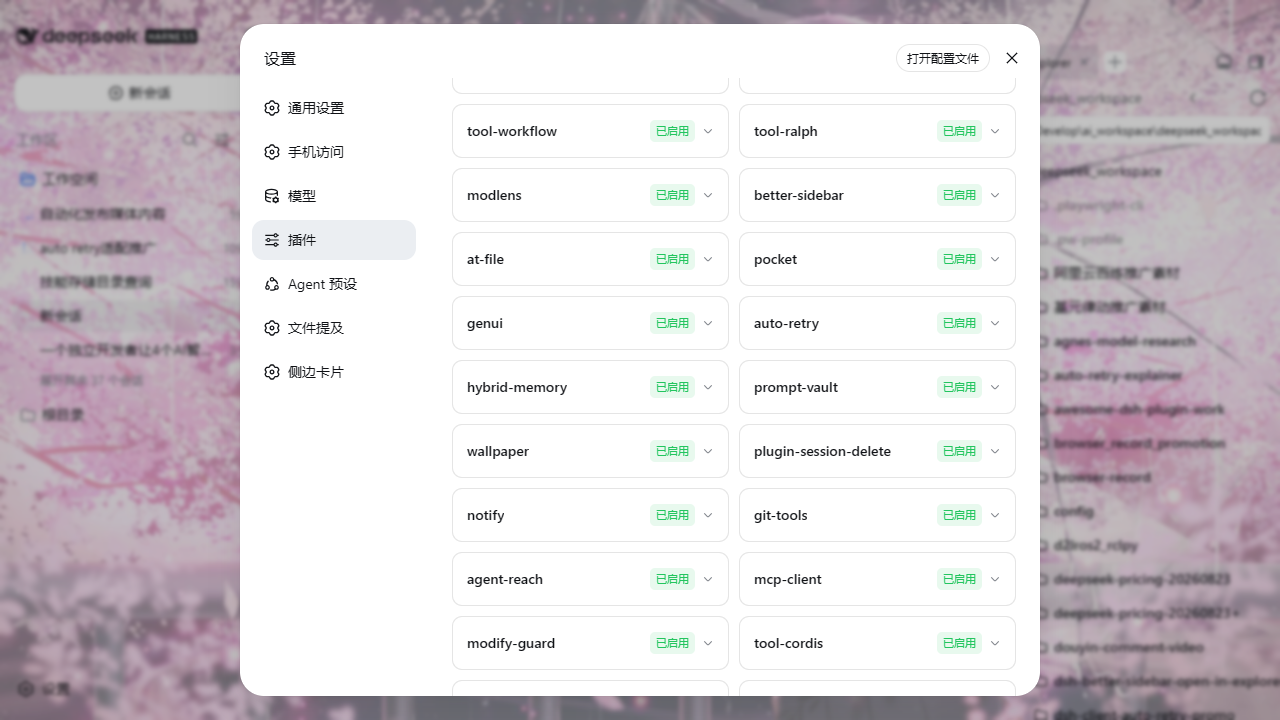 |
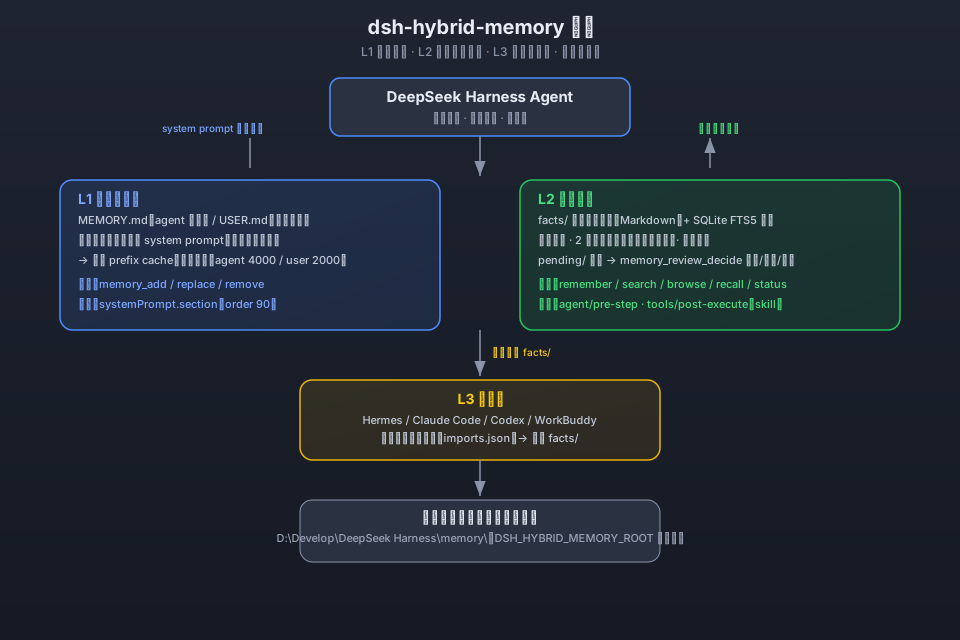 |
License
MIT
Links
More in this category
vectorize-io/hindsight#coding-agents★ 48490
Hindsight, agent memory that learns: long-term project memory with auto recall and retain, knowledge pages, deep reflection, and per-repo memory banks.
volcengine/OpenViking#examples/dsh-memory-plugin★ 39688
OpenViking memory and context bundle for DeepSeek Harness: pre-step auto-recall and profile injection, session capture, `viking://` URI guarding, and recall/write memory tools backed by an OpenViking server.
agentscope-ai/ReMe#dsh★ 3578
Connects DeepSeek Harness to ReMe's local-first, self-evolving personal knowledge base: automatically captures completed main-agent conversations as user-owned Markdown memory, searches conversations and source material through reme_search with BM25, optional embeddings, and wikilink expansion, and schedules daily memory consolidation.
zilliztech/memsearch#MemSearch★ 2736
Shared Markdown memory for DSH and other coding agents, with automatic capture, pre-step context injection, searchable recall, and memory-to-skill self-evolution through a review panel.
vshulcz/deja-vu#extensions/dsh★ 1176
Reads the session files thirty-three other coding agents on this machine already wrote — Claude Code, Codex, Cursor, VS Code Copilot Chat, opencode, OpenClaw, Hermes, Kimi, Cline, Zed and more — including sessions from before it was installed: six tools (deja_recall, deja_session, deja_blame, deja_fix, deja_how, deja_remember), a /deja command, and optional automatic recall added to the runtime context. Local BM25 index, no LLM, no embeddings, no network (dsh plugin --profile web add dsh-deja).
adoresever/graph-memory★ 644
Traceable, searchable cross-session memory for DeepSeek Harness — conversation knowledge as typed graph nodes (TASK/SKILL/EVENT) and typed edges.
Community comments
Comments are public GitHub Discussions. Loading them connects to GitHub and Giscus; a GitHub account is required to post.