One-click prompt enhancement (5 modes, memory chain, multi-model fallback) plus voice recognition (cloud Qwen3-ASR / offline SenseVoice, auto-stop on silence) for the composer, with one-click DSH service restart.
Install
# from GitHub (first run asks for allowBuilds approval — follow the hint, retry)
dsh plugin --profile web add github:Fishsb/dsh-prompt-enhancer
Any plugin you install runs third-party code with your own permissions — it can read your files, use your credentials, and reach the network, and tool approvals don’t sandbox it. GitHub-sourced plugins also run build scripts at install time — pnpm blocks those until you allow them, so an install can stop with ERR_PNPM_GIT_DEP_PREPARE_NOT_ALLOWED or ERR_PNPM_IGNORED_BUILDS; dsh prints the exact key to add under allowBuilds in your profile’s pnpm-workspace.yaml, and the install works on the next run. Allowing a build is a trust decision: only install sources you trust, and pin a commit (github:owner/repo#sha).
README
A DeepSeek Harness (DSH) plugin with two core capabilities:
- ✨ Prompt enhancement — rewrite composer drafts in place with one click, fully undoable
- 💬 Voice recognition — speech-to-text that stops on silence, with cloud / local dual engines; the transcript is filled into the draft
✨ Two core features
1. Prompt enhancement (✨)
The ✨ button in the composer toolbar triggers an independent LLM call and rewrites the current draft in place; keep refining, undo anytime, or cancel while enhancing.
- One-click enhance — the ✨ button triggers an independent LLM call and replaces the draft; continue refining, undo anytime, cancel while enhancing
- 5 optimization modes — Basic (direct) / Lite (previous-round context) / Standard (rules + retrieval) / Expert (task analysis + full retrieval) / One-click Publish (complete dev-spec generator)
- Memory switch — when on, pre-send rounds (optimize → edit → re-optimize) accumulate into a memory chain the next round replays and senses your edit direction; sending the message clears it; when off, nothing is read or written
- Model chain — try multiple models in order, reorder, toggle thinking, run inline connectivity tests
2. Voice recognition (💬)
The 🎤 record button beside the composer starts listening; the transcript (cloud Qwen3-ASR / local offline SenseVoice dual engines) → optional refinement (de-filler) → filled into the draft → can be enhanced with one click. Stops automatically on silence (VAD), audio stays in memory only and is never written to disk.
- Dual engines — cloud Qwen3-ASR / local offline SenseVoice (framework + optional download, slim release)
- Stops on silence — VAD silence detection, no manual stop needed (auto-stops after at most 60 seconds)
- Hotkey wake — recordable global hotkey, tap / long-press dual trigger
- Transcript refinement — optionally refine the transcript through the base LLM to remove filler words
- Auto-enhance — when on, filling the draft after recognition automatically triggers prompt enhancement
🔧 Other capabilities
- 🌐 i18n — follows the DSH interface language (中文 / English)
🚀 Install
dsh plugin --profile web add github:Fishsb/dsh-prompt-enhancer#v3.4.0
Restart DSH (dsh web) after installing — the ✨ button appears in the composer toolbar.
ℹ️ Version note: the latest tag
v3.4.0(2026-09-19) already contains the ✨ official slot-contract fix (Issue #8 / #10) and the cloud ASR fix (Issue #9); the command above installs that tag. If you previously installed#mainunder the old note, re-running it pins you to a released version. Note: from v3.4.0 the in-plugin restart capability is removed (restart DSH manually after an update) — see release notes.Requires DeepSeek Harness installed locally and
pnpmin PATH.Client compatibility (voice recognition): 🎤 voice input relies on the client injecting
inputActions.setDraft(the official web client satisfies this); third-party clients implementing the same contract can load it, and when the capability set differs, voice input degrades gracefully (no insert capability → transcript appended to the end of the draft; no injection at all → 🎤 disabled with a notice). The local offline engine uses a "framework + optional download" model: the plugin ships without and does not auto-download models; go to Settings → Model configuration → 💬 Voice recognition → set engine to "Local" → in the "Local model" area click Download model (SenseVoice 228MB, with progress), and it takes effect automatically when done. See compatibility notes (client dependency boundary and slot contract).Composer toolbar (✨/🎤) client contract: the composer buttons and the error strip mount on the session-scoped slots
conversation.input.right/conversation.input.dock. The official renderer (@deepseek-ai/dsh-client-ui-renderer≥ 0.1.2-rc.1; web and DSH Desktop share the same source) injects asessionIdprop,useSession/useInputselector hooks, and aninputActionsprop into slot entries (it never providesprops.session/props.input); the plugin reads state through that contract since that fix (Issue #8 / #10, commit0197ae7, released withv3.4.0) and keeps a fallback for older hosts that provide theprops.session/props.inputshape. Third-party client renderers must implement the same contract (sessionIdplus the hooks and actions above) for ✨/🎤 to render.
Update / remove:
dsh plugin --profile web update dsh-prompt-enhancer
dsh plugin --profile web remove dsh-prompt-enhancer
After
remove, restart DSH to fully unload the running instance.After an update is installed, restart DSH manually for it to take effect (the plugin no longer restarts DSH for you).
📦 Library notes
Core logic lives in standalone Node modules, reusable from other scripts: lib/updater-host.cjs (update executor: download / verify / install / rollback), lib/platform-service.cjs (cross-platform service management), lib/sys.cjs (env & paths). See each module's header comments.
🎯 Usage (prompt enhancement)
- Type any non-empty text (slash commands keep their prefix; only the body is optimized)
- Click the ✨ button
- Wait for the independent LLM call; the draft is replaced with the enhanced version
- Not satisfied? Click Undo to restore the original
📸 See it work
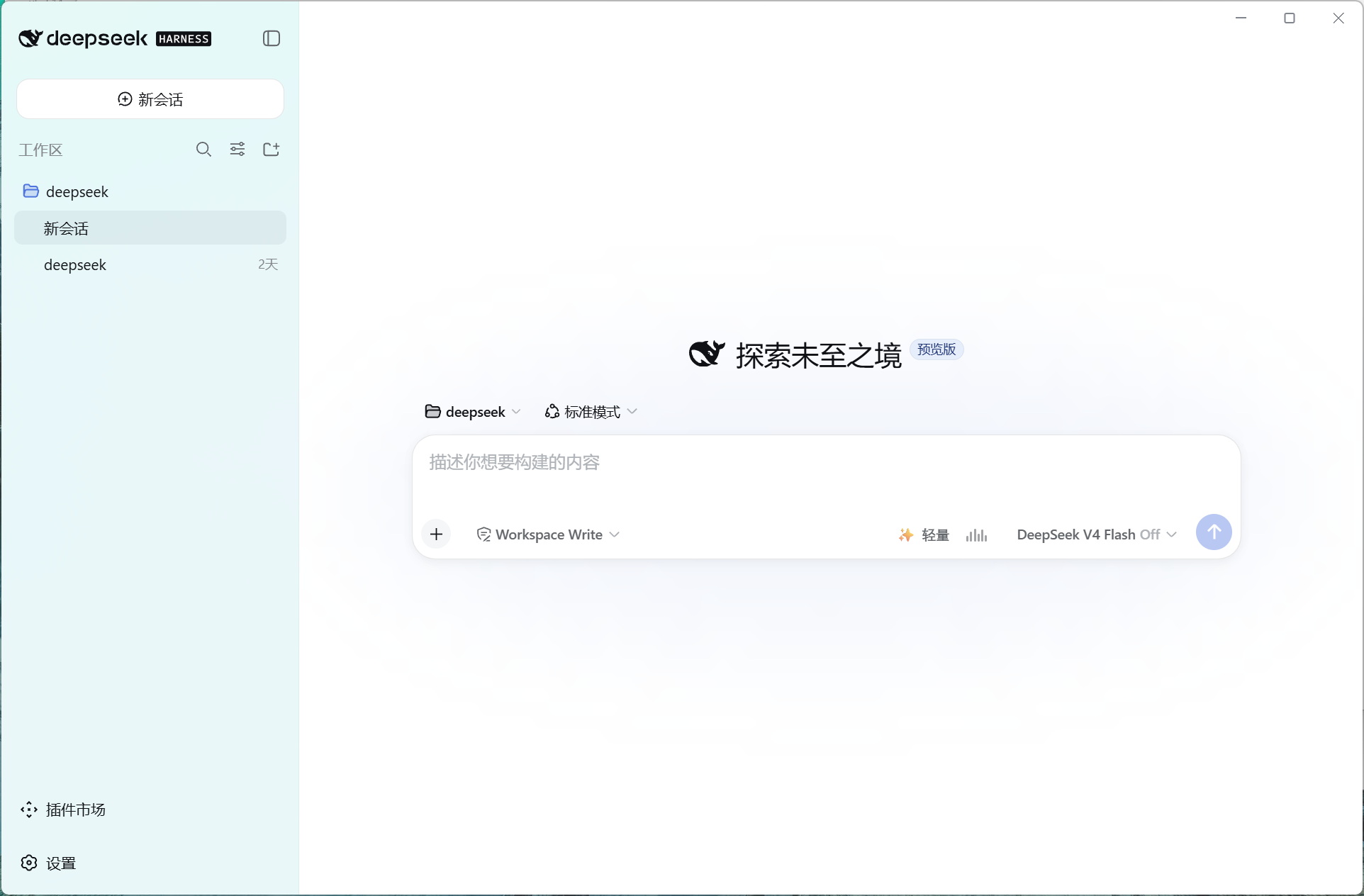
Voice recognition (the 🎤 record button, stops on silence):
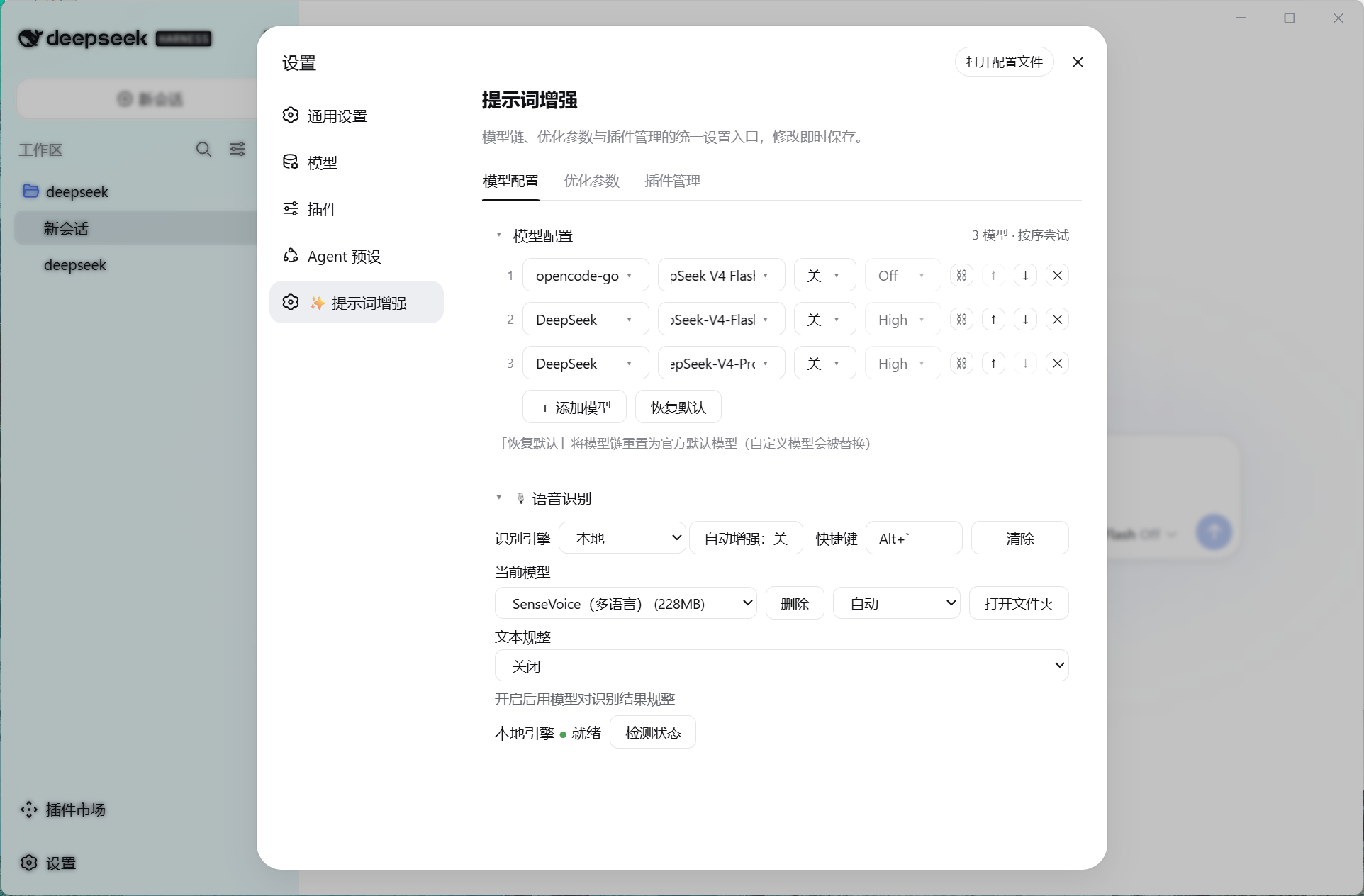
Voice recognition settings (engine switch / hotkey wake / model download / refinement):
⚙️ Configuration
Settings → "Models & plugins":
| Tab | Description |
|---|---|
| Model configuration | Configure the optimization model chain: tried in order, reorderable; the Voice recognition section (engine switch / hotkey wake / local model download / refinement) |
| Optimization parameters | Mode / memory switch / context budget / timeout & output limits / templates |
📚 Docs
Privacy: the plugin records or reports nothing; enhanced results come from an external LLM — verify before sending.
🌐 Downloading voice models on restricted networks
Local models are hosted on Hugging Face. If your network cannot reach it directly (common in mainland China):
- Use a local proxy: keep your proxy client running (the system proxy switch can stay off); add the top-level field
"download": { "proxy": "http://127.0.0.1:10808" }(orsocks5://…) to the config file%DSH_HOME%\dsh-prompt-enhancer.config.json; after saving, click download again to go through the proxy; - Place the files manually: download the model files from hf-mirror.com into
%DSH_HOME%\dsh-prompt-enhancer-asr\models\<model id>\(sense-voice needsmodel.int8.onnx+tokens.txt); refresh the settings page and it is detected as installed; - Downloads have built-in resume support and automatic multi-source switching (HuggingFace ↔ hf-mirror), so an occasional interruption can simply be retried to resume.
Links
More in this category
Tencent/WeKnora#dsh-weknora★ 30675
Four read-only tools over a WeKnora knowledge base: list knowledge bases, hybrid passage search, reassemble one document's chunks in order, and WeKnora's own cited RAG or ReAct-agent answer with a resumable session id.
superdesigndev/treg★ 3596
Tool catalog for agents: search ~2,600 external endpoints (SEO and SERP, backlinks, social, people and company enrichment, ad libraries, scraping) by the task you want done, read each one's parameters and per-call price, then call it with the credential injected server-side. Ships the skill plus an MCP row that stays disabled until TREG_TOKEN is set.
TencentCloudBase/CloudBase-AI-Toolkit#dsh-plugin★ 1126
Tencent CloudBase backend for DeepSeek Harness — scaffold and deploy full-stack apps from chat, render query results as table cards with paging, sorting and CSV export, preview a deployment on its domain, and call the CloudBase MCP toolset (`mcp__cloudbase__*`) with device-code login.
gitroomhq/postiz-agent#dsh-postiz★ 496
Connects DeepSeek Harness to Postiz over MCP: list connected social media channels, fetch per-platform posting rules, and schedule, draft, or publish posts to X, LinkedIn, Instagram, Facebook, Threads, TikTok, YouTube, Reddit, Bluesky, Mastodon, Discord, Slack, Telegram and more; adds a postiz workflow skill.
EthanYoQ/Invoice-Downloader#dsh-invoice-downloader★ 446
Local IMAP invoice download, OCR, archive, and Excel reimbursement summaries for DeepSeek Harness.
anysearch-team/anysearch-dsh★ 430
AnySearch-powered real-time web and vertical search provider for DeepSeek Harness.
Community comments
Comments are public GitHub Discussions. Loading them connects to GitHub and Giscus; a GitHub account is required to post.