Ports all 38 opencode themes (33 TUI + 4 desktop 2.0 + system) into DeepSeek Harness: data-driven pipeline (JSON → color resolve → DSH override), per-browser persistence, monospace/proportional choice, five code fonts, and a system fallback that keeps typography only.
Install
# from npm (prebuilt)
dsh plugin --profile web add dsh-opencode-palette
# from a prebuilt release tarball
dsh plugin --profile web add "https://github.com/FeatherHunter/dsh-opencode-palette/releases/download/v1.7.1/dsh-opencode-palette-1.7.1.tgz"
# from GitHub (first run asks for allowBuilds approval — follow the hint, retry)
dsh plugin --profile web add github:FeatherHunter/dsh-opencode-palette
Any plugin you install runs third-party code with your own permissions — it can read your files, use your credentials, and reach the network, and tool approvals don’t sandbox it. GitHub-sourced plugins also run build scripts at install time — pnpm blocks those until you allow them, so an install can stop with ERR_PNPM_GIT_DEP_PREPARE_NOT_ALLOWED or ERR_PNPM_IGNORED_BUILDS; dsh prints the exact key to add under allowBuilds in your profile’s pnpm-workspace.yaml, and the install works on the next run. Allowing a build is a trust decision: only install sources you trust, and pin a commit (github:owner/repo#sha).
README
Built for long coding sessions — 38 eye-friendly themes, one click.
为长时间编程而生 —— 38 款护眼配色一键换上,眼睛舒服,码字开心。
Your ⭐ is the brightest star in my night sky.
Staring at a screen ten-plus hours a day, tired eyes are inevitable — a gentler palette lets them rest.
opencode's 37 classic themes are loved by developers everywhere, plus a native look that touches no colors: one click dresses your whole DSH, dark for the night, light for the day.
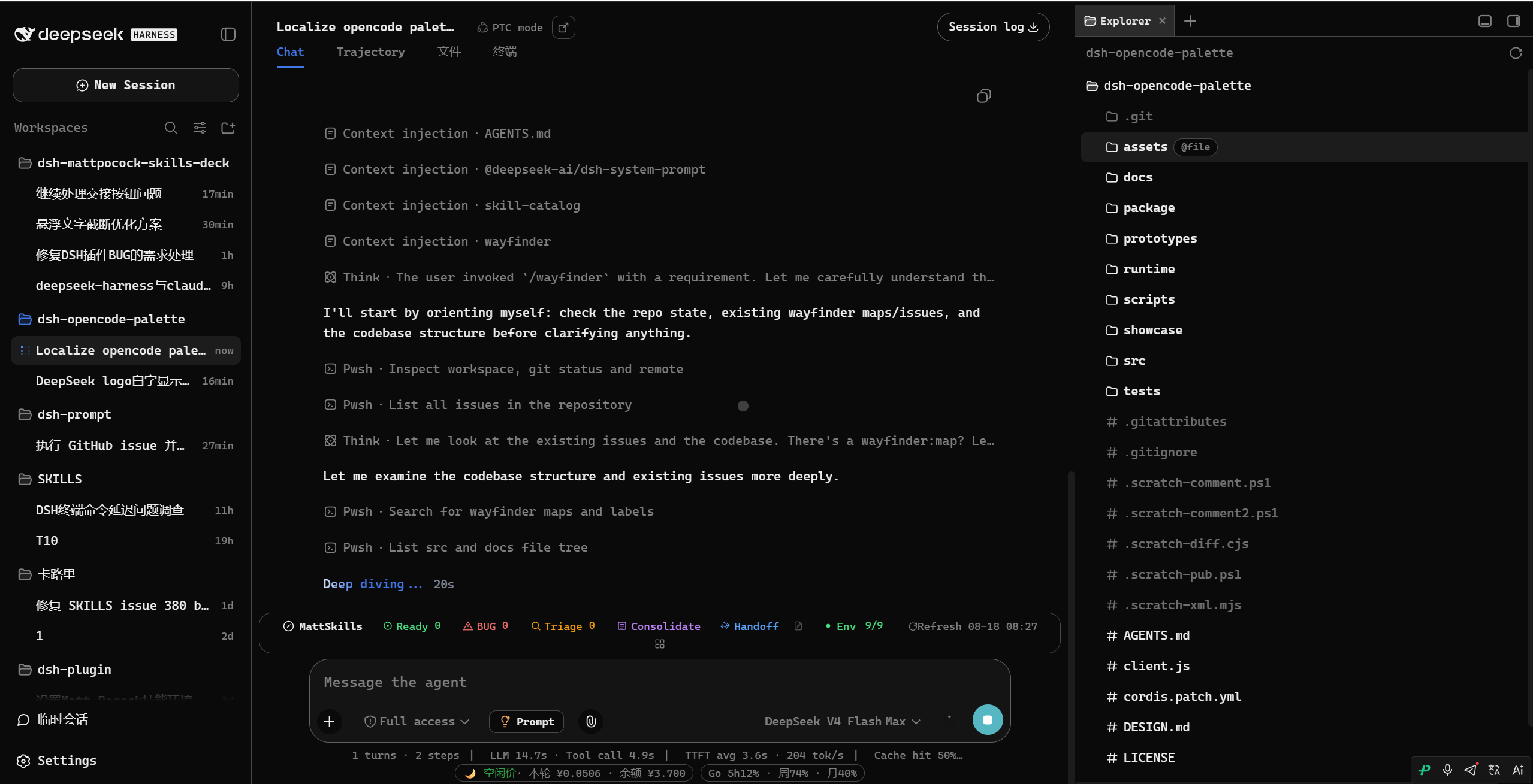
👇 This is what it looks like after install and restart (opencode theme).
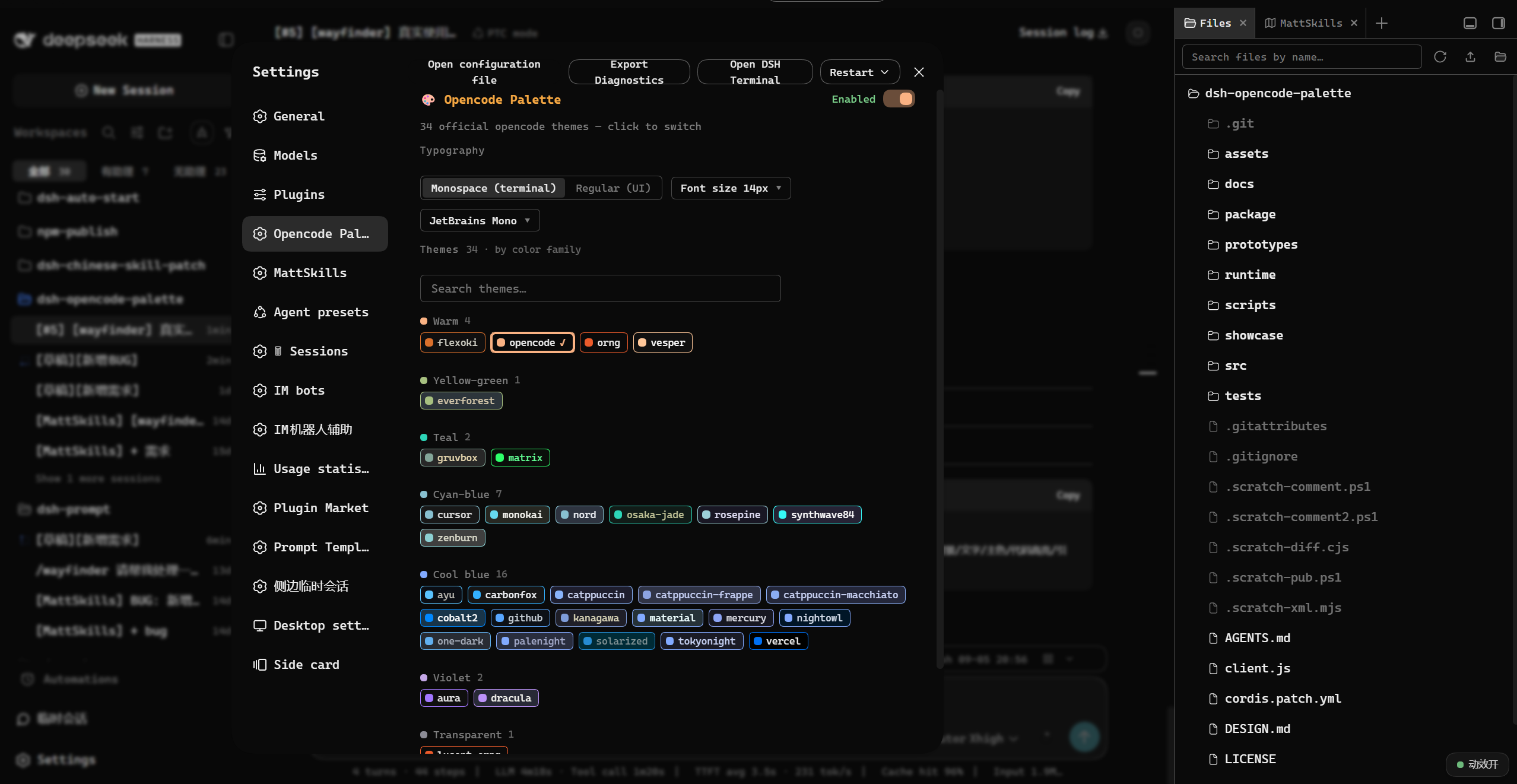
👇 Settings panel: 38 themes grouped by color family, search and switch.
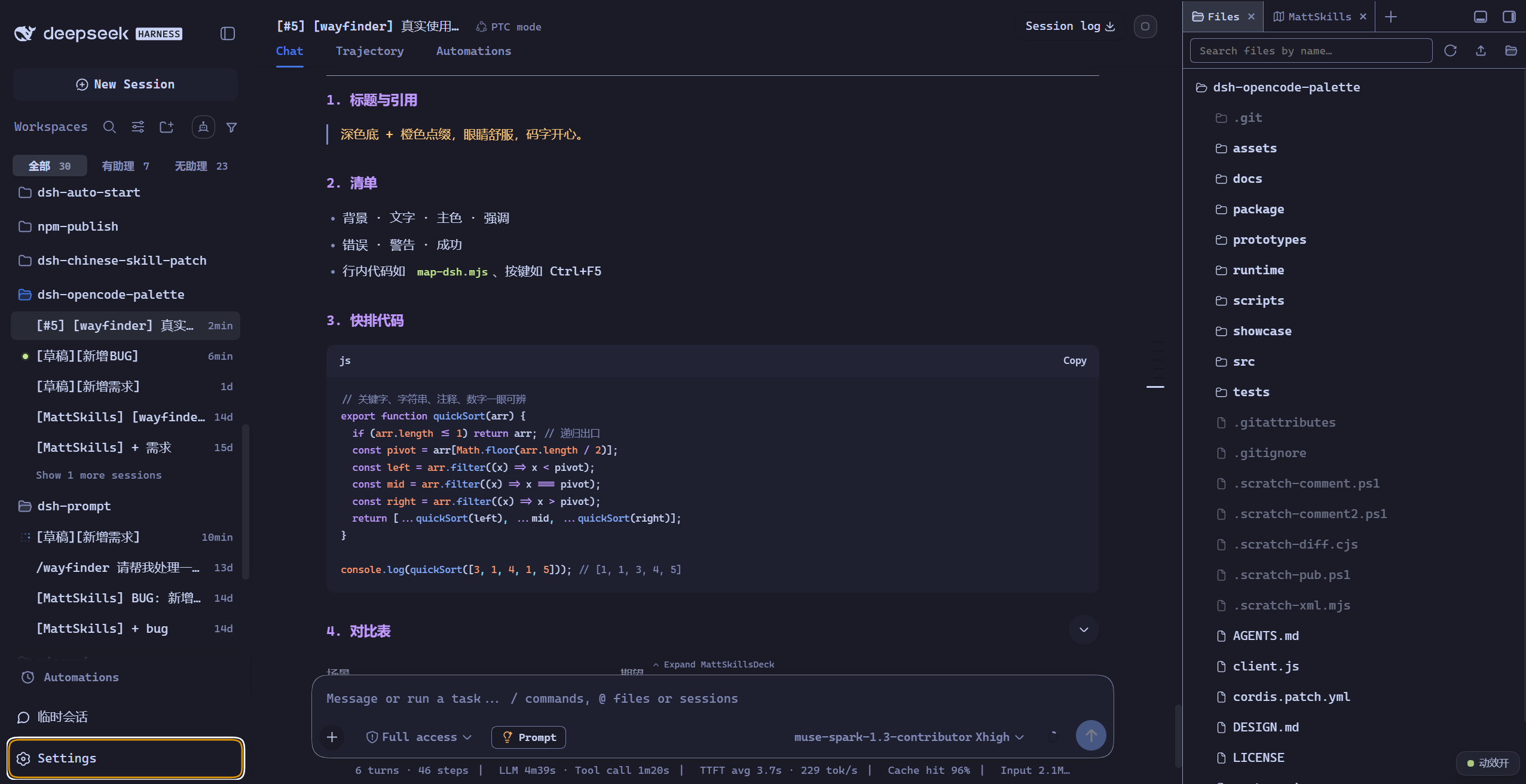
👇 How another theme feels.
# 1. install the DSH CLI first (skip if you have it)
npm install -g @deepseek-ai/dsh

# 2. add the plugin to your profile
dsh plugin --profile web add dsh-opencode-palette

# 3. restart DSH when done (or refresh the browser page)
① Install the plugin.
② Open “opencode调色板”. Settings → Plugins → opencode调色板
③ Pick a theme you like.
38 entries, grouped by color family and one search away. Every cell in the picture below is a palette.
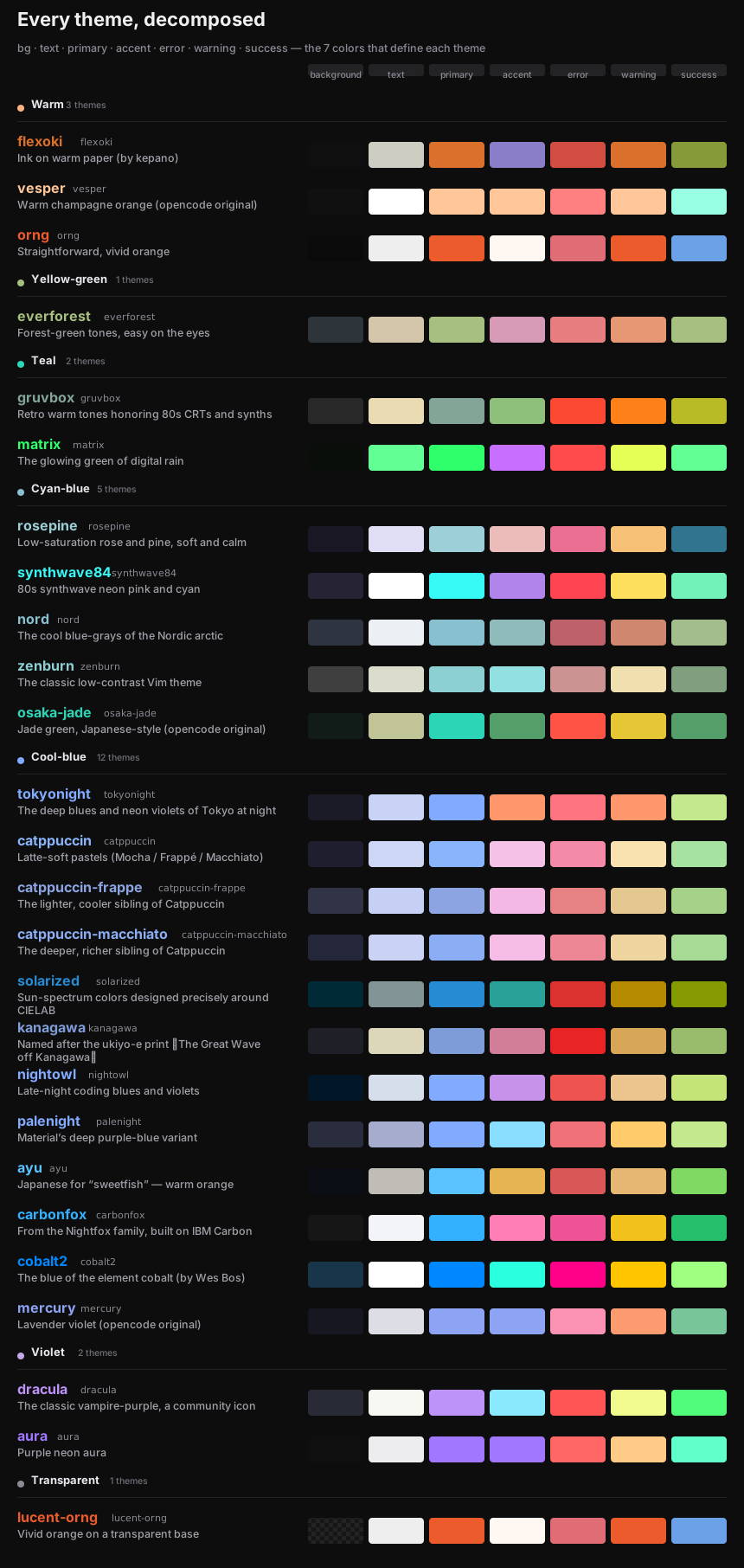
Plenty of fonts. Typography is its own dimension: apply it to all text or code only, 11–24 px, your pick of code font — orthogonal to color, kept across restarts.
A panel you can find. 38 entries grouped by color family, searchable, and following your DSH interface language (中文 / English).
dsh plugin --profile web update dsh-opencode-palette
# pin to an older version:
dsh plugin --profile web add dsh-opencode-palette@<version>
Prefer a button? Go to Settings → Plugins → opencode调色板: the Check for updates button at the right of the title row only goes online when you click it; when a newer version exists it turns into “Update to vX.Y.Z” right there — one click upgrades. Restart DSH to apply: until you do, a banner stays at the top of the panel.
If you like this plugin, you might also like:
dsh-prompt — When you get stuck writing a prompt, it has 24 deep templates — one click, straight into your input box
dsh-mattpocock-skills-deck — Want your AI to do more than chat? 25 engineering skills, installed with a single prompt
dsh-im-companion — Supercharge the dsh-im plugin and DSH workspaces for a better experience.
Every issue gets a 🌹 — everything asked for below is already shipped.
@the-beating-light-of-the-nail — #3 listed this plugin in DSH Meme Hub with palette notes 🌹
@xiSage — #11 asked for any system font; the panel now lists your local fonts 🌹
@Number444 — #12 asked for Maple Mono NF CN 2:1 CJK 🌹
@anupamme — #32 flagged a missing check on theme downloads 🌹
Found a bug or have an idea? Please open an issue. You can also scan the QR code to add the author on Feishu (mention dsh-opencode-palette).
Links
More in this category
Small-tailqwq/dsh-deep-whale#maid-atelier★ 2339
Whale-girl skin series for the DSH Web UI (maid-atelier).
elysia395/dsh-wallpaper-engine★ 461
Requires DeepSeek Harness 0.1.5-rc.1+ (DSH Desktop >= 2.0.7) and dsh-better-sidebar >= 0.19.0 - update both before installing or updating this plugin. Plays local Wallpaper Engine Video/Web wallpapers behind the chat, renders Scene wallpapers as extracted static frames, and adds content-rating/type filters, custom uploads and an iOS-style liquid-glass settings window.
d-dev0101/open-sea-skin★ 381
Realtime WebGPU ocean skin with quick controls for waves, daylight, glass opacity, and an automatic day cycle.
kingOfSoySauce/dsh-liang-skin★ 230
Adaptive reasoning slider skin that maps each model's available reasoning efforts onto a 0–30 visual intensity scale, with synchronized portraits, background, and interface colors.
RevolutionLA/dsh-dream-skin★ 199
One-command skin plugin: 8 original themes, translucent wallpaper with opacity/blur, per-user accent, and shareable theme-pack import/export, favorites and surprise-me — purely native on DSH's token system.
GGBond2424648901/deep-whale-day-night-theme★ 118
Non-commercial day/night whale-girl skin for official Harness rc.7: current no-viewport-frame layout, paired crystal-workshop and moon-tide scenes, chibi companions, translucent ornaments, and lightweight ambience.
Community comments
Comments are public GitHub Discussions. Loading them connects to GitHub and Giscus; a GitHub account is required to post.