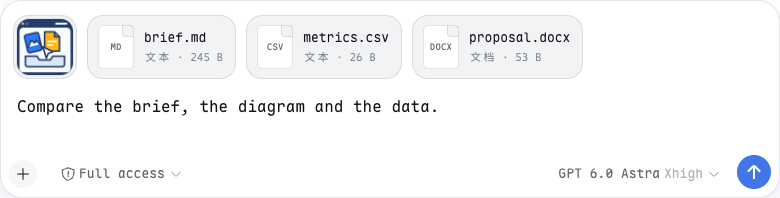
Drag or paste files into the Web composer with one image-and-file preview rail; native PNG/JPEG/WebP/GIF keep the image attachment path, while other files reuse a matching local path or stream to Host staging and become @ references only at send time. Includes browser media/PDF and bounded text previews; Office and archives show identity cards, and unsent file entries are page-local.
Install
# from GitHub (first run asks for allowBuilds approval — follow the hint, retry)
dsh plugin --profile web add github:Crosery/dsh-drop
Any plugin you install runs third-party code with your own permissions — it can read your files, use your credentials, and reach the network, and tool approvals don’t sandbox it. GitHub-sourced plugins also run build scripts at install time — pnpm blocks those until you allow them, so an install can stop with ERR_PNPM_GIT_DEP_PREPARE_NOT_ALLOWED or ERR_PNPM_IGNORED_BUILDS; dsh prints the exact key to add under allowBuilds in your profile’s pnpm-workspace.yaml, and the install works on the next run. Allowing a build is a trust decision: only install sources you trust, and pin a commit (github:owner/repo#sha).
README
DSH Drop
English · 中文
Drag or paste files into DeepSeek Harness — the Web app and the desktop app. Images and files share one preview rail; your draft stays clean. File paths are appended only when you send.

Install
| Where | Supported | Verified |
|---|---|---|
Web (dsh --profile web) |
0.0.1-rc.5 through 0.1.7-rc.2 — every published version that installs | The peer ranges admit every published version. CI installs the packed plugin into each one with dsh plugin add and runs it — activated, its routes answering, its browser half served and running in headless Chrome, where a file dropped on the composer must land in the rail — and typechecks and tests it against that version's own packages. On the earlier builds, as released, dropping images, PDFs, text files and folders, previewing, removing and sending were also checked by hand in a browser on 0.0.1-rc.5, 0.1.0-rc.2 and 0.1.0-rc.6. 0.0.1-rc.1 and rc.2 are admitted too, but @deepseek-ai/dsh itself cannot be installed at those versions: it depends on @deepseek-ai/dsh-agent-tool-mode, which npm has never had. |
| Desktop app | 0.1.7-rc.2 | The same boot smoke on the app's own runtime, the version its update feeds ship. The app's window and native drag-and-drop are not driven by CI. |
Before 0.1.0-rc.8 the composer has no attachment seat of its own: there the rail is a row directly above the composer card, holding the files and folders, and dropped or pasted images join the composer's own image strip inside the card, under the composer's limits.
From 0.1.7 DSH refuses to install, and skips at boot, a plugin whose peer ranges do not admit it — releases before 0.2.0 do not load there. A newer harness is admitted only after CI has verified it; the per-version evidence is in Harness compatibility.
Desktop app: open Plugins → Add plugin, paste the release URL and restart the app:
https://github.com/Crosery/dsh-drop/releases/latest/download/dsh-drop.tgz
The dsh plugin CLI refuses the desktop profile, so the Plugins page is the way in; upgrading an installed plugin also needs a restart.
Web: pnpm on PATH and an even Node major supported by DSH (CI: 22.19 / 24). Install the prebuilt release, then restart the profile:
dsh plugin --profile web add https://github.com/Crosery/dsh-drop/releases/latest/download/dsh-drop.tgz
The tarball includes both compiled halves, so installation does not run a plugin build. For a pinned install, replace latest/download with download/v0.2.1. The repository also ships the built halves, so dsh plugin --profile web add github:crosery/dsh-drop installs with no build approval; prefer the tag-pinned tarball for reproducibility. Do not install a second copy if your local patch already mounts @crosery/dsh-drop.
dsh plugin --profile web remove @crosery/dsh-drop
Restart after removal too. Source builds and release procedure.
What happens to a file?
| Input | Delivery | Preview |
|---|---|---|
| PNG / JPEG / WebP / GIF | Native image attachment; existing model, size and count validation | Thumbnail and image lightbox |
| Files the composer's own + picker added | Native file attachment (0.1.3 onward), uploaded by DSH | Card with upload progress, failure and retry |
| Other images | File reference | Image element, if the browser supports it |
| Video / audio | File reference | Native browser playback, codec-dependent |
| File reference | Browser PDF viewer, when available | |
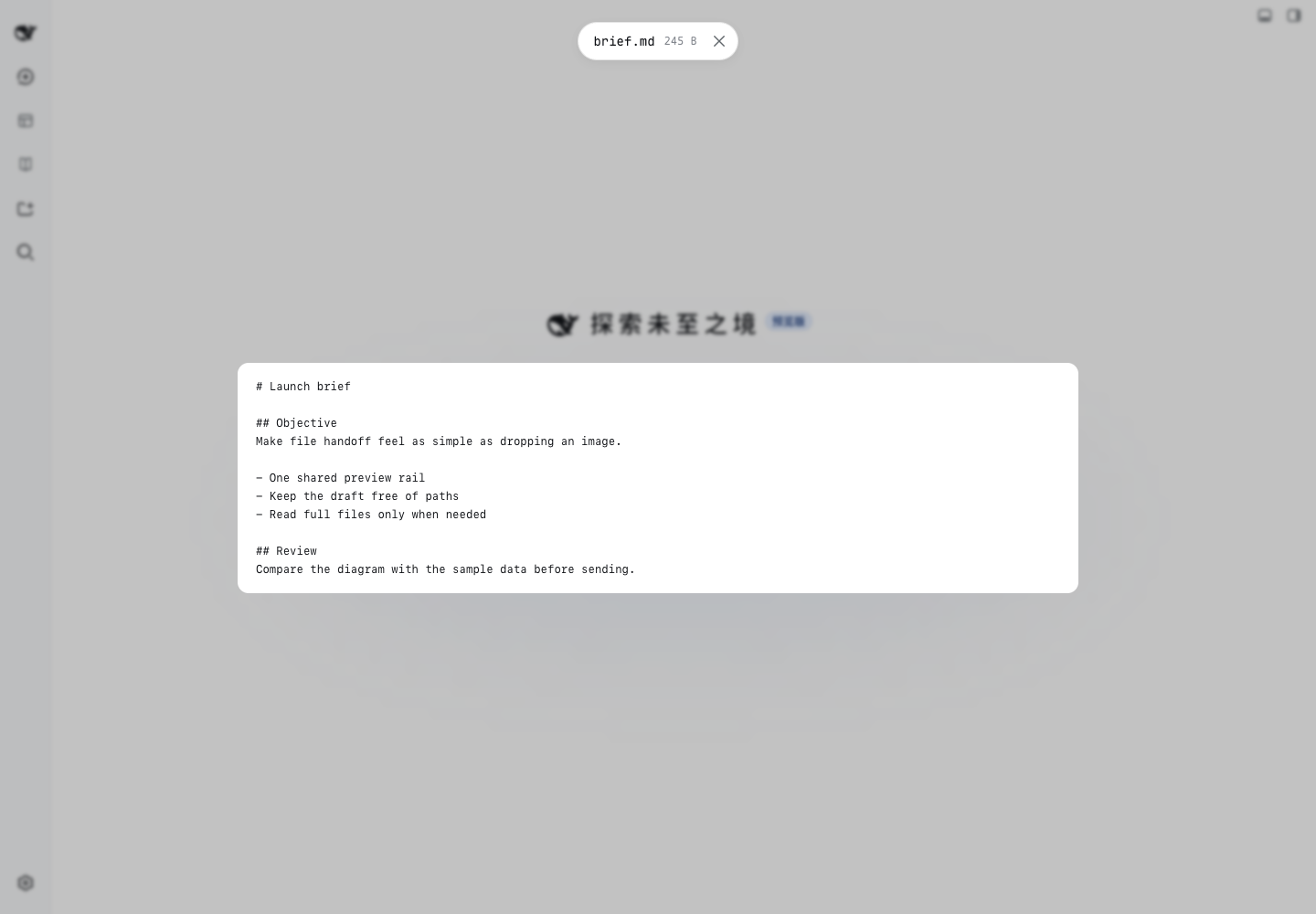
| Markdown / code / logs / CSV / HTML | File reference | Escaped text, first 64 KiB; HTML is not executed |
| Office / iWork / archives / unknown files | File reference | Filename, size and format badge; no in-page document renderer |
| Folders | One folder reference, @/path/to/folder/, referenced in place when a path is known, otherwise copied with its structure |
Folder card with file count, size and skipped entries; the listing shows the first 200 relative paths as text |
A non-image file becomes an @path, not a new model content block. The model must explicitly use a file tool to read it; a large log costs only a path until then. A folder becomes one @path/ with a trailing slash — from 0.1.5 the model's reference prompt says to list such a path; 0.1.1 calls every @ a file, and the model finds out when it tries to read one. Images inside a folder travel with the folder, never as image attachments. This plugin adds no model tool. It complements DSH Viewer, which displays files from the model back to you.
- Drop or paste files into the page with a session open. A drop lands in the composer under the pointer, or in the conversation's composer when dropped elsewhere; a composer that is not taking files (a subagent's, one mid-send) says so instead. A mixed batch keeps images on the native image path.
- Inspect the shared rail. A card reads "Preparing…" until its path is ready; click it to preview; remove individual entries without changing your words. Dropping the same file twice adds it once.
- Type your request and send with Enter or the Send button. The model receives your words first, followed by file references. File-only messages can be sent with Enter, or by pressing the grey Send button.
Original path first, copy otherwise
Desktop app: the app tells the page each dropped file's real path, so the reference points at your file where it lies — nothing is copied, and later edits are visible when the model reads it.
Web: a browser File does not expose its OS path. If the transfer also carries a local file:// hint, the Host compares size and modification time (2-second tolerance) and reuses a matching regular file. Metadata matching is a heuristic, not byte identity or a permission check. A path containing a double quote or a control character cannot be written as a reference and falls back to staging.
Otherwise bytes stream into $DSH_HOME/drops/YYYY-MM-DD/. Completed copies publish without overwriting another drop, including concurrent uploads. Edits to a copied file do not update the original. For a dependable workspace reference, use the composer's @ completion. A remote agent must be able to read the Host path; this plugin does not synchronize files to remote workspaces.
Folders
A dropped folder is one card and, when sent, one reference. It reaches the model the same two ways a file does:
- In place. In the desktop app the page learns the folder's real path and references it where it lies: nothing is copied, and the model sees the whole folder,
.gitincluded. On the Web, a drag that carries a localfile://hint for the folder is checked by the Host against the folder's first eight files (relative path, size and modification time; a folder with fewer files has to be described completely) before it is referenced in place. - Copied. Otherwise the page walks the folder and uploads it into $DSH_HOME/drops/YYYY-MM-DD//, keeping its structure. The copy appears under that name only once every file has arrived; a name already taken gets a suffix (
proj-2). Names on the ignore list (.git,node_modules,.DS_Store,Thumbs.db,__MACOSX,.svn,.hg) are skipped, and they and any unreadable file are counted on the card. Empty subfolders are not recreated.
A folder over a copy limit — file count, total size, one file over maxBytes, or nesting depth — is refused whole with a notice naming the limit, never sent in part. While a folder is still being read or uploaded, its card shows progress and a send is held back with a "waiting for uploads" notice. Removing the card cancels the upload, and the Host deletes what had arrived. In a mixed drop each item goes its own way: one refused folder does not stop the files and images beside it.
Configuration
On 0.0.1-rc.5–0.1.6: namespace crosery-drop in $DSH_HOME/settings.yaml; changes apply live.
On 0.1.7: settings.yaml is gone. Set the values on the plugin's profile entry, id drop, in the profile's cordis.patch.yml (restate the whole config block — a patch replaces a row's config). The 0.1.7 one-time import does not carry a crosery-drop section over: it looks for an entry named after the section, and this entry is drop; the old values stay in settings.yaml.imported. The 0.1.7 Settings page shows no form for these fields.
| Key | Default | Meaning |
|---|---|---|
| maxBytes | 536870912 (512 MiB) | Maximum bytes per staged file, including each file of a copied folder; must be positive. |
| keepDays | 30 | Retention by date directory; 0 disables pruning. |
| folderMaxFiles | 2000 | Most files a copied folder may hold. |
| folderMaxBytes | 536870912 (512 MiB) | Most bytes, in total, a copied folder may hold. |
| folderMaxDepth | 32 | Deepest nesting, in levels below the folder, a copied folder may have. |
| folderIgnore | .git, node_modules, .DS_Store, Thumbs.db, __MACOSX, .svn, .hg |
Names skipped and counted when a folder is copied; exact match against each file or folder name. |
The folder limits apply to copies only; a folder referenced in place has no size limit.
Cleanup runs at activation and when retention changes. It deletes expired date-named directories, including manually added contents inside them; other names and loose files are untouched. At activation it also removes what an interrupted upload left inside the date directories — hidden .batch-* folders and .incoming-* partial files not written to for 30 minutes — even with keepDays at 0. Removing a card does not delete the staged copy.
Important limits
- Unsent non-image entries are page-local. Refresh or plugin unload loses the pending references and previews. Drop again before sending. Copies may still exist on disk; that does not restore the pending list.
- There is no byte-level progress for single-file copies (a folder shows files done out of total) and no aggregate disk quota across drops. A send while a card is still preparing or uploading is held back with a notice. Files that could not be staged are reported with a count.
- A copied folder copies everything not on the ignore list, secrets such as
.envincluded, the same as dropping that file would. Symbolic links inside a folder follow the browser's reading of them; the Host never follows a link when it counts a folder in place. - Pasting a folder is best effort: browsers rarely expose one on the clipboard.
- On the 0.1.2+ composer the references are appended to the message at the moment you send, and the composer's own Enter or Send delivers it — Cmd/Ctrl+Enter steer or queue, the upload check and slash commands behave as usual. If the composer refuses the send (its own uploads still running, for example) the references are taken back out and stay staged. Shift+Enter, IME composition and a highlighted completion menu are never taken as a send; the Stop control never carries files. Alt+Enter, AltGr+Enter and Ctrl+Cmd+Enter send on the composers up to 0.1.7-rc.1 and carry the references too; 0.1.7-rc.2 ignores those keys, so there the references are taken back out and, while files are staged, no line break is typed. On the textarea composer (0.1.1 and earlier) the plugin rewrites the draft and submits itself, as before; Enter on a highlighted completion still picks it.
- If a sent message fails later, the composer restores it with the references in its text for retry, rather than returning them to the rail. The plugin cannot create a generic file content block.
- Preview bytes stay in memory while an attachment is in the rail and are released when it is sent or removed. A preview shows the bytes as they were dropped; the model reads the actual file. Browser media/HEIC/PDF support varies.
- Before 0.1.0-rc.8 the rail and the composer's image strip are two rows: images stay in the composer's strip, where the composer draws and removes them, and the rail above the card holds everything else.
- The single attachment slot is replaced, not added alongside other replacements. Another plugin taking that same priority can conflict. Unloading restores the shipped rail.
Security
No third-party upload service, analytics, automatic execution or archive extraction. Staging is a Host write endpoint: names are reduced to one segment (following Windows' name rules on a Windows Host), size is bounded, simple cross-site POSTs are refused, and no CORS access is granted. A copied folder's name and relative paths are re-sanitized on the Host (no . or .. segments, control characters stripped, Windows-reserved characters and names replaced on a Windows Host, byte budgets), written only inside that batch's private directory, and never over an existing path. From 0.1.2 all three routes also require the harness's own login authentication (its connection check), so another local process without the login cookie is refused — CI checks this on every booted train. Before 0.1.2 (0.0.1-rc.5 through 0.1.1) the routes have no authentication of their own: keep DSH loopback-only or behind authenticated access; do not expose its host authority to untrusted users. Same-origin plugins can act with the page's authority.
SVG remains inside an image element, HTML is escaped text, and PDF blobs are forced to application/pdf. Preview UI does not offer top-level blob navigation. The default retention is not secure erasure. See development and security boundaries.
Develop
npm ci
npm run typecheck
npm test
npm run check:dist
npm run build
npm run check
This repository is self-contained and uses public pinned dependencies, not a sibling checkout. AGENTS.md routes contributors to the paired development, PR, release and compatibility docs. CI runs these gates in this order on Node 22.19 and 24 — check:dist compares the committed lib/ with a scratch build before npm run build rewrites it, and the build must leave the tree unchanged — plus two harness cells — the pinned 0.1.7-rc.2 train and the 0.1.1-rc.2 floor — each with typecheck, tests, peer admission and a boot smoke of the packed plugin; a third cell follows the desktop app's version. The Harness compatibility workflow runs daily against the desktop app's feeds and npm latest / next / alpha, weekly across every published harness version — each one installed and booted with the packed plugin, besides typecheck, tests and admission — and on macOS against the desktop app itself. A release is published only after the same gate passes on the very tarball it ships.
License
MIT, including the original project icon and synthetic demo assets. Source originated in Crosery's plugin workspace; this is its standalone distribution repository.
Links
More in this category
zhu1090093659/dsh-web#packages/dsh-task-board★ 9262
Task board for the dsh web GUI: a sidebar multi-column kanban whose cards run in real DSH agent sessions and can also be scheduled with cron expressions, executed host-side even with the browser closed.
zhu1090093659/dsh-web#packages/dsh-web-all★ 9262
Plugin and skin collection for the DSH Web UI: task board, Git graph, right-side panel, remote mobile UI, pet, live token stats, and a skin center.
MeteorNOX/DeepSeek-Balance-Whale-Widget★ 5677
A fixed-corner whale widget for the DSH web GUI — balance, today's usage and per-turn cost with peak/off-peak pricing, editable balance-alert and daily-budget bubbles, a module-based custom bubble queue with A/B weighted choices and random lines or images, 30+ vendor templates (OpenAI, OpenRouter, Kimi, SiliconFlow, Ark, Zhipu, MiniMax and more) with per-model balance and subscription quota, plus task-end sound, imported audio, custom roles and a resource manager. Local-only, no telemetry.
ccch1mneyyy/dsh-TUI★ 5125
Claude Code-style full-screen terminal UI: pixel-whale header, live status line, and streaming thought expansion.
omdsh-dev/DSH-better-sidebar★ 4413
Full sidebar workbench with file rendering and editing, terminal, Git, and subagents; third-party plugins can register new tabs.
Devin-AXIS/deepseek-design#deepseek-idesign★ 1491
Visual design studio for websites, app prototypes, posters, cards, reports, and magazines, with templates, direct element editing, selection-aware AI draft handoff, and export.
Community comments
Comments are public GitHub Discussions. Loading them connects to GitHub and Giscus; a GitHub account is required to post.