Interactive right-sidebar design canvas with 165 built-in design systems: pick a style to generate interactive HTML pages, compare directions side by side, click or marquee-select DOM elements with notes, toggle light/dark, and export PNG/PDF/HTML.
Install
# from npm (prebuilt)
dsh plugin --profile web add dsh-design-board
# from a prebuilt release tarball
dsh plugin --profile web add -w "https://github.com/Antares422/dsh-design-board/releases/download/v0.2.2/dsh-design-board-0.2.2.tgz"
# from GitHub (first run asks for allowBuilds approval — follow the hint, retry)
dsh plugin --profile web add github:Antares422/dsh-design-board
Any plugin you install runs third-party code with your own permissions — it can read your files, use your credentials, and reach the network, and tool approvals don’t sandbox it. GitHub-sourced plugins also run build scripts at install time — pnpm blocks those until you allow them, so an install can stop with ERR_PNPM_GIT_DEP_PREPARE_NOT_ALLOWED or ERR_PNPM_IGNORED_BUILDS; dsh prints the exact key to add under allowBuilds in your profile’s pnpm-workspace.yaml, and the install works on the next run. Allowing a build is a trust decision: only install sources you trust, and pin a commit (github:owner/repo#sha).
README

中文 | English
Give DeepSeek Harness a built-in design canvas.
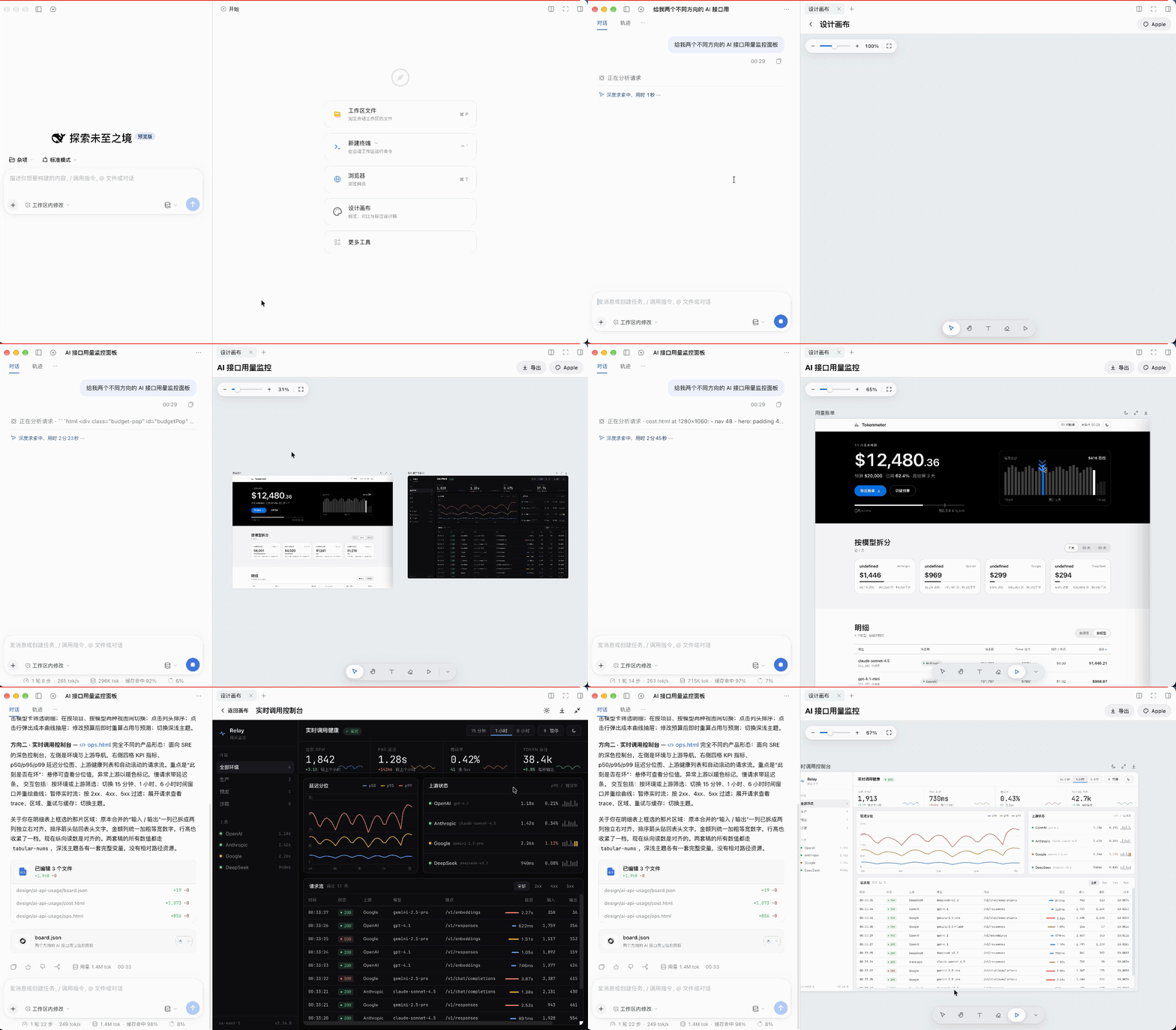
Pick a style from 165 built-in design systems, describe what you need, and an interactive page opens right in the sidebar canvas. Refine a single direction or compare multiple options side by side; when something feels off, click or marquee-select the element directly on the canvas with a quick note — no browser tab juggling, no annotated screenshots.
Features
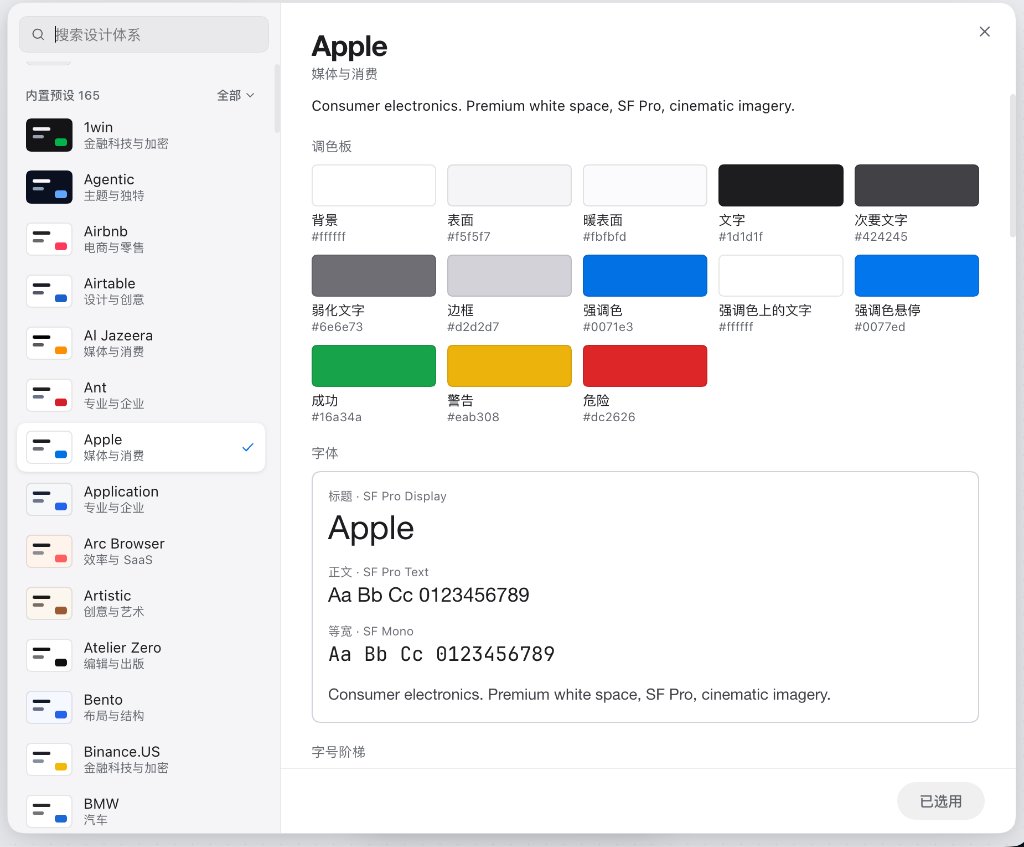
- 165 Built-in Design Systems: Includes Apple, Linear, Airbnb, Stripe, Notion, Vercel, and more, each with full design specs, CSS tokens, and reference components. Pick a style from the top-right drawer and the agent builds directly to that spec; defaults to Apple style when unspecified.
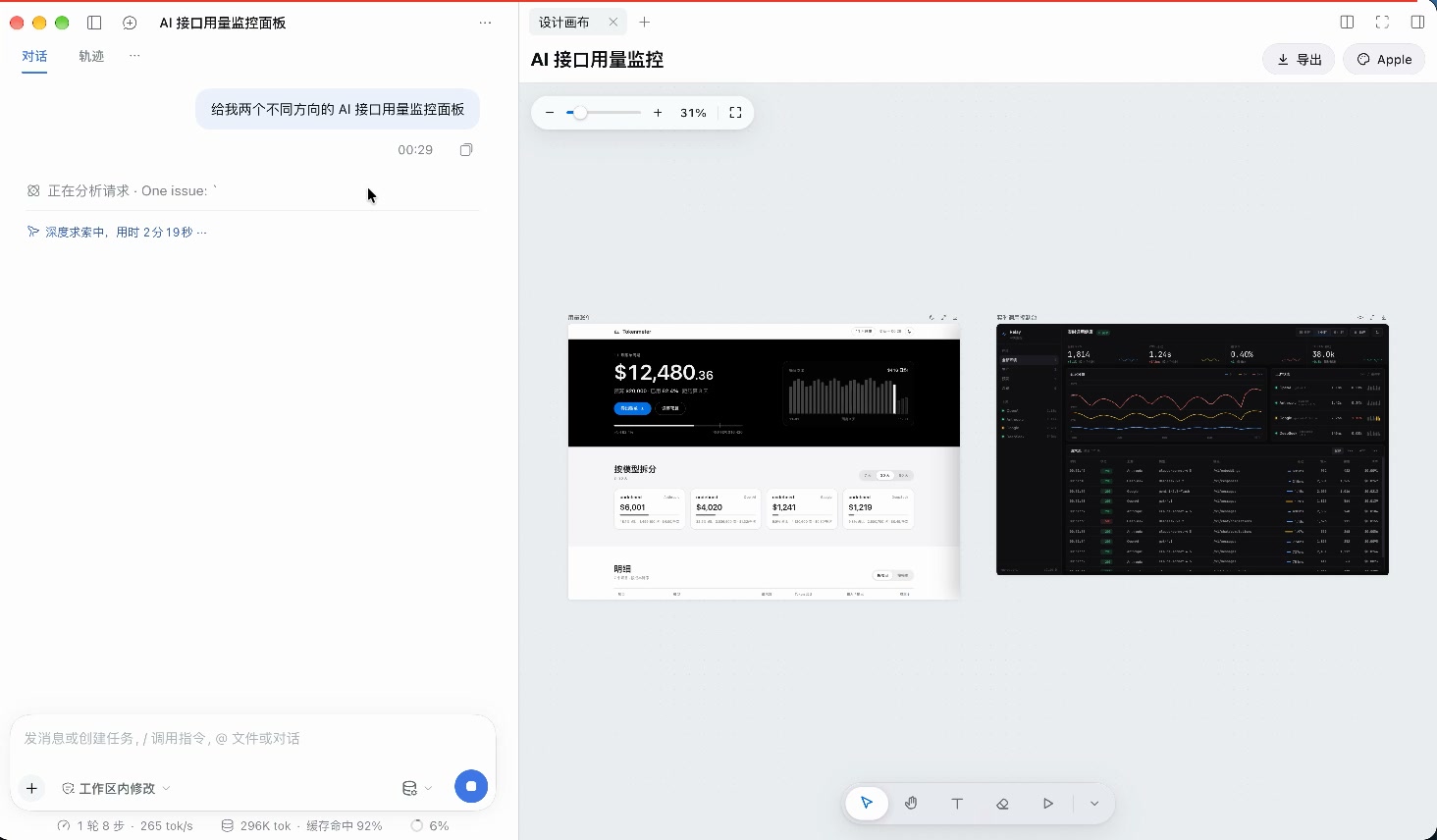
- Side-by-Side Infinite Canvas: Renders agent-generated interactive HTML prototypes live in the right sidebar with zoom slider, keyboard zoom, multi-page tabs, and full-screen view.
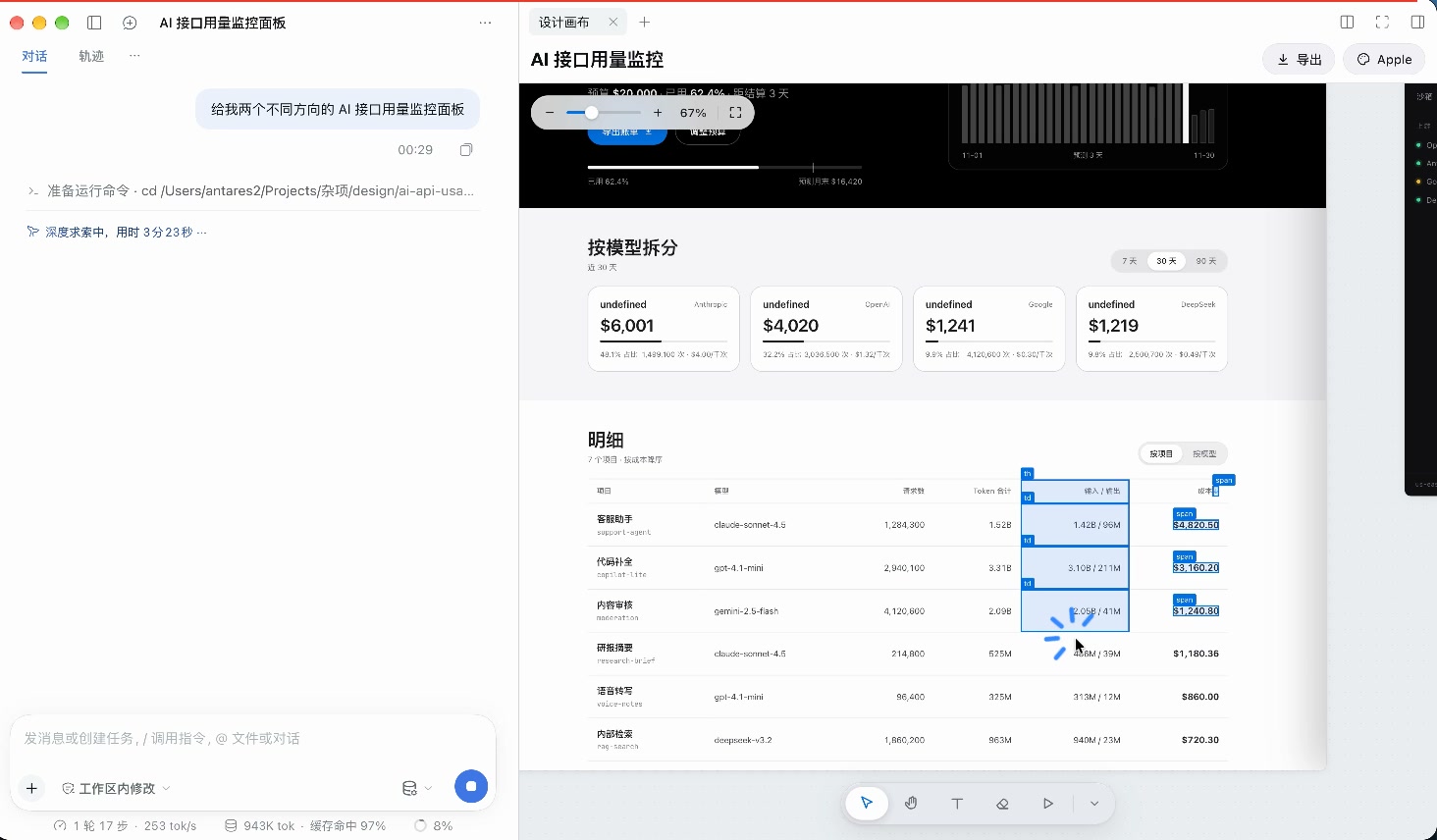
- Direct DOM Picking & Notes: Click or marquee-select elements inside any frame and drop text notes. Exact CSS selectors and annotations are injected automatically on the next turn so the agent updates the frame in place.
- Live Play Mode & Theme Toggle: Switch to Play mode to interact with controls directly, and toggle light or dark theme per frame.
- Quality Checks & Session Isolation: Automatically checks interactivity, light/dark themes, and runtime errors with silent in-place fixes. Each session uses its own isolated
design/<sessionId>/directory. - Export: Export single frames or full pages to PNG, multi-page PDF, or a standalone HTML gallery.
Screenshots
165 Built-in Design Systems
Side-by-Side Comparison
Visual DOM Picking & Marquee Selection
Install
Inside DSH
Open Plugins -> Add plugin, enter:
dsh-design-board
Or send this message in chat:
Install this plugin for me: https://github.com/Antares422/dsh-design-board
Via CLI
# From npm
dsh plugin --profile web add dsh-design-board

# From GitHub
dsh plugin --profile web add "github:Antares422/dsh-design-board"
On DSH Desktop, install through Plugins -> Add plugin inside the app so it targets the desktop profile. Prebuilt index.js and client.js are included; no build step required.
Usage
- "Give me two different visual directions for an AI API usage dashboard."
- "Design an API quota dashboard in Linear style."
- Choose any style from the top-right Design System drawer, then say: "Create another direction using the selected style."
- Click or marquee-select elements on the canvas, then say: "Update based on my selections and notes."
Shortcuts
| Key | Action |
|---|---|
V |
Select or marquee-select elements |
H |
Pan canvas |
T |
Add text note |
E |
Eraser |
I |
Play interactive mode |
← / → |
Zoom out / in |
Esc |
Exit full-screen or clear selection |
Privacy & Security
Everything runs 100% locally inside your DSH instance with zero telemetry, no external requests, and no accounts required. Full source code is auditable and covered by 136 unit tests in CI.
Development
npm install
npm run build
npm test
License
Links
More in this category
zhu1090093659/dsh-web#packages/dsh-task-board★ 10669
Task board for the dsh web GUI: a sidebar multi-column kanban whose cards run in real DSH agent sessions and can also be scheduled with cron expressions, executed host-side even with the browser closed.
zhu1090093659/dsh-web#packages/dsh-web-all★ 10669
Plugin and skin collection for the DSH Web UI: task board, Git graph, right-side panel, remote mobile UI, pet, live token stats, and a skin center.
ccch1mneyyy/dsh-TUI★ 8366
Claude Code-style full-screen terminal UI: pixel-whale header, live status line, and streaming thought expansion.
MeteorNOX/DeepSeek-Balance-Whale-Widget★ 7489
A fixed-corner whale widget for the DSH web GUI — balance, today's usage and per-turn cost with peak/off-peak pricing, editable balance-alert and daily-budget bubbles, a module-based custom bubble queue with A/B weighted choices and random lines or images, 30+ vendor templates (OpenAI, OpenRouter, Kimi, SiliconFlow, Ark, Zhipu, MiniMax and more) with per-model balance and subscription quota, plus task-end sound, imported audio, custom roles and a resource manager. Local-only, no telemetry.
omdsh-dev/DSH-better-sidebar★ 5362
Full sidebar workbench with file rendering and editing, terminal, Git, and subagents; third-party plugins can register new tabs.
omdsh-dev/dsh-genui★ 1070
Interactive UI components rendered inline in replies: layout, charts, forms, quizzes, mermaid, 3D scenes, and an action event loop back to the model.
Community comments
Comments are public GitHub Discussions. Loading them connects to GitHub and Giscus; a GitHub account is required to post.