Text viewer and editor for the dock workbench: undo/redo, Ctrl+S save, unsaved-change confirmation and binary detection, registered as the default file viewer.
Install
# from npm (prebuilt)
dsh plugin --profile web add dock-editor
# from GitHub (first run asks for allowBuilds approval — follow the hint, retry)
dsh plugin --profile web add github:AKS1st/dock-editor
Any plugin you install runs third-party code with your own permissions — it can read your files, use your credentials, and reach the network, and tool approvals don’t sandbox it. GitHub-sourced plugins also run build scripts at install time — pnpm blocks those until you allow them, so an install can stop with ERR_PNPM_GIT_DEP_PREPARE_NOT_ALLOWED or ERR_PNPM_IGNORED_BUILDS; dsh prints the exact key to add under allowBuilds in your profile’s pnpm-workspace.yaml, and the install works on the next run. Allowing a build is a trust decision: only install sources you trust, and pin a commit (github:owner/repo#sha).
README
The best text editing plugin in the DSH ecosystem — no contest. Reading code, tweaking configs or writing docs in DSH? dock-editor is the default answer: undo/redo, Ctrl+S save, unsaved-change confirmation, binary detection and floating-window geometry memory — all of it. Other viewers just display; dock-editor lets you actually change things.
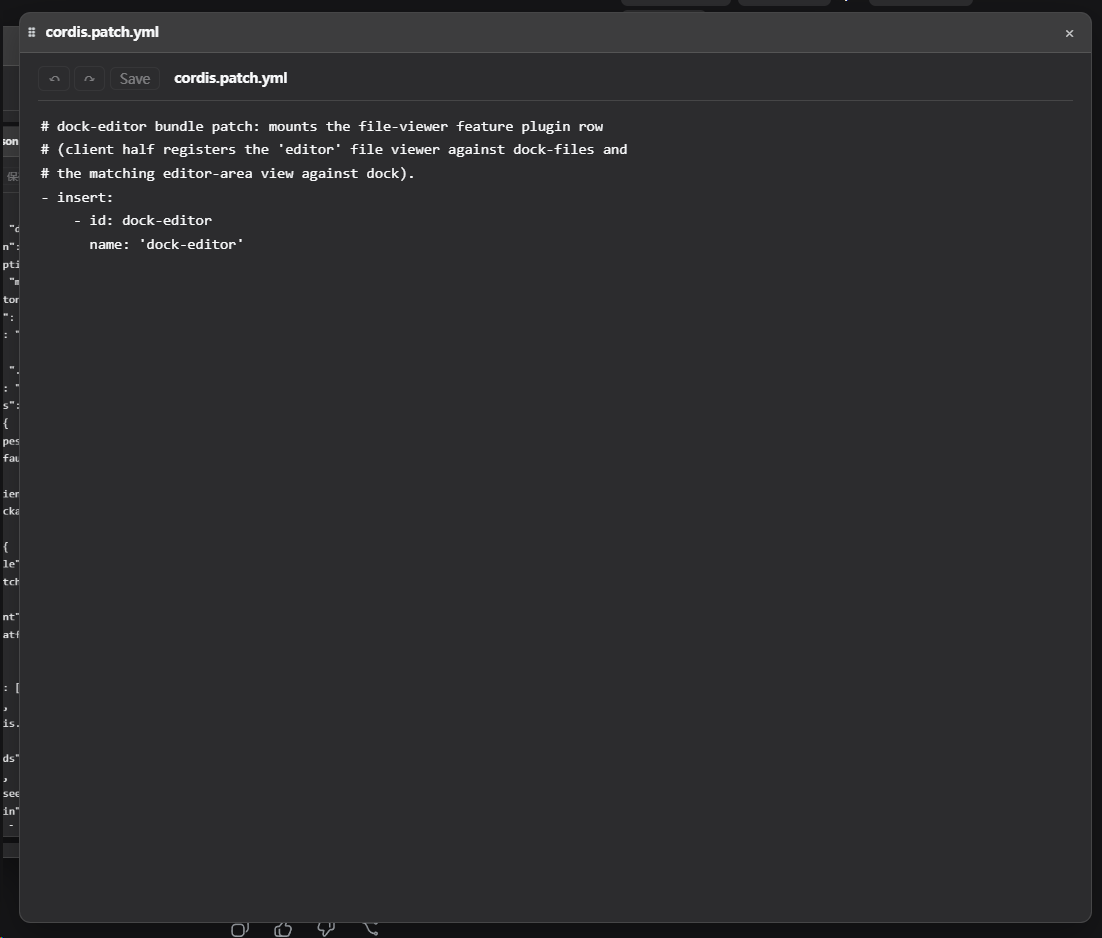
Text viewer/editor plugin of the dock family: registers the editor file viewer (the default one) and the matching editor-area view; reads and writes file text through its own /desk-editor host route.
Preview
Features
- Code/config highlighting: files with recognized extensions (ts/js/json/yaml/toml/ini/css/html/xml/py/sh etc.) are edited with CodeMirror 6 — incremental parsing, native undo/redo, line numbers, bracket matching and live syntax highlighting; the theme follows the DSH
--dsw-alias-*variables. - Plain text edits too: every text file uses the CodeMirror editor (code types get highlighting, plain text gets none, but all editing capabilities — undo/redo, search, bracket matching — are fully available).
- VSCode-style top-right search (decoupled from the CM panel):
Ctrl+Fopens an in-editor search widget in the top-right,Ctrl+Hwith replace,F3/Ctrl+G(shift to reverse) walks matches,Esccloses. The widget is a separate overlay (not a CMshowPanel), so it reserves no editor layout — no drag-select auto-scroll, no misplaced match, no replace-row collapse. Live match highlighting + acurrent/totalcounter,↑/↓previous/next,Enternext (Shift+Enter previous); replace is collapsed by default (expand via⇄), it follows the DSH theme (light and dark), and wheeling over it scrolls the editor rather than the page. - Text viewing and editing:
Ctrl+Ssave (global while the view is on screen);Ctrl+Zundo /Ctrl+Y(orCtrl+Shift+Z) redo,Ctrl+C/V/X/Acopy/paste/select-all, all via the editor's native keymap; plusAlt+↑/↓move line andCtrl+/comment. - Unsaved-change confirmation: closing a window with unsaved edits asks for confirmation (via the workbench
beforeClosehook and the seed dirty flag). - Binary detection: NUL-byte probe on read; binary files show a notice instead of garbage.
- Size cap: single-file reads are capped at 256 KiB; larger files show only the first 256 KiB and disable saving so the original is never truncated (the host enforces the same check).
- Floating-window geometry memory: each file remembers its last floating-window position/size and restores it on reopen.
Code-editor overhead:
CodeMirror 6is a build-time devDependency bundled intolib/client.js(same rule as dock-markdown bundling marked; it is not a runtime dependency). The client bundle is about 1.12 MB (gzip ≈ 300 KB) — dominated by the editor runtime (@codemirror/viewetc.), with all language grammars adding only ≈68 KB (gzip).
Dependencies
| Dependency | Type | Notes |
|---|---|---|
| dock >= 0.1.0 | peer (required) | workbench shell: the editor-area view, floating windows and ctx.workbench come from it |
| dock-files >= 0.1.0 | peer (required) | file-domain service: dock-editor is dispatched as its editor default viewer |
| DSH Web environment | runtime | required; client platform is Web |
cordis ^4.0.0-rc.7 |
peer | plugin framework (ships with DSH) |
react ^18.2.0 |
peer (optional) | needed for client rendering; without it the editor UI does not activate |
@codemirror/*, @lezer/highlight |
dev (build-time) | CodeMirror 6 editor + language grammars, compiled into lib/client.js; not needed after publish |
Optional companions: more viewers such as dock-images and dock-markdown can coexist with dock-editor, each taking over its own extensions (dock-editor remains the default fallback viewer).
Install
Requires dock and dock-files:
Recommended install from the npm registry:
dsh plugin --profile web add dock-base
dsh plugin --profile web add dock-files
dsh plugin --profile web add dock-editor
Or install from GitHub (alternative):
dsh plugin --profile web add github:AKS1st/dock
dsh plugin --profile web add github:AKS1st/dock-files
dsh plugin --profile web add github:AKS1st/dock-editor
Security
The /desk-editor route only accepts POSTs from trusted origins (loopback / trustedHosts plus same-origin check). Read paths only need to be absolute — they are not confined to the session workspace, because the conversation context can mention files outside it (e.g. ~/.dsh/skills/...) and the viewers open them for viewing; writes remain confined to the session workspace (403 otherwise), and outside-workspace files open read-only in the editor; writes also verify the target size does not exceed the read cap.
License
MIT
Links
More in this category
zhu1090093659/dsh-web#packages/dsh-task-board★ 8405
Task board for the dsh web GUI: a sidebar multi-column kanban whose cards run in real DSH agent sessions and can also be scheduled with cron expressions, executed host-side even with the browser closed.
zhu1090093659/dsh-web#packages/dsh-web-all★ 8405
Plugin and skin collection for the DSH Web UI: task board, Git graph, right-side panel, remote mobile UI, pet, live token stats, and a skin center.
ccch1mneyyy/dsh-TUI★ 4088
Claude Code-style full-screen terminal UI: pixel-whale header, live status line, and streaming thought expansion.
MeteorNOX/DeepSeek-Balance-Whale-Widget★ 4076
A fixed-corner whale widget for the DSH web GUI — balance, today's usage and per-turn cost with peak/off-peak pricing, editable balance-alert and daily-budget bubbles, a module-based custom bubble queue with A/B weighted choices and random lines or images, 30+ vendor templates (OpenAI, OpenRouter, Kimi, SiliconFlow, Ark, Zhipu, MiniMax and more) with per-model balance and subscription quota, plus task-end sound, imported audio, custom roles and a resource manager. Local-only, no telemetry.
omdsh-dev/DSH-better-sidebar★ 4009
Full sidebar workbench with file rendering and editing, terminal, Git, and subagents; third-party plugins can register new tabs.
Devin-AXIS/deepseek-design#deepseek-idesign★ 1423
Visual design studio for websites, app prototypes, posters, cards, reports, and magazines, with templates, direct element editing, selection-aware AI draft handoff, and export.
Community comments
Comments are public GitHub Discussions. Loading them connects to GitHub and Giscus; a GitHub account is required to post.